AI as Workspace: Elegant Multi-Workspace AI Chat Client - Complete Guide
Discover AI as Workspace (AIaW) - a full-featured, open-source AI chat client with multi-workspace support, plugin system, MCP integration, and real-time cloud sync. Complete guide with features, Docker setup, and honest review.

Why Another AI Chat Client? Because This One Gets the Workspace Thing Right
I've tried every AI chat client out there. Seriously — I've got a browser folder with 14 tabs dedicated to different LLM interfaces, and my desktop is a battlefield of half-written prompts scattered across text files. The problem isn't the AI models (they're amazing); it's that every chat app treats all conversations as one endless feed. Work stuff, personal research, code experiments — all jumbled together like laundry day.
Then I stumbled on AI as Workspace (AIaW), and the name alone told me what I was missing. This isn't a chat window with a side panel pretending to be productive. It's a genuine workspace-first approach, and after a week of daily use, I can't go back.
🚀 Want to deploy AI as Workspace yourself?
Docker configs, system requirements, and installation guides — all on one page.
View AI as Workspace Tool Page →What Makes AIaW Different?
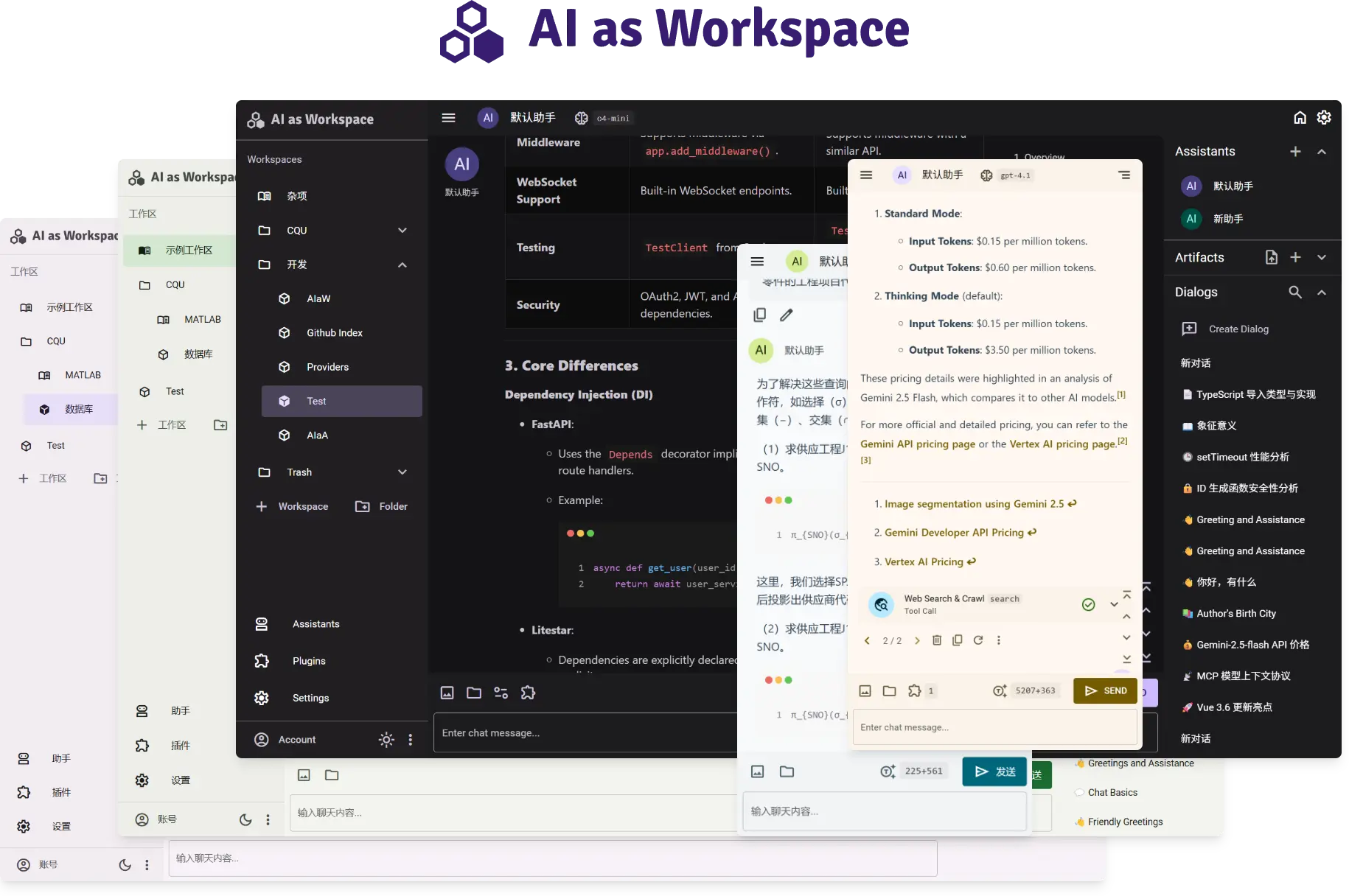
The multi-workspace system is the killer feature. You create separate workspaces for different contexts — call one "Work" (with GPT-4o and your company docs as context), another "Coding" (with Claude Sonnet and a system prompt about your stack), and a third "Research" (with Gemini 2.5 Pro and web search enabled). Each workspace remembers its own model, plugins, and configuration. Switching between them takes one click: no re-prompting, no losing context.
The Plugin Marketplace — No Code Required
I'm not a developer, so when I read "plugin system" I usually brace for JSON config files I'll mess up. AIaW's plugin marketplace is refreshingly simple: browse available plugins, click install, and they just work. Need image generation in your chat? Install the DALL-E plugin. Want to pull data from a database? There's a connector plugin for that. The MCP (Model Context Protocol) support takes this further — you can plug in external tools without waiting for a plugin to exist. It's the same protocol that tools like Claude Desktop use, so anything MCP-compatible works out of the box.
Local-First + Optional Cloud Sync — Best of Both
Here's where I had a "aha" moment. AIaW stores everything locally by default — your conversations, configs, artifacts. No vendor lock-in, no privacy concerns. But if you want to sync across devices, you can turn on real-time cloud sync. I use this between my desktop (Mac) and laptop (Linux), and it's seamless. I'll start a conversation about a project plan on my desk, then pick it up on the couch without missing a beat.
Artifacts — When a Chat Response Isn't Enough
One thing that always frustrated me about standard chat interfaces: you ask for a table, a chart, or a code snippet, and it's gone the moment you scroll. AIaW's Artifacts feature gives you persistent output windows. Ask it to generate a markdown table of competitor pricing? It stays in an Artifacts panel. Request a React component? That too — rendered and editable. It's reminiscent of what Cursor does for code, but applied to all LLM interactions.
Performance That Surprised Me
For a client with this many features, I expected bloat. But AIaW runs on surprisingly modest hardware. The desktop app (built with Tauri) uses about 120MB RAM at idle and starts in under 2 seconds on my 4-year-old ThinkPad. The Docker image is only ~80MB compressed — that's leaner than most web apps I use.
Who Is This For?
Honestly? Anyone who uses AI chat regularly and feels cramped by the single-feed approach. If you're a developer juggling multiple AI assistants for different projects, a researcher organizing separate lines of inquiry, or just someone tired of scrolling through yesterday's chat to find that one answer — AIaW is designed for you.
The BSD-3-Clause license means you can use it for personal projects, commercial work, or fork it without legal anxiety. And at 1.8K+ stars with 23K+ Docker pulls, it's not a dead project — updates come regularly.
The Verdict
After a week of daily use, I can confidently say AI as Workspace isn't just another AI chat client — it's a genuine rethink of how we organize AI interactions. The workspace model solves a real problem that most clients ignore, the plugin ecosystem is actually usable, and the performance is excellent for what it does. It's not perfect (I wish the mobile experience was more polished), but for desktop AI work, it's become my daily driver.
🚀 Explore AI as Workspace on Run This Ai
Docker Compose configs, system requirements, installation guides, and more — all in one place.
View AI as Workspace Tool Page →