How to Deploy AutoRAG with Docker: Step-by-Step Tutorial
Get AutoRAG running in minutes with Docker — from pulling the image to running your first optimization trial.
🚀 Want to deploy AutoRAG yourself?
Docker configs, system requirements, and installation guides — all on one page.
View AutoRAG Tool Page →AutoRAG's optimization engine is powerful, but you don't need to compile anything from source. The official Docker image autoraghq/autorag:latest gives you a working environment in minutes. This tutorial walks you through deployment, a first optimization run, and what the dashboard tells you.
Step 1 — Pull the Image and Start the Container
With Docker installed, the core setup is three commands:
docker pull autoraghq/autorag:latest
mkdir -p ~/autorag-data
docker run -d --name autorag -p 8080:8080 \
  -v ~/autorag-data:/data autoraghq/autorag:latest
The container exposes its web UI on port 8080 and keeps all indexes, trials and results in the mounted /data volume so your work survives container restarts.
Step 2 — Prepare Your Evaluation Dataset
AutoRAG optimizes against a QA dataset. Prepare a JSON/CSV file with q (question), gt (ground-truth answer) and optionally corpus fields, place it in ~/autorag-data, and point the web UI at it. The platform then splits your corpus, runs retrievers, rerankers and generators, and ranks every combination by the metrics you choose.
Step 3 — Run Trials and Read the Results
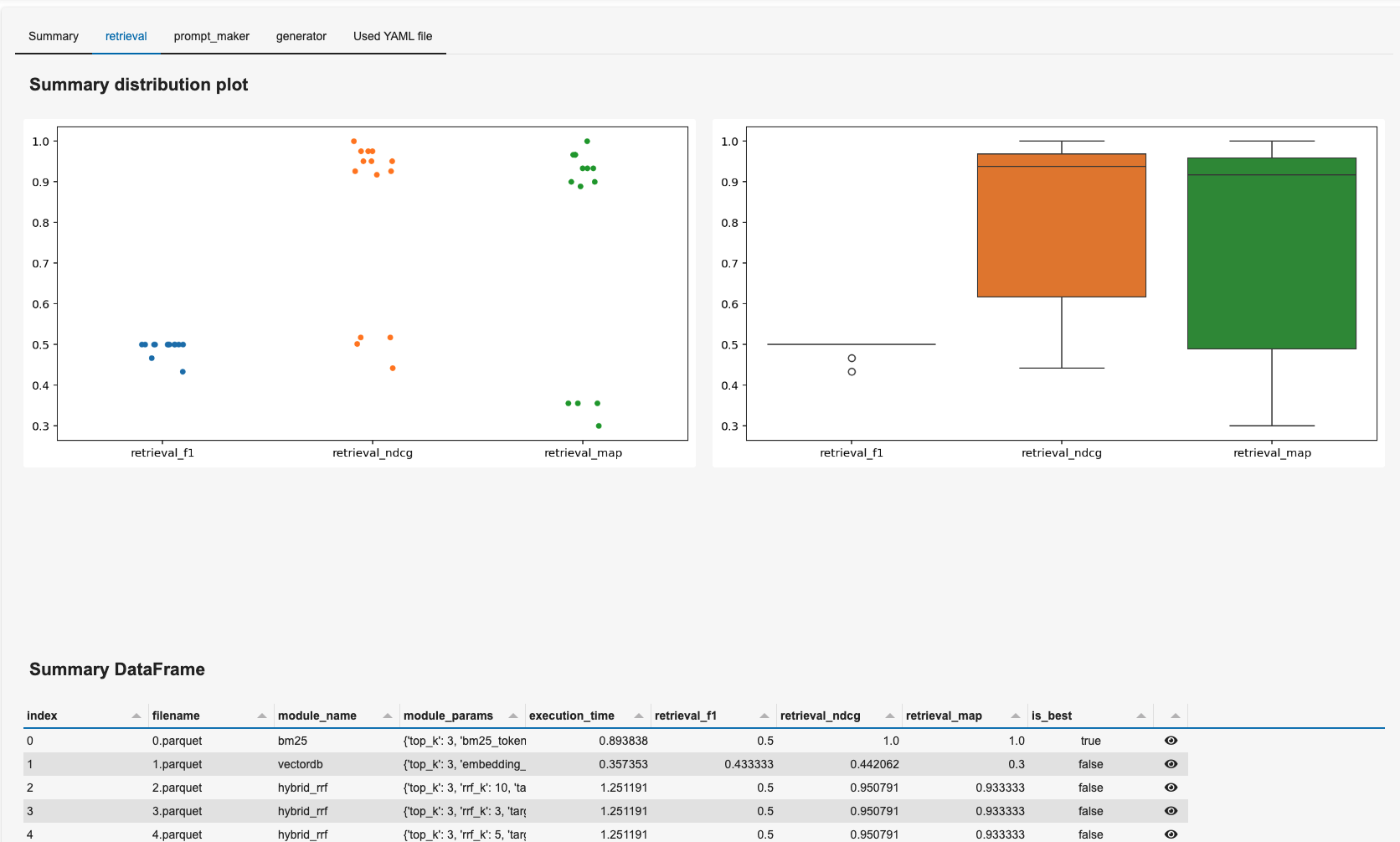
Each trial produces a detailed report: retrieval hit rate, faithfulness, token usage and latency. AutoRAG keeps the best pipeline as the production config, so the next time you query, you're already using the optimized path.
Resource Requirements
| Tier | CPU | RAM |
|---|---|---|
| Minimum | 2 cores | 4 GB |
| Recommended | 4 cores | 8 GB |
If a run feels slow, the bottleneck is almost always embedding generation — a GPU or an external embedding API helps far more than extra CPU cores.
🚀 Deploy AutoRAG with confidence
System requirements, Docker Compose config, and more — all on one page.
View AutoRAG Tool Page →