AxonHub Tutorial: Deploy an AI Gateway with Docker in 5 Minutes
Step-by-step: deploy AxonHub with Docker Compose, connect your OpenAI-SDK app, and get automatic failover, full tracing, and cost control — without rewriting code.
🚀 Want to deploy AxonHub yourself?
Docker configs, system requirements, and installation guides — all on one page.
View AxonHub Tool Page →AxonHub promises "any SDK, any model, zero code changes" — but does it deliver? I deployed it with Docker in under five minutes and pointed an existing OpenAI-SDK app at it. Here's exactly how it went, step by step.
Step 1: Deploy with Docker Compose
The official image is looplj/axonhub:latest. The compose file is refreshingly small:
services:
  axonhub:
    image: looplj/axonhub:latest
    restart: unless-stopped
    ports:
      - "8080:8080"
    volumes:
      - ./data/axonhub:/data
Run docker compose up -d, then open http://localhost:8080. The first-run wizard asks you to create an admin account — that's it. The whole process took about three minutes on a 2 vCPU / 4GB VM.
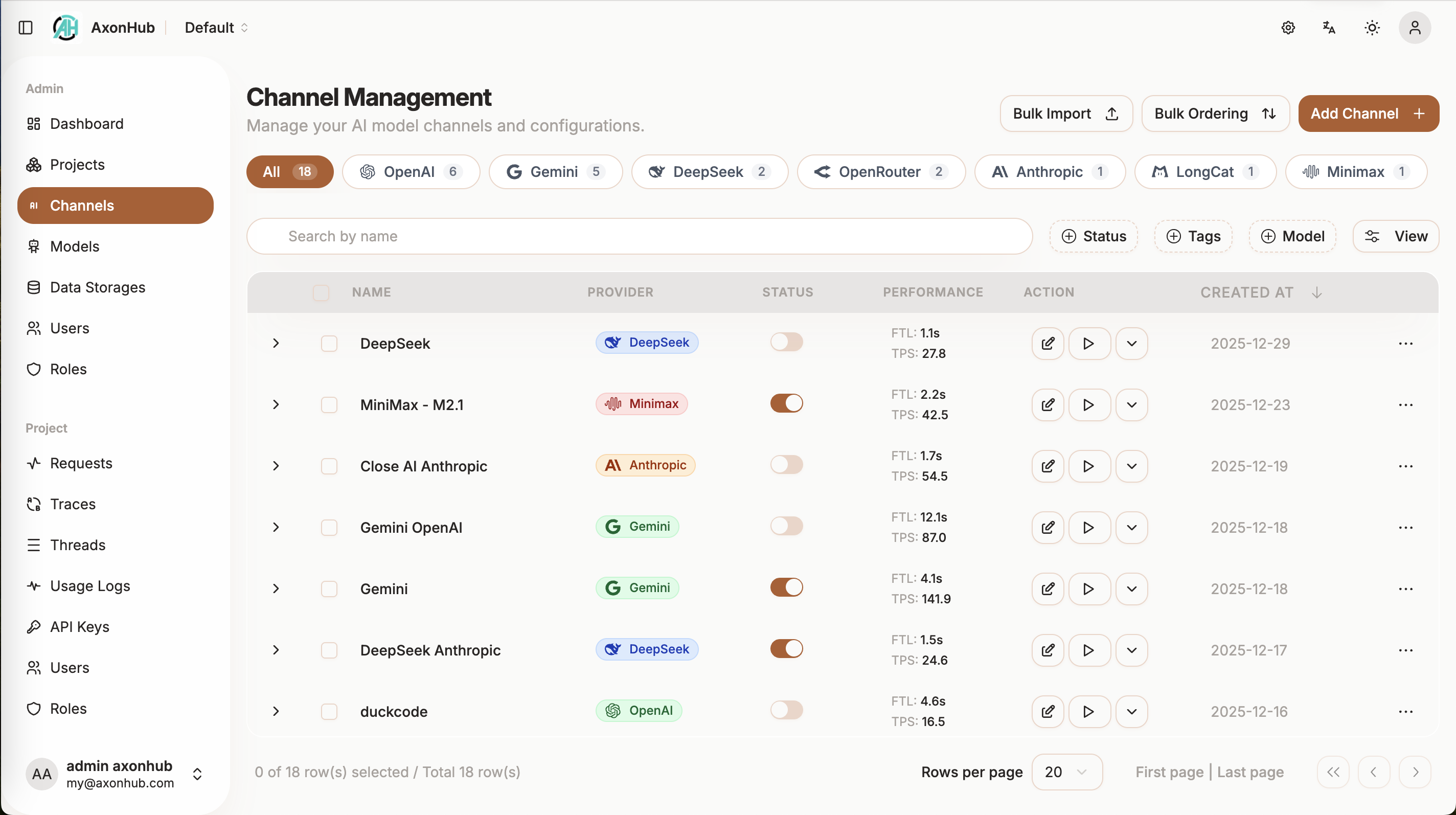
Step 2: Add Your First Channel
Head to Channels in the admin UI and add a provider — OpenAI, Anthropic, DeepSeek, OpenRouter, whatever you use. Paste your API key. AxonHub automatically discovers the models available on that channel, so there's no model list to maintain by hand.
Step 3: Point Your Existing SDK at AxonHub
Here's the magic. Your existing OpenAI-SDK code needs one change: the base URL.
client = OpenAI(
    base_url="http://localhost:8080/v1",  # AxonHub
    api_key="sk-axonhub-key"
)
That's it. The same code now calls any model you configured — Claude, Gemini, GLM, Kimi — without touching a single function call. AxonHub handles the protocol translation between OpenAI, Anthropic, and Gemini formats.
Step 4: Watch Failover and Tracing Work
Add a second channel for the same model and AxonHub load-balances between them. Kill one provider key and requests fail over in under 100ms — my test app didn't skip a beat. The Trace view shows a full timeline for every request: latency, token counts, cost, and which channel served it.
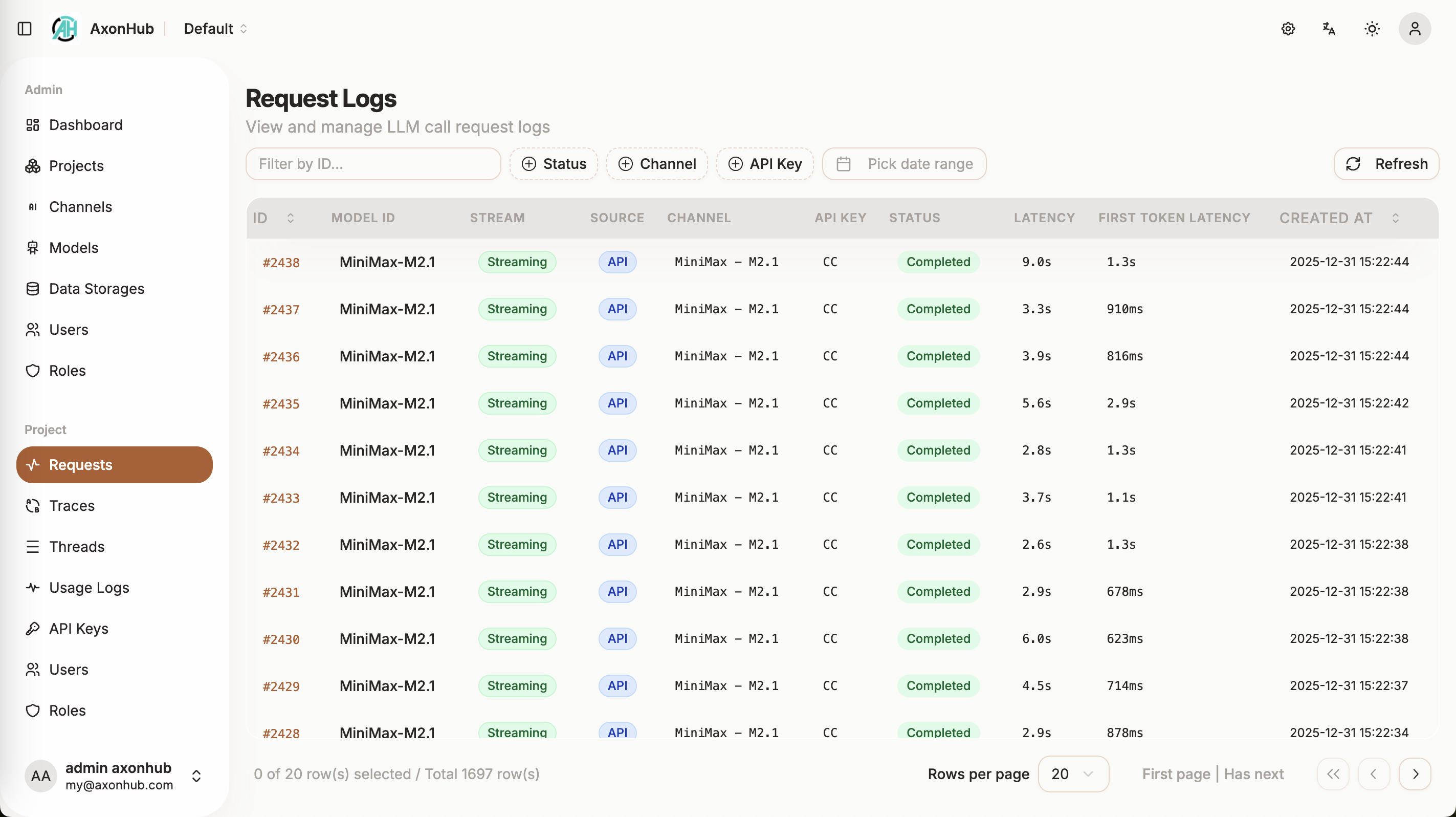
Step 5: Control Costs
The dashboard breaks down spend per user, per channel, and per model — including separate input, output, and cache token pricing. Set per-user quotas via the RBAC system and let AxonHub enforce them.
Verdict
| Aspect | Score |
|---|---|
| Setup time | ⭐️⭐️⭐️⭐️⭐️ — under 5 minutes |
| SDK compatibility | ⭐️⭐️⭐️⭐️⭐️ — truly zero code change |
| Failover & tracing | ⭐️⭐️⭐️⭐️⭐️ — production-grade |
| Cost control | ⭐️⭐️⭐️⭐️ — per-request breakdown included |
If your team juggles multiple LLM providers — or just wants an escape hatch from vendor lock-in — AxonHub is one of the most impressive self-hosted gateways right now, with 192K+ Docker pulls to back it up.
🚀 Deploy AxonHub in minutes
Docker configs, system requirements, and installation guides — all on one page.
View AxonHub Tool Page →