BentoML Tutorial: Deploy Your First LLM Inference API with Docker
Step-by-step: build a Bento, containerize it, and serve an LLM API with BentoML and Docker. Includes resource requirements and monitoring setup.
In this tutorial, you will deploy a real LLM inference service with BentoML using Docker — from a Python model file to a live HTTP API. No Kubernetes, no YAML gymnastics, just a clean, repeatable workflow.
🚀 Want to deploy BentoML yourself?
Docker configs, system requirements, and installation guides — all on one page.
View BentoML Tool Page →Step 1 — Install and define your service
Install BentoML with pip install bentoml, then create a service.py that wraps your model with the @bentoml.service decorator. A simple text-generation endpoint takes just a few lines:
import bentoml
from transformers import pipeline

@bentoml.service
class LLMService:
    def __init__(self):
        self.pipe = pipeline("text-generation", model="gpt2")
    @bentoml.api
    def generate(self, prompt: str) -> str:
        return self.pipe(prompt, max_new_tokens=50)[0]["generated_text"]
Step 2 — Build a Bento
Run bentoml build in the project directory. BentoML analyzes your code and dependencies, then packages everything into a self-contained Bento with a reproducible environment. This artifact is the same whether you deploy to Docker, Kubernetes, or the cloud.
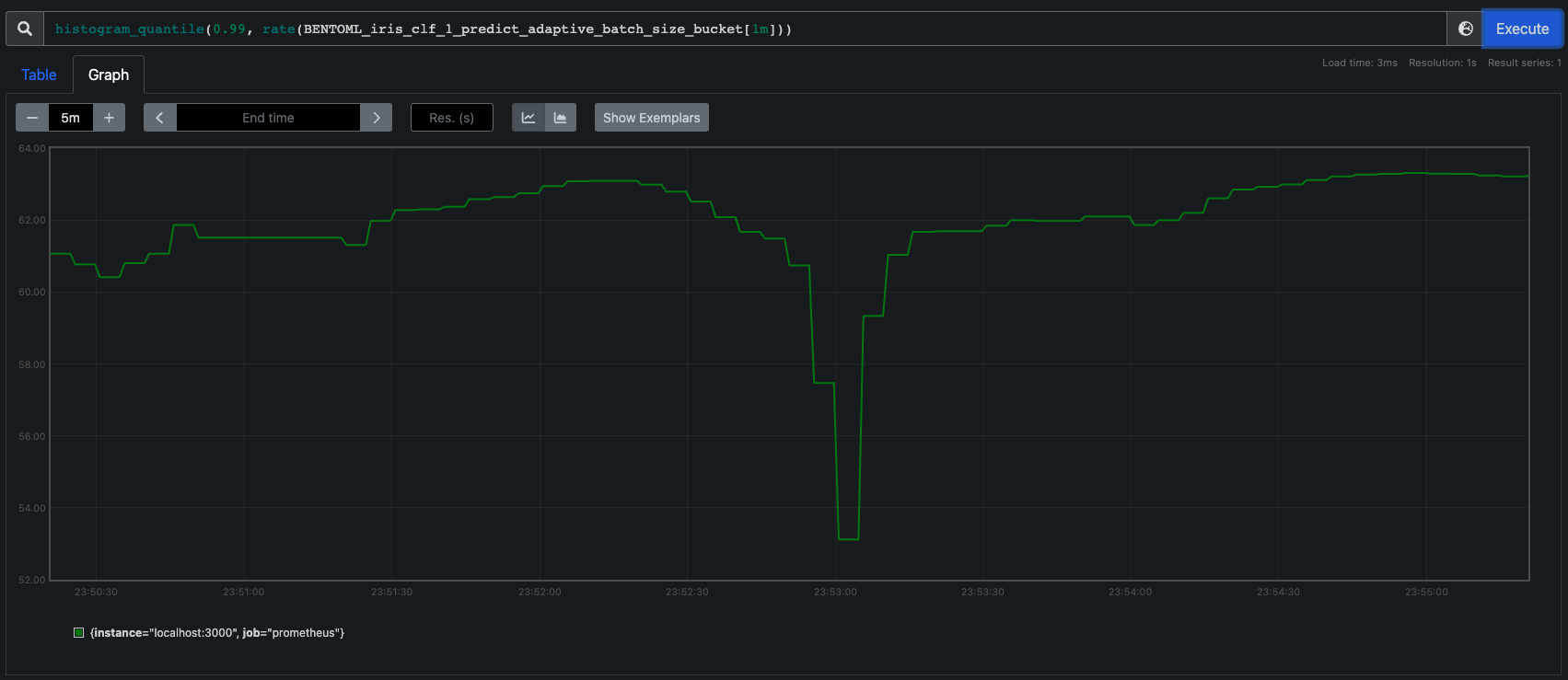
Adaptive batching in action: BentoML groups concurrent requests so GPU utilization stays high and latency stays low.
Step 3 — Containerize and run
Containerize with bentoml containerize my_llm:latest — this generates an optimized Docker image automatically. Or use the community image directly to serve any saved Bento:
docker run -p 8080:8080 bentoml/model-server:latest
Step 4 — Test and monitor
Your API is now live at http://localhost:8080 with a Swagger UI for testing. BentoML automatically exposes Prometheus metrics (/metrics) and OpenTelemetry traces, so you can wire up monitoring in minutes — not days.
| Resource | Recommendation |
|---|---|
| CPU | 2 cores minimum, 4+ recommended for LLM workloads |
| RAM | 4 GB minimum, 8 GB+ for large models |
| GPU | Optional but recommended for generative models |
✅ Verdict: BentoML is one of the fastest ways to take a model from notebook to production API. The learning curve is gentle, the Docker story is solid, and the built-in observability removes a whole class of production headaches.
🚀 Deploy BentoML today
Full hardware requirements, Docker Compose config, and installation steps on the tool page.
View BentoML Tool Page →