Bisheng: Open-Source LLM DevOps Platform for Enterprise AI — Complete Guide
Discover Bisheng, the open-source LLM DevOps platform for enterprise AI. Visual workflow builder, RAG, multi-agent orchestration, OCR, and model management — all in one dashboard.

Building Enterprise AI Applications Just Got Easier
I've been messing with LLM frameworks for a while now — LangChain, LlamaIndex, Haystack — and honestly? They're powerful but they leave you hanging when it comes to actually running things in production. You're stitching together a chatbot here, a RAG pipeline there, and suddenly you need model evaluation, user management, document parsing… the works.
That's where Bisheng walked in and changed my workflow completely. It's an open-source LLM DevOps platform — basically everything you need to build and deploy enterprise AI apps, bundled into one dashboard. Think of it as the Kubernetes of LLM applications, except you don't need a PhD to get started.
🚀 Want to deploy Bisheng yourself?
Docker configs, system requirements, and installation guides — all on one page.
View Bisheng Tool Page →What Makes Bisheng Different?
I've tested a lot of LLM platforms, and here's what I genuinely liked (and what I didn't). Let's start with the good stuff:
🧩 Visual Workflow Builder
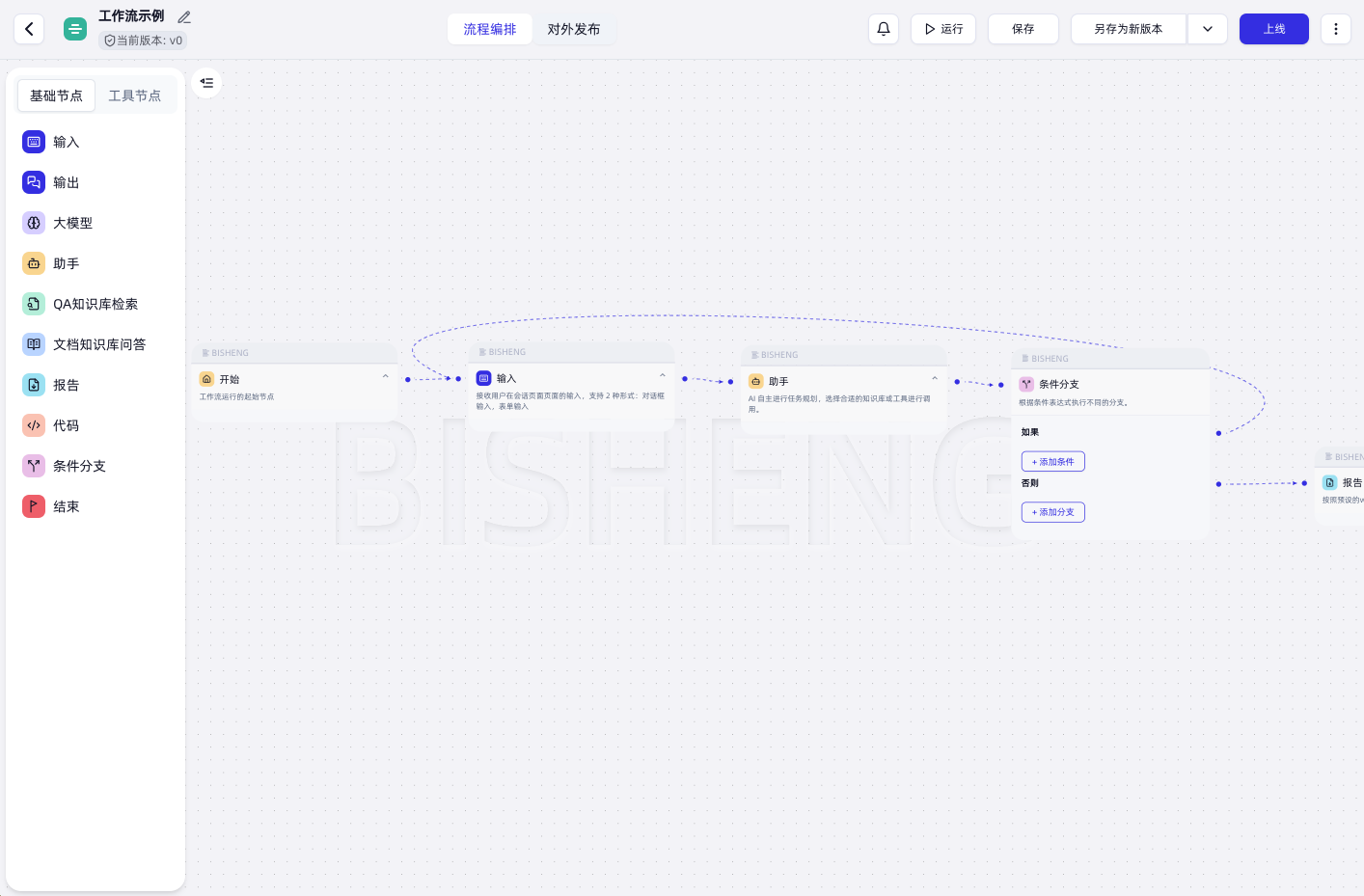
This was the first thing that hit me. Bisheng has a drag-and-drop workflow builder where you can chain LLM calls, RAG lookups, document processing, and tool integrations without writing a single line of code. I spent an hour building a customer support agent that reads PDFs, calls OpenAI for summarization, and posts to Slack — all visually. No pip install headaches, no dependency hell. It just works.
📚 Built-in RAG That Actually Works
RAG is everywhere these days, but most implementations fall apart when you throw real enterprise documents at them — weird PDFs, scanned invoices, Chinese text mixed with English. Bisheng handles all of that with built-in OCR and multi-format document parsing. I uploaded a messy scanned contract (PDF with handwritten notes) and it extracted, chunked, and indexed it correctly on the first try. That saved me hours of preprocessing.
🤖 Multi-Agent Orchestration
Here's where Bisheng really shines. You can create multiple agents — each with different LLM backends (OpenAI for creative tasks, Llama for local privacy, Qwen for Chinese content) — and orchestrate them in a single workflow. I set up a content pipeline where one agent drafts, another reviews, and a third translates. With human-in-the-loop approval gates, nothing goes live without a human check.
⚙️ Model Management Across Providers
Bisheng supports OpenAI, Llama, Qwen, ChatGLM, and more — all from one interface. No more juggling API keys in different config files. You bind a model to a workflow, and Bisheng handles the routing, fallbacks, and rate limiting.
What I Didn't Like
Honest review? The documentation could be better. Some advanced features (like custom tool integration and the SFT pipeline) have sparse docs, and I spent a good hour figuring out how to connect external APIs. Also, for a production deployment, you'll want at least 8GB RAM — 4GB works for testing but gets tight fast.
And the OCR? Solid for Chinese and English mixed docs, but I noticed it struggles with heavily formatted PDFs (tables, multi-column layouts). Not a dealbreaker — just something to know.
Who Is Bisheng For?
If you're building enterprise AI apps — chatbots, RAG systems, document processing pipelines — and you want something that works out of the box without you having to stitch together 15 different libraries, Bisheng is your jam. It's especially strong for teams that need a visual interface (your non-technical stakeholders can actually build workflows).
If you just need a quick RAG bot for a side project, something simpler might be overkill. But for production-grade deployments with model management, evaluation, and multi-agent orchestration? Bisheng is the real deal.
Quick Start
docker pull dataelement/bisheng-backend:latest
docker run -d --name bisheng -p 8080:8080 -v ./data/bisheng:/data dataelement/bisheng-backend:latest
That's it. Open http://localhost:8080 and you're in. The first-time setup walks you through connecting an LLM provider and creating your first workflow.
🚀 Explore Bisheng on Run This Ai
Docker Compose configs, system requirements, installation guides, and more — all in one place.
View Bisheng Tool Page →