How to Deploy Cognita with Docker Compose: Step-by-Step Tutorial
Learn how to deploy the Cognita RAG framework with Docker Compose: clone, configure Ollama and Qdrant, ingest your first documents, and chat with them via the web UI.
🚀 Want to deploy Cognita yourself?
Docker configs, system requirements, and installation guides — all on one page.
View Cognita Tool Page →Deploying Cognita: step-by-step
In this tutorial you will stand up a complete Cognita RAG stack with Docker Compose — including Qdrant for vector storage and Ollama for fully local LLM inference — then ingest your first documents and chat with them through the web UI.
Step 1 — Clone and configure
Start by cloning the repository and copying the environment template:
git clone https://github.com/truefoundry/cognita.git
cd cognita
cp compose.env .env
Open .env and set your POSTGRES_USER, POSTGRES_PASSWORD, and pick an OLLAMA_MODEL (for example llama3.2:3b). The compose file wires up PostgreSQL for metadata, Qdrant for vectors, Ollama for embeddings and generation, and the Infinity server for embedding inference.
Step 2 — Start the stack
Launch the database and vector services first, then enable the optional Ollama profile:
docker compose --profile ollama up -dWait for the health checks to pass — PostgreSQL and Qdrant must be healthy before the backend starts. The first Ollama run pulls the model you selected, which can take a few minutes depending on your connection.
Step 3 — Create a collection and add data
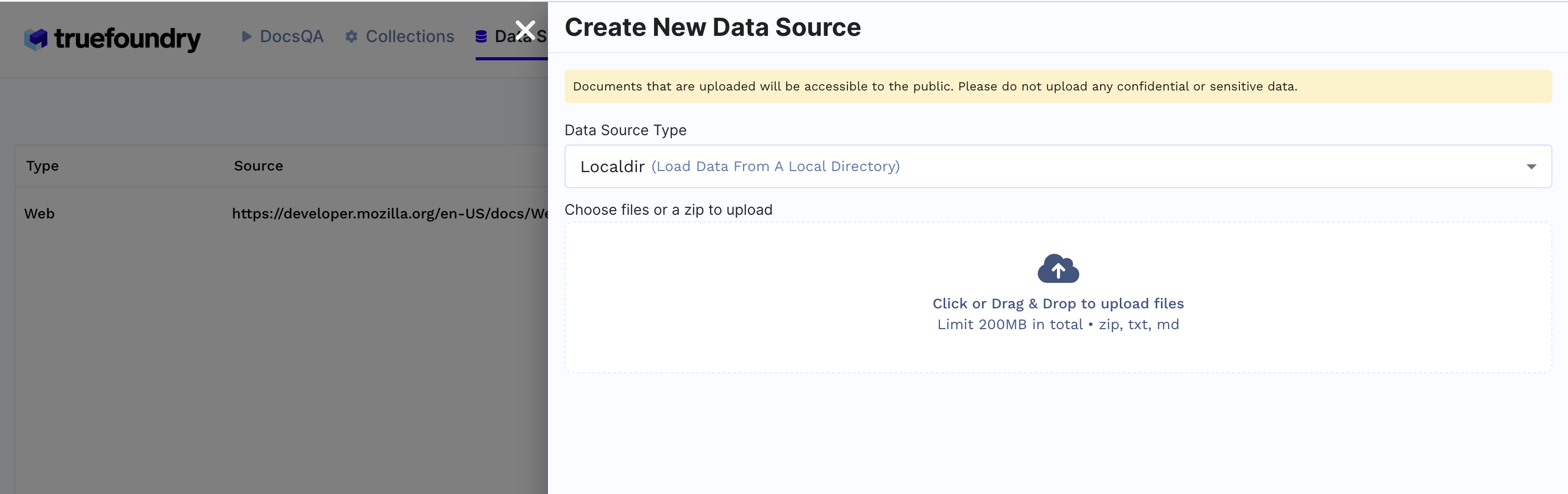
Open the Cognita UI at http://localhost:8080. Create a new collection, then add a datasource. You can point it at a local PDF, a website URL, or any of the 30+ supported connectors:
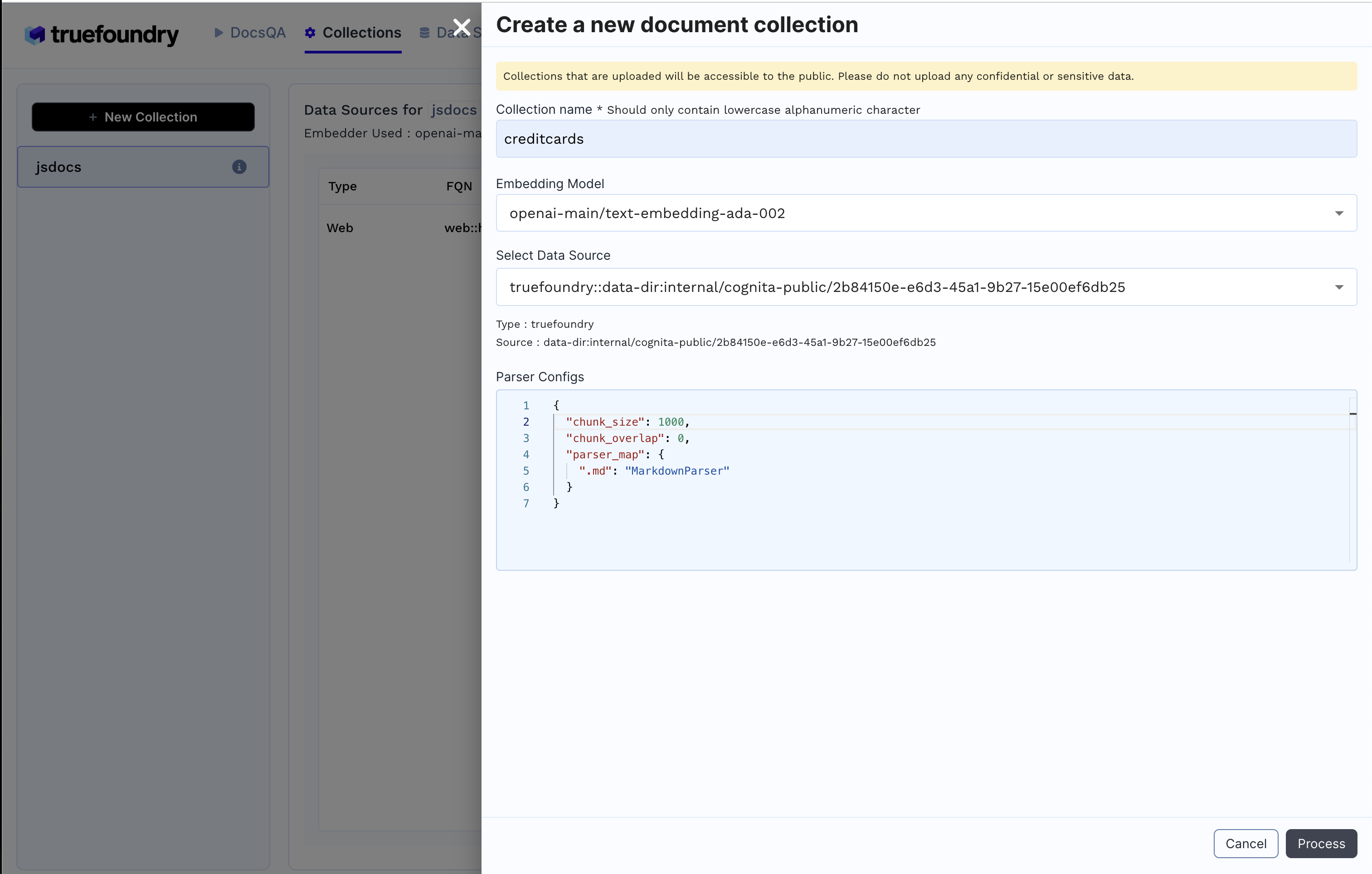
Trigger ingestion and watch the progress in the UI. When it completes, the chunks are embedded and stored in Qdrant:
Step 4 — Ask questions and evaluate
Head to the chat interface, pick your collection, and start asking. Cognita runs hybrid search with reranking before passing context to the LLM:
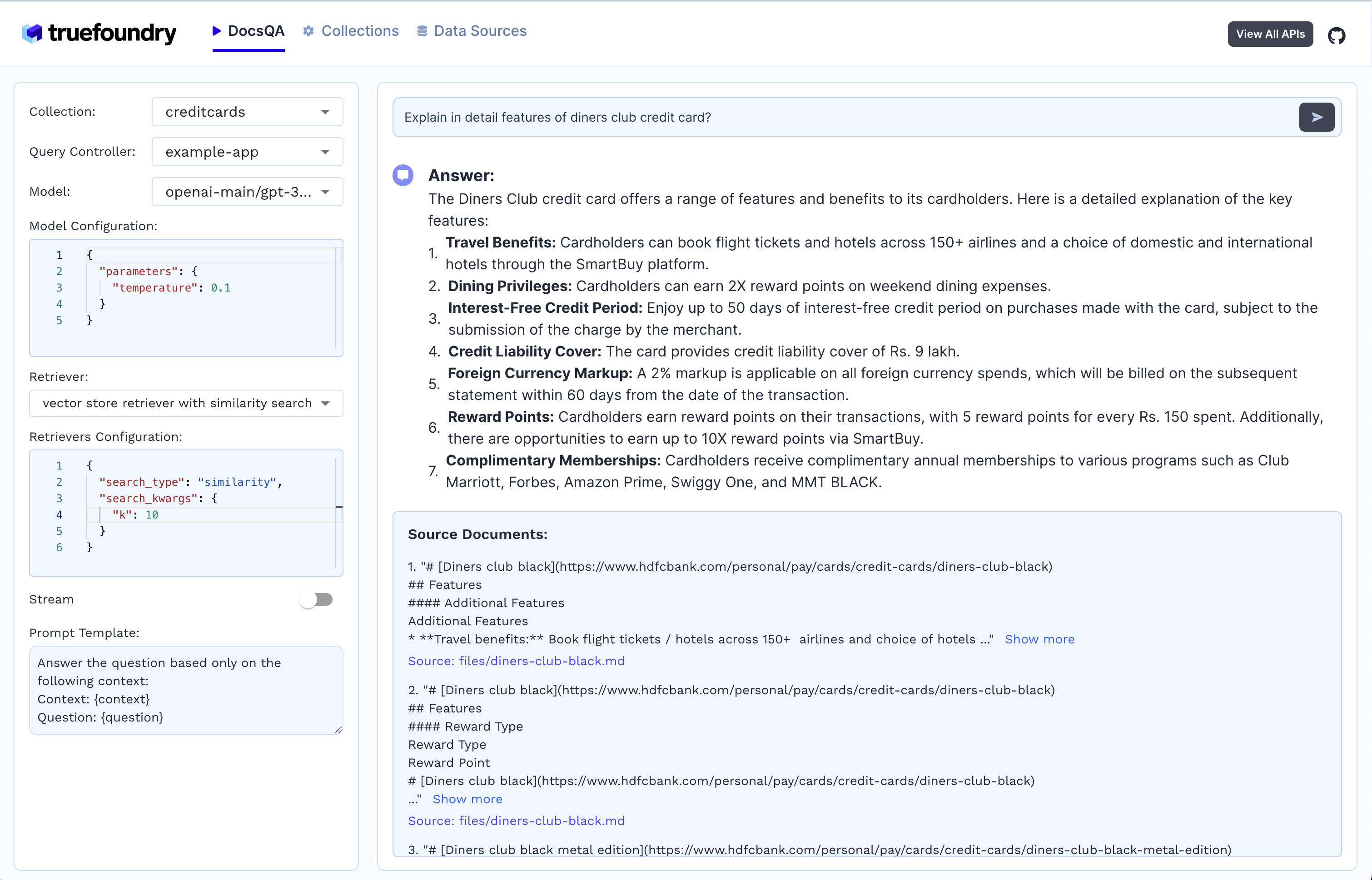
Use the evaluation panel to compare retrieval quality across different embedding and reranker configurations — this is where production-ready answers come from.
Hardware notes
| Tier | CPU | RAM |
|---|---|---|
| Minimum | 2 cores | 4 GB |
| Recommended | 4 cores | 8 GB+ (more for local LLMs) |
That is it — a fully local, production-oriented RAG stack in four steps. Cognita is a great pick when you want full control over every stage of retrieval augmented generation without building the plumbing yourself.
🚀 Deploy Cognita with one click
Get the exact Docker Compose config, system requirements, and deployment checklist.
View Cognita Tool Page →