DBX: The 20 MB Database Client That Connects to 70+ Databases
DBX is a 20 MB cross-platform database client for 70+ engines with a built-in AI assistant and MCP Server. Discover why it is replacing heavyweight tools.
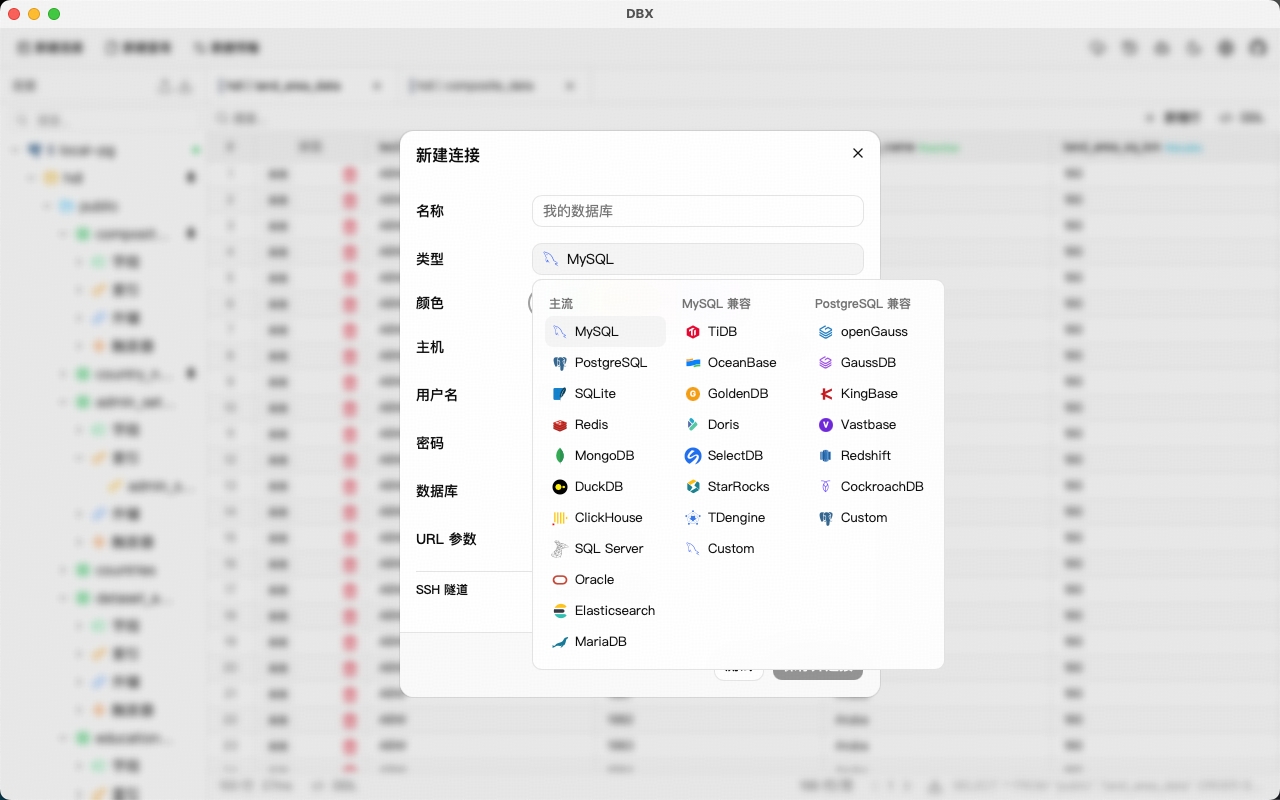
Most database clients are heavy, slow to start, and locked to a handful of databases. DBX flips that script: it is a 20 MB cross-platform client that connects to 70+ databases — MySQL, PostgreSQL, SQLite, Redis, MongoDB, DuckDB, SQL Server and Dameng — with a built-in AI assistant and an MCP Server. One tool for your entire data stack.
🚀 Want to deploy DBX yourself?
Docker configs, system requirements, and installation guides — all on one page.
View DBX Tool Page →Why DBX stands out
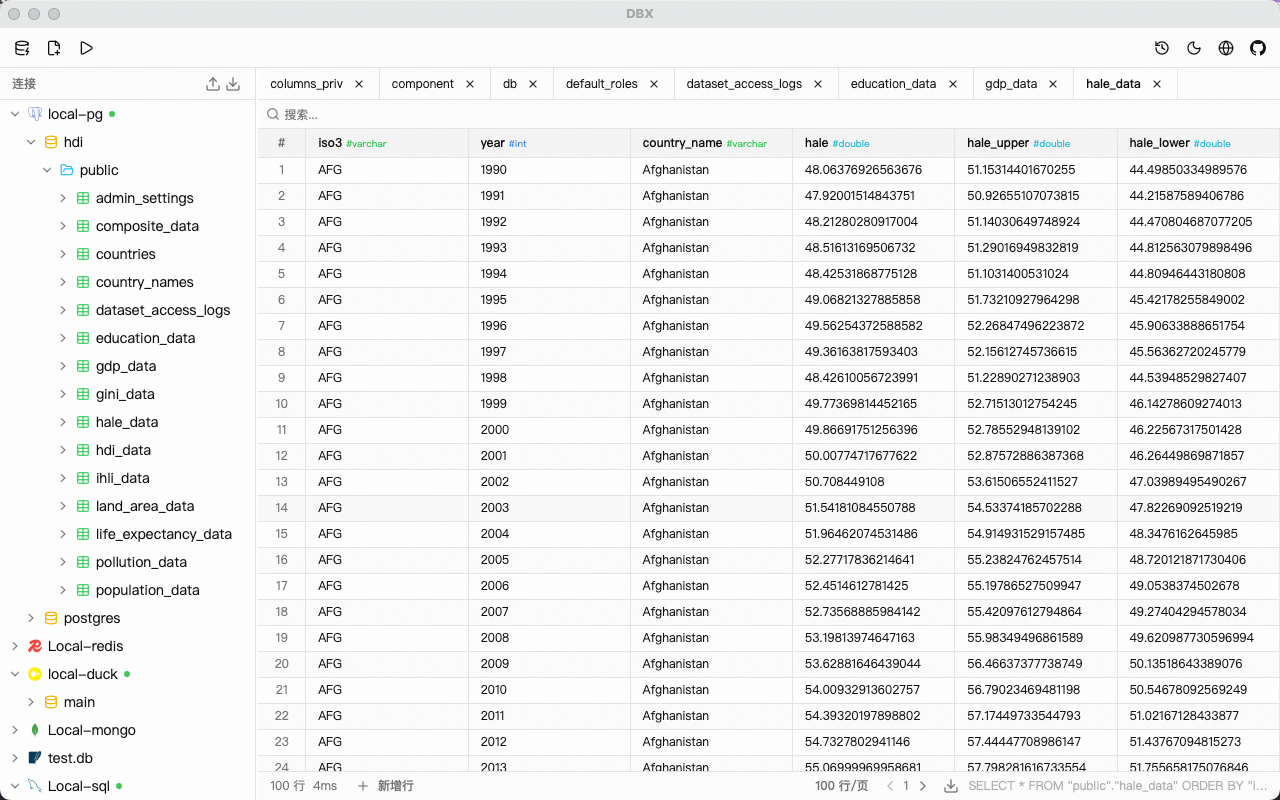
DBX was built for one goal: connect to everything, weigh almost nothing. The entire application ships at about 20 MB, starts in seconds, and runs on Windows, macOS and Linux. Because it supports both relational and NoSQL engines, you can replace a folder full of vendor-specific tools with a single client.
Built-in AI assistant
Beyond browsing tables, DBX embeds an AI assistant that helps you write SQL, explain queries, and optimize slow statements. You can describe what you want in plain language and get a ready-to-run query — no context switching to a separate AI chat.
MCP Server included
DBX also ships an MCP (Model Context Protocol) Server, so AI coding tools like Claude, Cursor or custom agents can query your databases directly through DBX. This turns your database client into the data gateway for your AI workflows.
Run it anywhere
| Mode | Best for |
|---|---|
| Desktop app | Everyday GUI work |
| Docker container | Servers, labs, self-hosting |
| CLI | Scripting and automation |
With Apache-2.0 licensing and an active open-source community (12.9K+ stars), DBX is a safe, future-proof choice for teams that want one lightweight client for every database.
🚀 Ready to run DBX?
Get the Docker setup, requirements, and step-by-step guide on the tool page.
View DBX Tool Page →