How to Deploy DBX with Docker and Use Its AI Assistant
Step-by-step tutorial: run DBX in Docker, connect to PostgreSQL, write SQL with the built-in AI assistant, and expose data to AI tools via MCP.
DBX gives you a 20 MB database client with support for 70+ engines, an AI assistant, and an MCP Server — and the fastest way to run it is Docker. In this tutorial you will deploy DBX in minutes, connect it to PostgreSQL, and use its AI assistant to write queries.
🚀 Want to deploy DBX yourself?
Docker configs, system requirements, and installation guides — all on one page.
View DBX Tool Page →Step 1: Run DBX with Docker Compose
Create a docker-compose.yml with the official image and a persistent volume for your data:
services:
  dbx:
    image: t8y2/dbx:latest
    restart: unless-stopped
    ports:
      - 8080:8080
    volumes:
      - ./data/dbx:/data
Start it with docker compose up -d and open http://localhost:8080. That is the whole install — DBX runs as a single lightweight container.
Step 2: Add your first connection
Open the connection manager and choose PostgreSQL. Enter your host, port (default 5432), database name and credentials. DBX handles connection pooling and keeps your settings in the mounted /data volume, so everything survives container restarts.
Step 3: Use the AI assistant
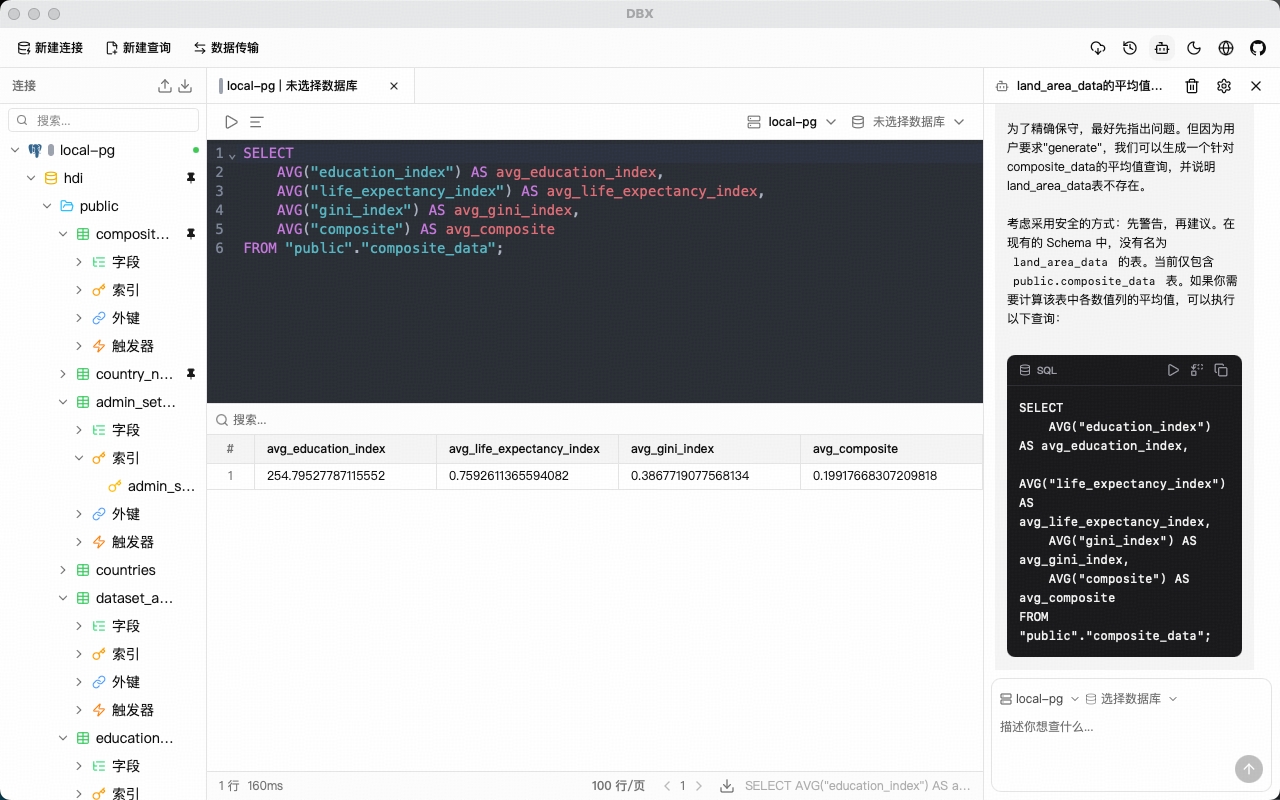
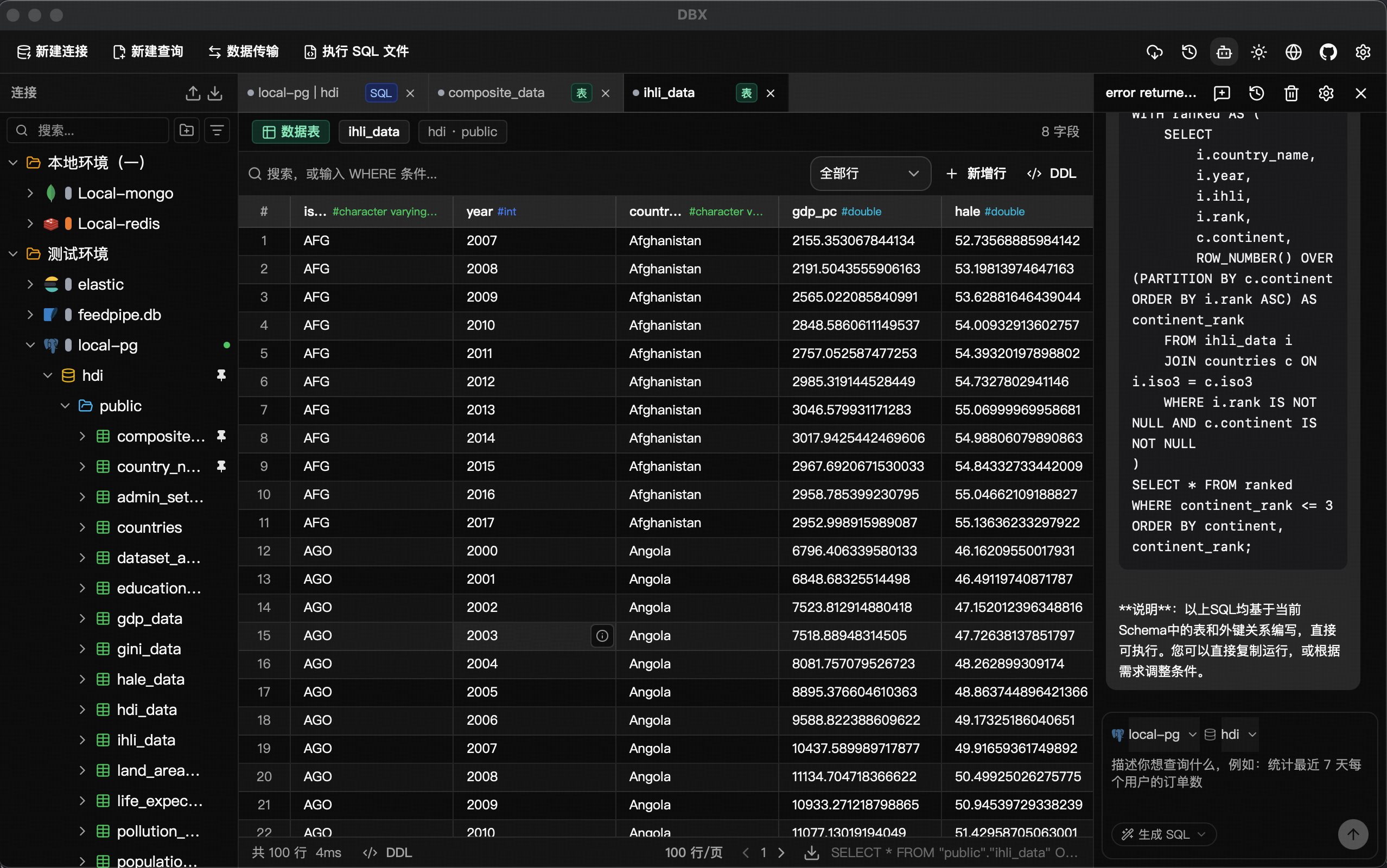
Click the AI assistant panel and type a request in plain English, for example "show the top 10 customers by total orders". DBX generates the SQL, explains what it does, and lets you run it directly. You can also ask it to optimize a slow query and compare before/after execution plans.
Step 4: Expose your data to AI tools via MCP
Enable the built-in MCP Server from the settings. AI coding assistants that speak the Model Context Protocol can then discover your schemas and run read queries through DBX — no direct database credentials needed in your agent config.
System requirements
| Tier | CPU | RAM |
|---|---|---|
| Minimum | 2 cores | 4 GB |
| Recommended | 4 cores | 8 GB |
That is it — a lightweight, self-hosted database client with AI built in. Deploy it once and you have one tool for MySQL, PostgreSQL, SQLite, Redis, MongoDB, DuckDB and dozens more.
🚀 Ready to run DBX?
Get the Docker setup, requirements, and step-by-step guide on the tool page.
View DBX Tool Page →