How to Convert an EPUB to an Audiobook with ebook2audiobook (Docker + Web GUI)
Step-by-step tutorial: deploy ebook2audiobook with Docker, upload your e-book, choose a voice, and generate a high-quality audiobook in minutes.
In this tutorial, you will deploy ebook2audiobook with Docker, upload an EPUB, pick a voice, and generate a high-quality audiobook — all in a few minutes. No GPU is required for basic use, though a GPU speeds things up considerably.
🚀 Want to deploy ebook2audiobook yourself?
Docker configs, system requirements, and installation guides — all on one page.
View ebook2audiobook Tool Page →Step 1 — Deploy with Docker Compose
Create a docker-compose.yml with the official image and start the container:
services:
  ebook2audiobook:
    image: athomasson2/ebook2audiobook:latest
    restart: unless-stopped
    ports:
      - 8080:8080
    volumes:
      - ./data/ebook2audiobook:/data
Run docker compose up -d. The first start pulls the models, so give it a few minutes.
Step 2 — Open the Web GUI
Browse to http://localhost:8080. You will see the web interface where you can upload files and manage conversions.

Step 3 — Upload and Configure
Drop in an EPUB (or PDF/TXT/MOBI), select a TTS model, and choose a voice. You can enable voice cloning by providing a short sample of the voice you want. The tool supports 1,158+ languages and dialects.
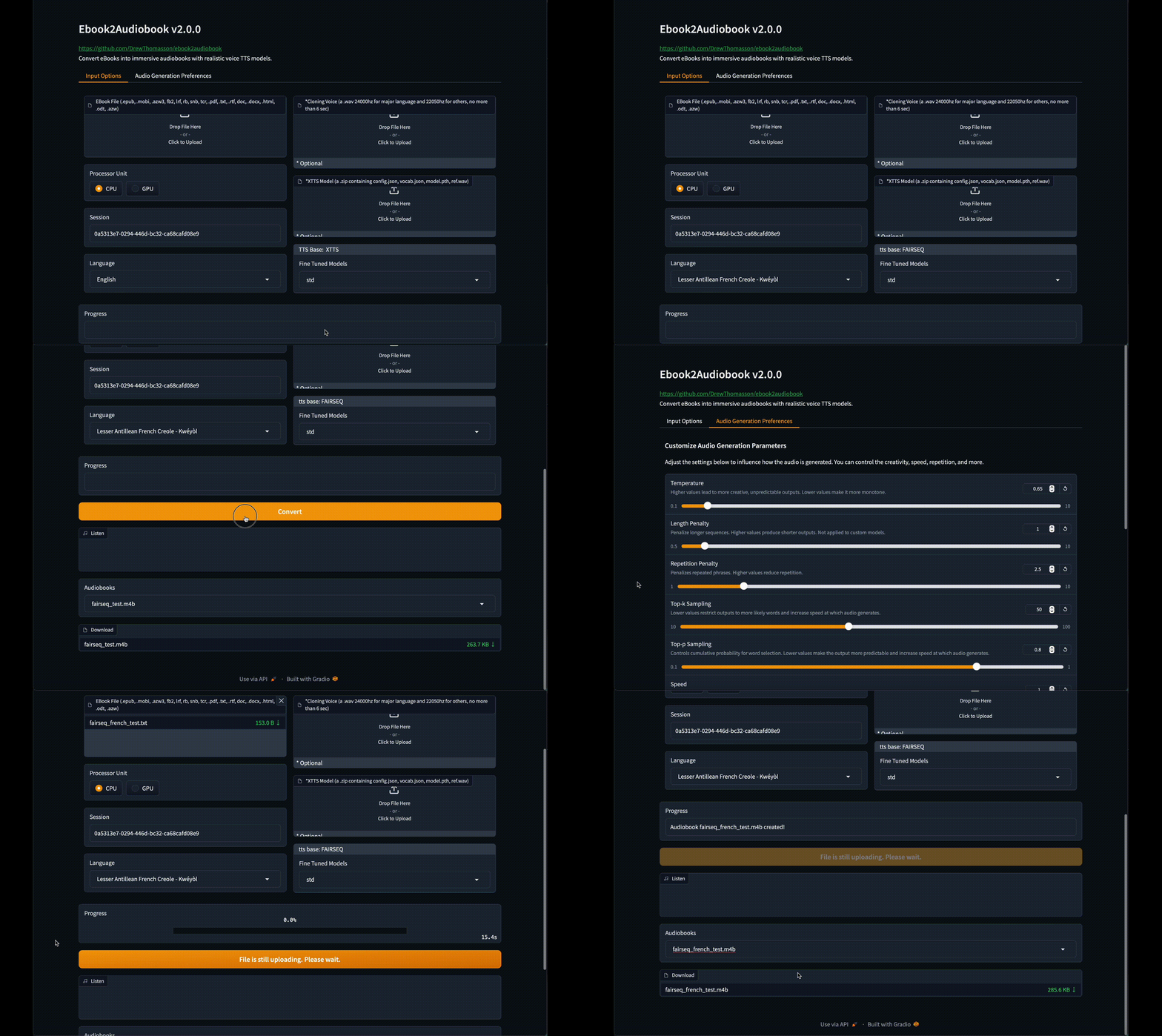
Step 4 — Generate and Listen
Hit generate and wait for the conversion to finish. Your audiobook is produced chapter by chapter and can be downloaded straight from the GUI to any device or media player.
💡 Pro tip: For long books, start with a single chapter to test voice quality, then batch the remaining chapters. On CPU-only machines, consider the lighter TTS models to keep generation times reasonable.
That is it — you now have a personal, privacy-friendly audiobook pipeline running on your own hardware.
🚀 Ready to generate your first audiobook?
Get the Docker compose file, requirements, and setup guide.
View ebook2audiobook Tool Page →