Getting Started with text-generation-webui: Your Local LLM Powerhouse
A comprehensive guide to text-generation-webui (oobabooga) — the leading open-source web interface for running local LLMs with chat, vision, tool-calling, and an OpenAI-compatible API.
What is text-generation-webui?
text-generation-webui (also known as oobabooga) is the most popular open-source desktop application for running large language models (LLMs) locally. With over 47,000 GitHub stars, it provides a polished Gradio-based web interface for chatting with, training, and serving hundreds of LLMs — from Llama and Mistral to Gemma, Phi, and thousands more available on Hugging Face.
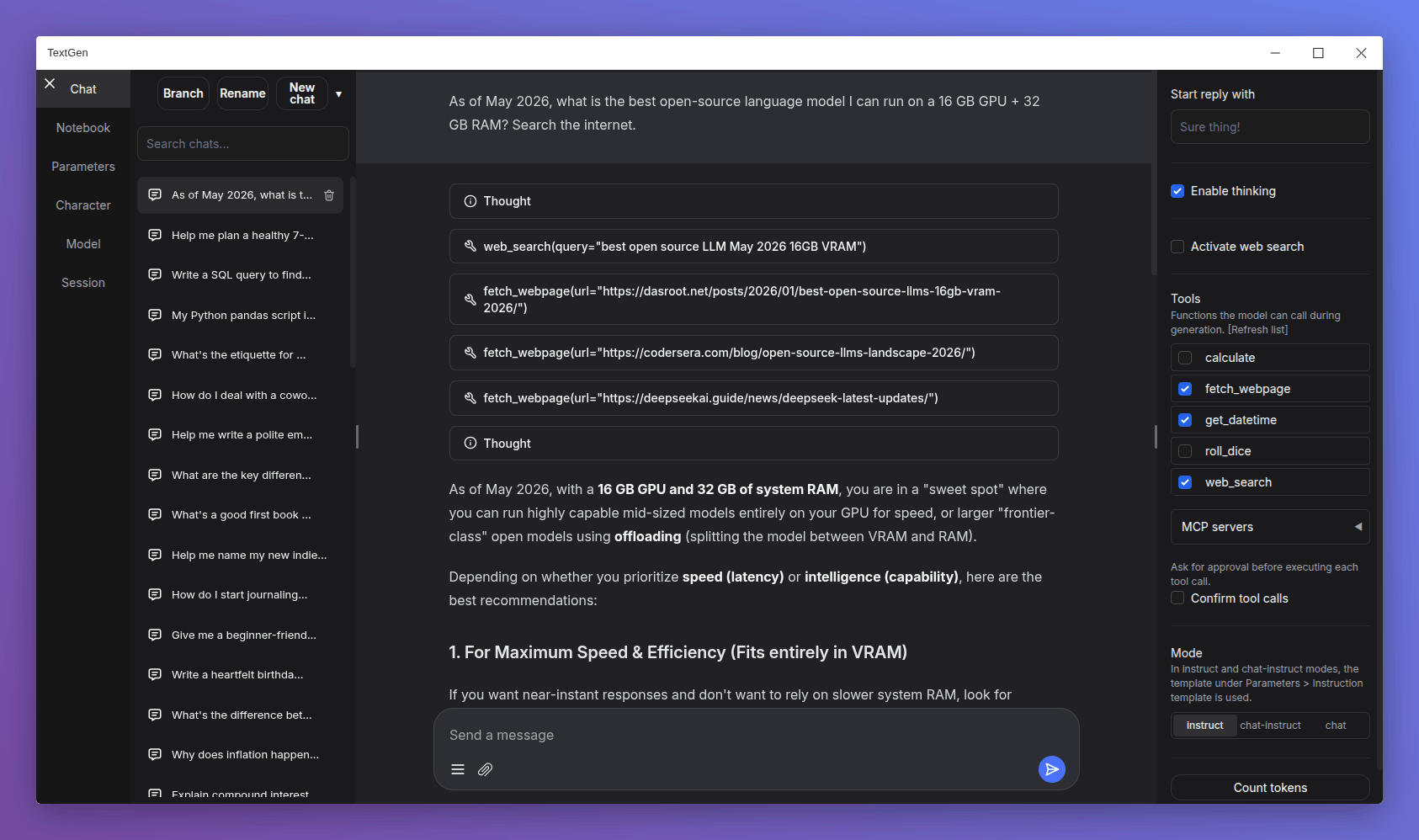
Key Features
- Multi-Model Support: Load any Hugging Face model with automatic detection of model type, quantization, and hardware acceleration
- Chat & Notebook Modes: Interactive chat mode for conversations and notebook mode for prompt experimentation
- Vision & Multimodal: Upload images and have the model describe or analyze them (works with LLaVA, BakLLaVA, and other multimodal models)
- Tool-Calling: Enable LLMs to call external tools and APIs for advanced workflows
- OpenAI-Compatible API: Expose an API endpoint compatible with OpenAI and Anthropic clients
- Training: Full LoRA and QLoRA training support for fine-tuning models on your data
- Extensions System: Rich ecosystem of extensions for TTS, image generation, memory, and more
- Cross-Platform: One-click installer for Windows, Linux, and macOS with GPU acceleration (CUDA, ROCm, Metal, Vulkan)
Why Run It Locally?
Running LLMs locally gives you complete privacy — your conversations never leave your machine. No data is sent to third parties, no API keys needed, and no usage limits. Plus, with modern hardware acceleration, even 7B and 13B parameter models run smoothly on consumer GPUs.
Quick Start
On Linux/macOS:
git clone https://github.com/oobabooga/text-generation-webui
cd text-generation-webui
./start_linux.sh
Then open http://localhost:7860 in your browser, download a model from the Model tab, and start chatting!
License
text-generation-webui is released under the AGPL-3.0 license, ensuring it remains free and open-source for the community.