How to Deploy Fess: Step-by-Step Guide to Self-Hosted Enterprise Search with AI
Step-by-step tutorial for deploying Fess enterprise search with Docker. Configure AI semantic search, multi-source crawling, and production-ready performance.
Fess Review: Enterprise Search That Puts You in Control
In a world where data is scattered across websites, file servers, databases, and cloud storage, finding what you need quickly is a constant challenge. Fess solves this by bringing all your content into a single, searchable index — and it does so with a level of transparency and control that proprietary solutions can't match.
🚀 Want to deploy Fess yourself?
Docker configs, system requirements, and installation guides — all on one page.
View Fess Tool Page →Getting Started: Docker Deployment
The fastest way to get Fess running is with Docker. Here's how:
- Pull the image:
docker pull codelibs/fess:latest - Run the container:
docker run -d -p 8080:8080 --name fess codelibs/fess:latest - Access the dashboard: Open
http://localhost:8080in your browser
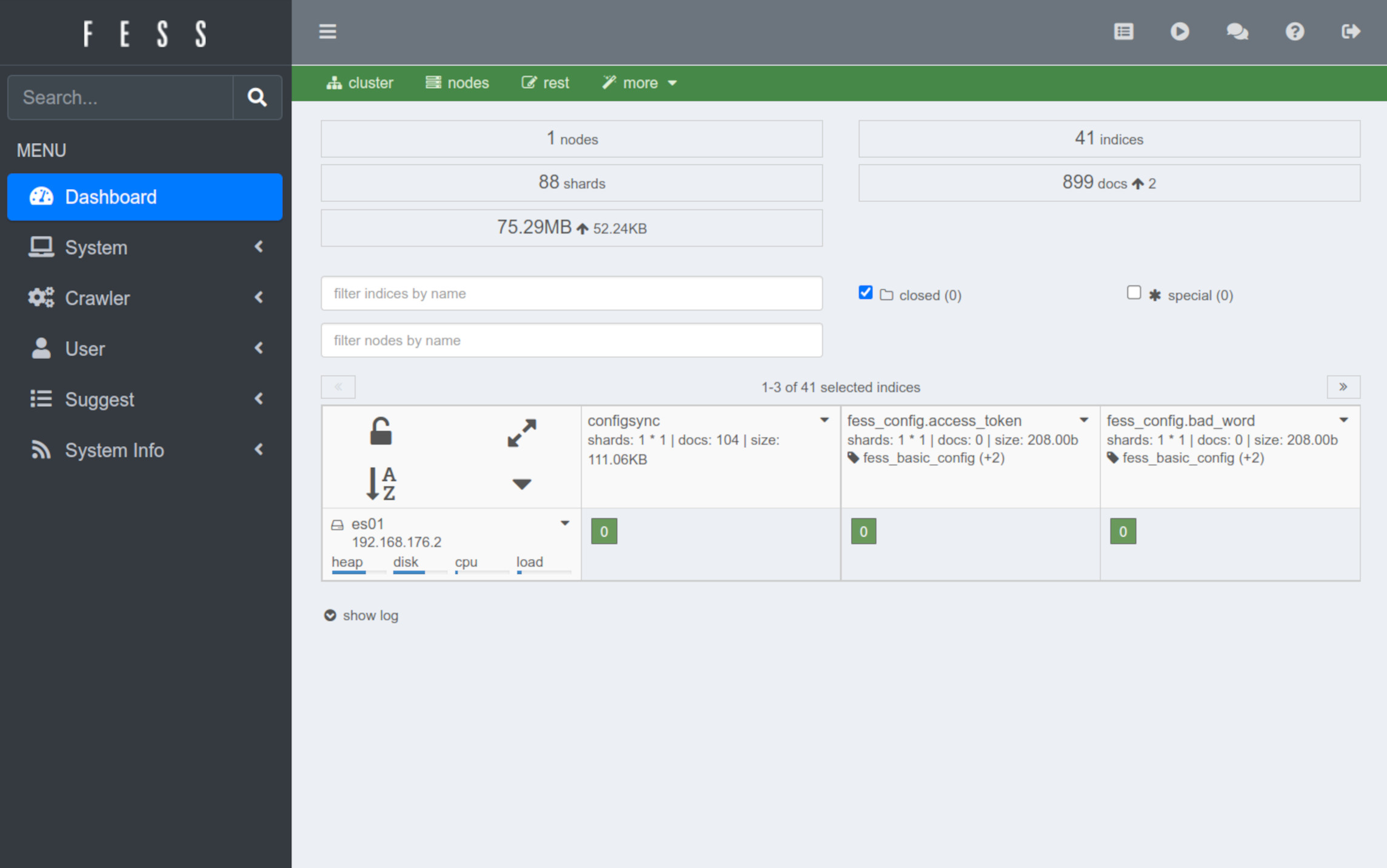
Fess uses OpenSearch (fork of Elasticsearch) as its backend, which means you get battle-tested search performance with automatic scaling and high availability.
Setting Up Your First Crawl
Once Fess is running, the Admin Dashboard guides you through creating your first crawl job:
- Web Crawling: Point Fess at your website URL and configure depth, frequency, and exclusion rules
- File System: Mount file shares and configure which directories to index
- Database: Connect to MySQL, PostgreSQL, or other JDBC-compatible databases
AI Semantic Search Configuration
Fess's AI/RAG capabilities elevate search beyond keyword matching. To enable semantic search, configure the following in the admin panel:
- Enable the RAG plugin from the plugin manager
- Configure your preferred embedding model
- Set up the vector index for semantic similarity queries
Performance & Scalability
Fess handles indexes of millions of documents with ease. For production deployments, we recommend:
| Resource | Minimum | Recommended |
|---|---|---|
| CPU | 2 cores | 4+ cores |
| RAM | 4 GB | 8+ GB |
| Storage | 20 GB | 100 GB+ (depends on index size) |
Verdict
Fess is an outstanding choice for any organization that needs enterprise-grade search without vendor lock-in. Its combination of multi-source crawling, AI-powered semantic search, and comprehensive REST API makes it competitive with commercial solutions like Algolia or Elastic Cloud — but you keep full control of your data and infrastructure.
🚀 Start your self-hosted search journey today!
Fess is free, open-source, and ready to deploy in minutes.
Deploy Fess →