How to Self-Host Helicone: Quick Start Guide with Docker
Step-by-step guide to self-hosting Helicone LLM observability with Docker. Monitor, track costs, and debug your AI applications in minutes.

How to Self-Host Helicone with Docker
Getting Helicone running on your own infrastructure is straightforward. This guide walks you through the Docker-based deployment, from prerequisites to your first logged LLM request. By the end, you'll have a fully functional LLM observability platform tracking every API call your application makes.
Prerequisites
Before you begin, make sure you have Docker and Docker Compose installed on your server. Helicone requires at least 2 CPU cores and 2 GB of RAM for basic operation, though 4 cores and 4 GB are recommended for production workloads with multiple concurrent users. You'll also need PostgreSQL accessible — either as a managed service or via a separate container.
Quick Start with Docker
The fastest way to get Helicone running is with the official Docker image. Pull the latest version and start the container:
docker pull helicone/helicone:latest
docker run -d --name helicone \
  -p 8080:8080 \
  -v ./data/helicone:/data \
  helicone/helicone:latest
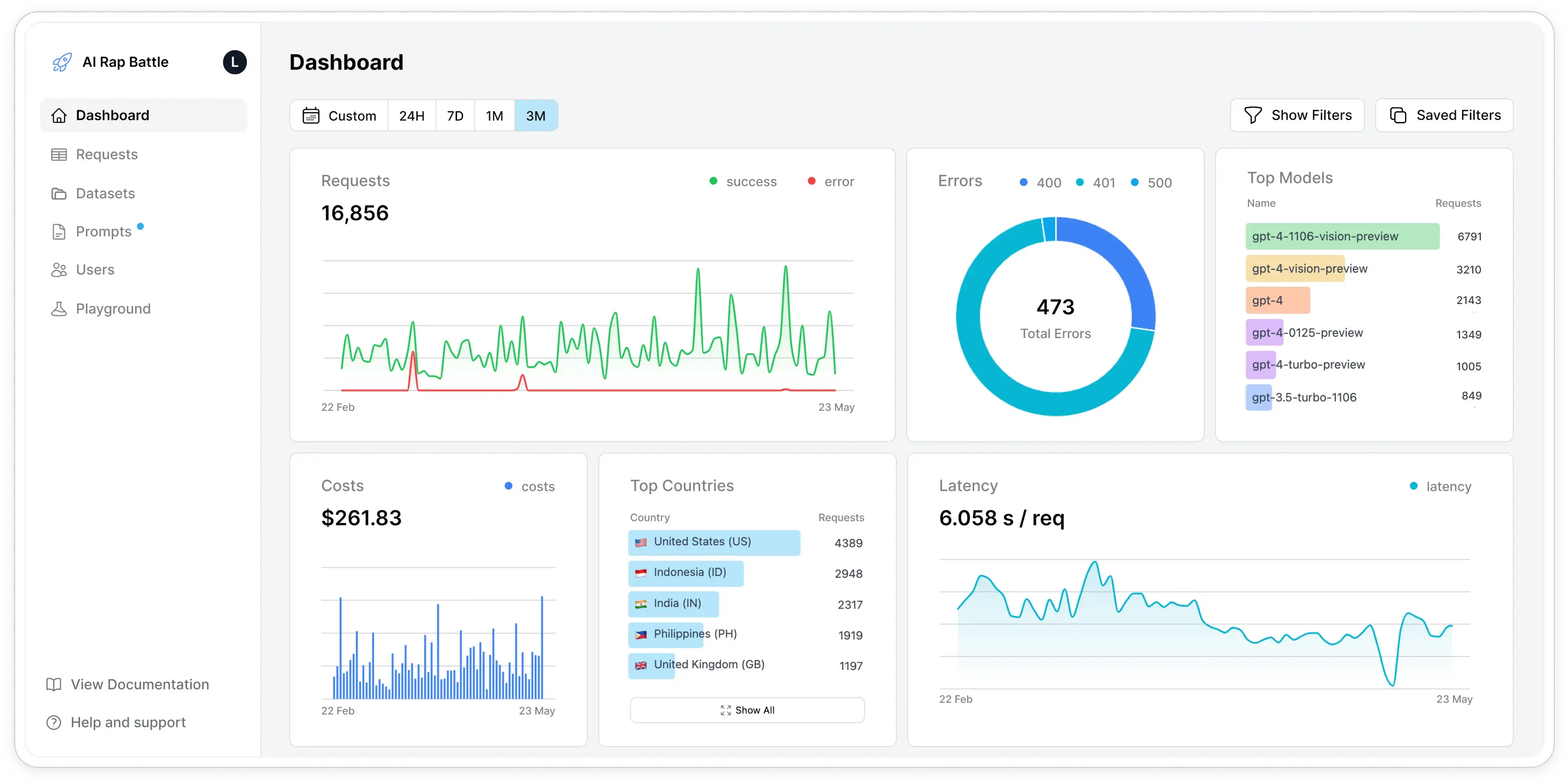
Once running, access the Helicone dashboard at http://localhost:8080. You'll see the web interface where you can configure providers, view logs, and explore analytics.
Configure Your First Provider
After logging into the dashboard, navigate to Settings to add your LLM provider API keys. Helicone supports OpenAI, Anthropic, Gemini, Azure OpenAI, and 100+ providers through its unified gateway. Once configured, Helicone acts as a proxy — you point your application's API base URL to your Helicone instance, and all requests are automatically logged, measured, and analyzed.
Integrate with Your Application
For Python applications using the OpenAI SDK, integration is as simple as setting the base URL:
import openai
openai.base_url = "http://your-helicone-host:8080/v1/"
# All requests are now logged in Helicone!
response = openai.chat.completions.create(
    model="gpt-4",
    messages=[{"role": "user", "content": "Hello, world!"}]
)
No code changes to your actual request logic — just redirect through Helicone's proxy. The platform automatically captures latency, token counts, costs, and full request/response pairs.
Advanced Configuration
Helicone supports custom properties for enriching your logs with metadata. Pass headers like Helicone-User-Id or Helicone-Session-Id to tag requests for granular filtering. You can also enable caching to reduce costs on repeated queries, set rate limits per user or API key, and configure webhooks for real-time alerting on anomalies or cost spikes.
Production Deployment
For production, use Docker Compose with PostgreSQL as a separate service, add persistent volumes for data, set up health checks, and configure reverse proxy with SSL (e.g., Caddy or Nginx). Monitor your Helicone instance with its own metrics endpoint and set up automated backups of the PostgreSQL database.
Conclusion
Self-hosting Helicone with Docker gives you enterprise-grade LLM observability in minutes. With complete data sovereignty, no per-request pricing, and full access to all features, it's the ideal solution for teams that need deep visibility into their AI applications while maintaining control over their infrastructure. The Apache 2.0 license ensures you can customize and extend it as your needs evolve.