Jean Review — A Desktop AI Assistant That Finally Makes Multi-Project Coding Manageable
An honest review of Jean, a Tauri-based desktop app that manages Claude CLI, Codex CLI, and Cursor sessions alongside Git worktrees, GitHub issues, and Linear project management.
Why I Ditched Terminal Chaos for Jean — An AI Coding Companion That Actually Gets It
I've been that developer. You know the one — seven terminal tabs open, three Claude sessions running, six Git worktrees scattered across my filesystem like a bomb went off in my projects folder. I spent more time hunting down which terminal had the right context than actually coding.
Then I found Jean — a native desktop app that wraps Claude CLI, Codex CLI, Cursor CLI, and OpenCode into one cohesive interface. And honestly? I didn't expect it to stick. Most "AI desktops" are Electron bloatware that slow you down. Jean is built with Tauri 2 (Rust + React 19), so it's lightweight and snappy.
🚀 Want to deploy Jean yourself?
Docker configs, system requirements, and installation guides — all on one page.
View Jean Tool Page →What Makes Jean Different?
Git Worktrees Done Right
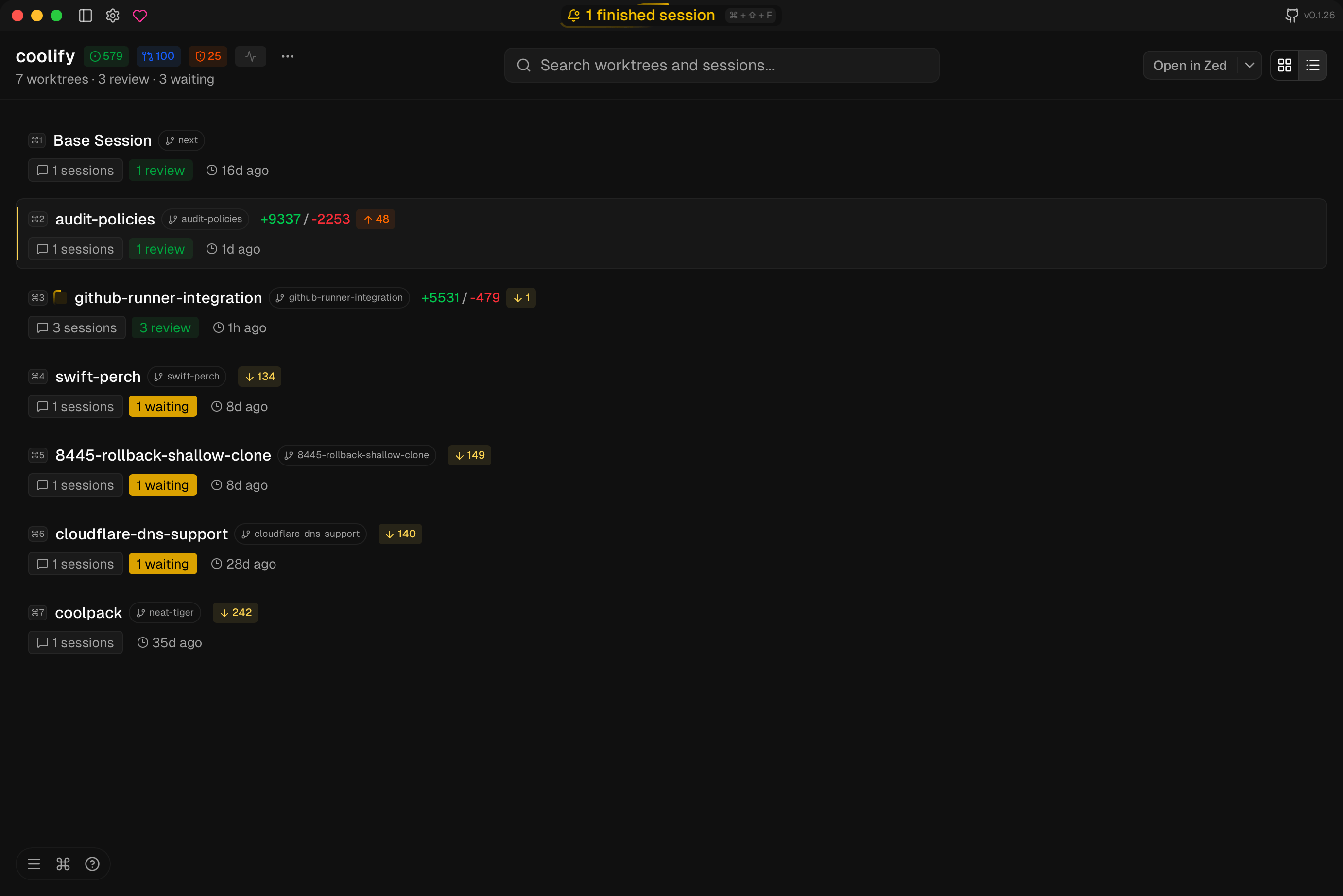
Jean's killer feature for me is worktree management. It creates, archives, restores, and deletes git worktrees without me touching the CLI. I bounce between feature branches constantly — now I just click, and Jean sets up a fresh worktree with the branch checked out. When the PR merges? Auto-archived. This alone saves me probably 20 minutes a day.
Multi-Agent, Not Locked In
Here's the thing I love most: Jean doesn't lock you into one AI provider. You can run Claude CLI, Codex CLI, Cursor CLI, or OpenCode — or switch between them per session. Each AI gets its own chat panel with model selection (Opus 4.5, Sonnet 4.6, Haiku) and thinking levels. I keep Claude for architecture decisions and Codex for implementation. Having both visible side by side changed how I work.
Session Management That Doesn't Lose Context
Raise your hand if you've lost a Claude session because your laptop rebooted during a deploy. 🙋 Jean saves sessions with auto-naming and AI-powered summaries. When I come back after lunch, my context is right there — including the terminal output I was looking at. It even has a "recap" feature that summarizes what happened before the session went idle.
GitHub & Linear Integration
Another surprise: Jean's GitHub dashboard shows Issues, PRs, Security Alerts, and Dependabot advisories inline. I can investigate a Dependabot alert, open a worktree for the fix branch, run the Claude session to patch it, all without leaving the app. The Linear integration does the same for project management. It's a small thing but the context switching reduction is real.
Who Is Jean For?
If you manage multiple projects with Git worktrees and use AI coding assistants daily — Jean will feel like it was built for you. It's opinionated (the author has strong views about workflow), which means some things are designed exactly one way. But when that way is good, it's really good.
A word of caution: Jean is still relatively new (1,100+ stars, active development). Linux support is community-tested, and Windows testing is ongoing. But if you're on macOS, it works beautifully right now.
Final Verdict
After two weeks of daily use, Jean replaced my Claude CLI terminal workflow almost entirely. It's not perfect — I wish the terminal dock had better resize behavior, and the command palette could use more shortcuts. But for a Tauri app that's this young? It punches way above its weight. If you're drowning in terminal tabs and losing AI context, give Jean a spin.
🚀 Explore Jean on Run This Ai
Docker Compose configs, system requirements, installation guides, and more — all in one place.
View Jean Tool Page →