Getting Started with Lemonade: Local LLMs in Minutes
Step-by-step tutorial: deploy Lemonade with Docker, download an optimized local LLM, and connect your apps via the OpenAI-compatible API — fully offline.
🚀 Ready to deploy Lemonade?
Docker configs, system requirements, and installation guides — all on one page.
View Lemonade Tool Page →Getting Started with Lemonade: Local LLMs in Minutes
In this tutorial, you will deploy Lemonade on your own machine and chat with a local LLM through an OpenAI-compatible API — completely offline. The whole setup takes under ten minutes with Docker.
Step 1 — Pull the image
Lemonade publishes an official container image. Start the server with a single command:
docker run -d --name lemonade -p 8080:8080 \
  -v ./data/lemonade:/data \
  ghcr.io/lemonade-sdk/lemonade:latest
Step 2 — Discover a model
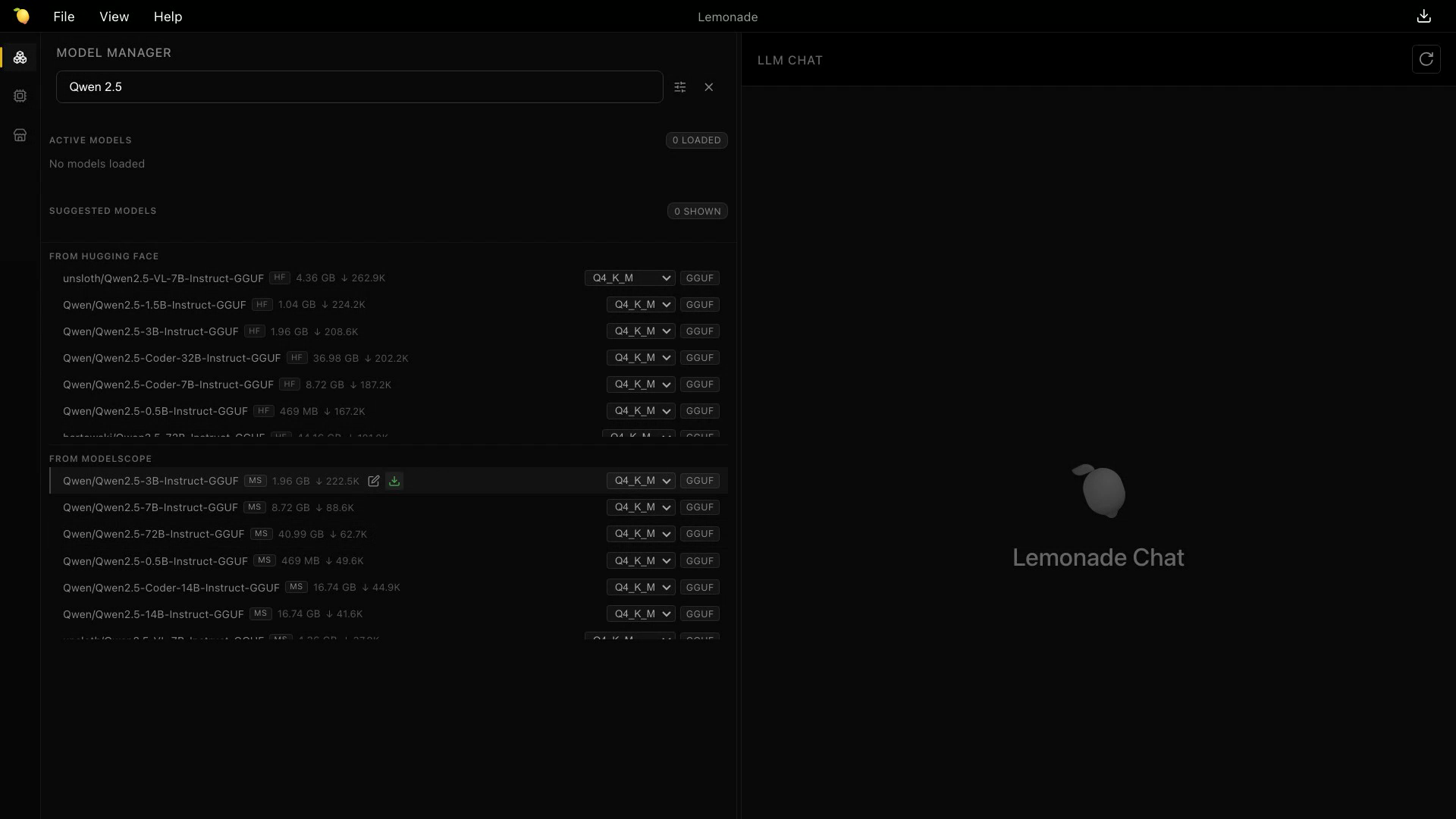
Lemonade includes a model catalog so you can find the right weights for your hardware. The screenshot below shows how the app surfaces models that are optimized for your GPU or NPU:
Step 3 — Download and chat
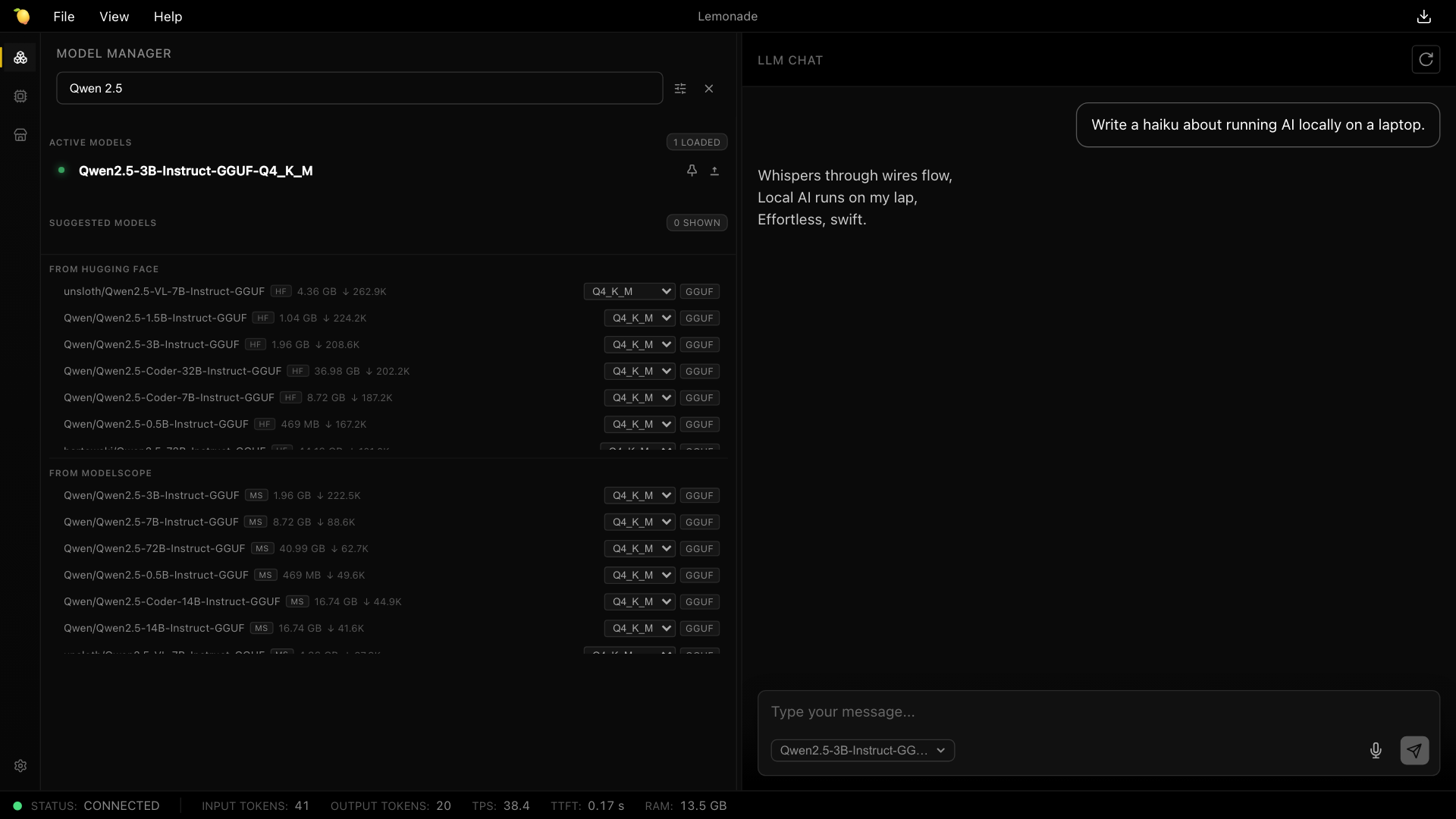
Pick a model such as Llama-3.2 or Qwen, download it through the interface, and start chatting immediately:
Step 4 — Connect your apps
Because Lemonade speaks the OpenAI protocol, you can point existing tools at http://localhost:8080/v1 without changing your code. It even ships an MCP server, so AI agents can interact with it natively.
⚠️ Hardware tip: For the best experience on AMD hardware, enable ROCm; on newer Ryzen AI chips, the NPU backend gives excellent performance per watt. CPU-only fallback works too, just slower.
Review verdict
| Aspect | Rating |
|---|---|
| Ease of setup | ⭐⭐⭐⭐⭐ — one Docker command |
| Privacy | ⭐⭐⭐⭐⭐ — fully local |
| Performance | ⭐⭐⭐⭐ — great on GPU/NPU |
| Docs | ⭐⭐⭐⭐ — active community |
Bottom line: Lemonade is the fastest way to go from zero to a private, local AI server. If you value privacy and want zero-cost inference, this is a must-try.
🚀 Ready to deploy Lemonade?
Docker configs, system requirements, and installation guides — all on one page.
View Lemonade Tool Page →