How to Deploy NoteDiscovery with Docker and Ollama AI
Step-by-step tutorial: run NoteDiscovery with Docker in minutes, enable the MCP server for Claude and Cursor, and spin up the full local AI stack with Ollama and Open WebUI.
In this tutorial you'll deploy NoteDiscovery, the self-hosted knowledge base with AI-powered discovery, using Docker — then connect it to AI assistants via MCP and optionally add a fully local Ollama stack. The whole thing takes about five minutes.
🚀 Want to deploy NoteDiscovery yourself?
Docker configs, system requirements, and installation guides — all on one page.
View NoteDiscovery Tool Page →Step 1 — Run it with Docker
Create a data directory and start the container. Your notes will be stored in ./data/:
mkdir -p notediscovery/data && cd notediscovery
docker run -d --name notediscovery -p 8000:8000 \
  -v $(pwd)/data:/app/data \
  ghcr.io/gamosoft/notediscovery:latest
Open http://localhost:8000 — you're done. Write your first note, star favorites, and watch the graph view build itself as you add links.
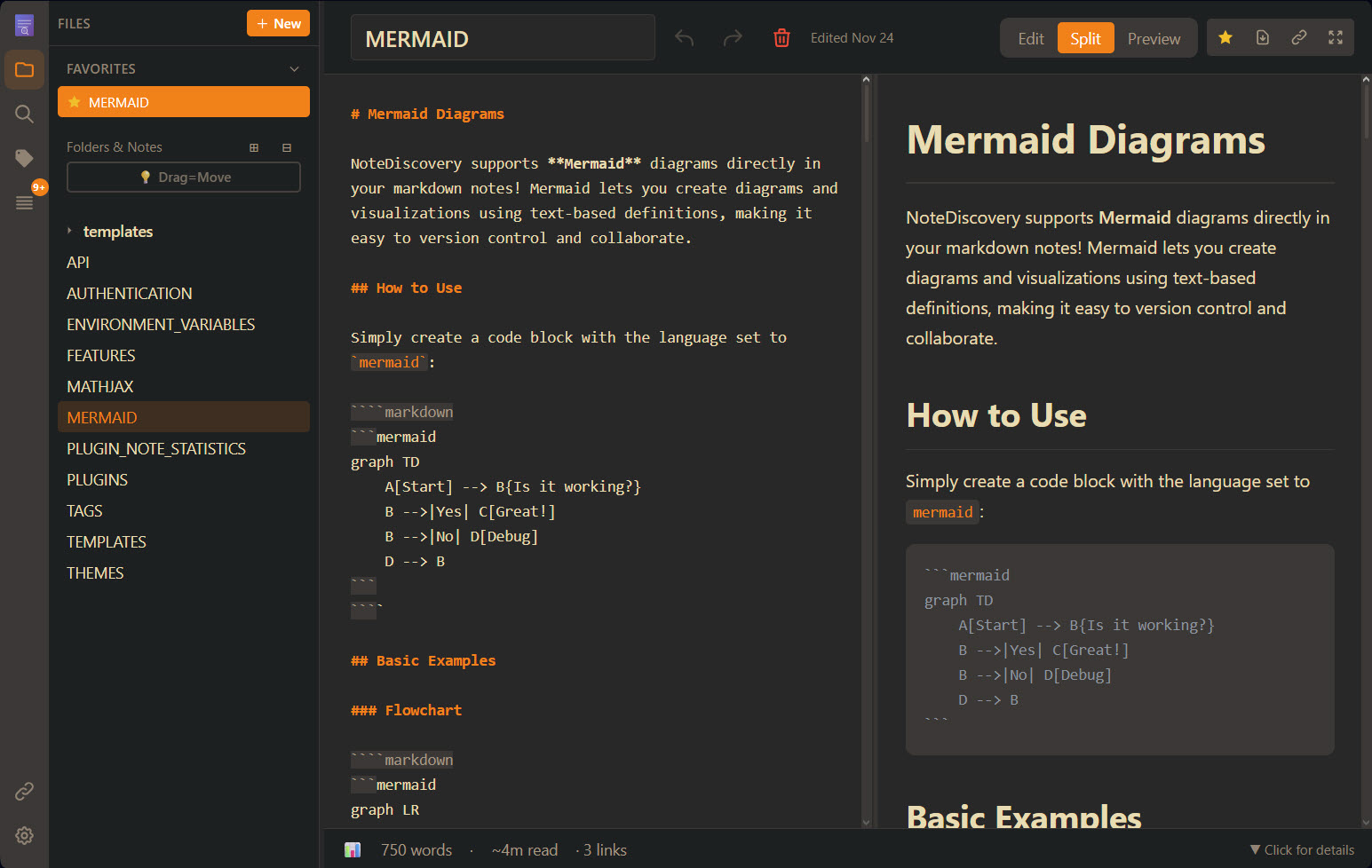
The editor and sidebar — clean, fast, and fully yours.
Step 2 — Use Docker Compose (recommended)
For production, grab the pre-built compose file:
curl -O https://raw.githubusercontent.com/gamosoft/notediscovery/main/docker-compose.ghcr.yml
docker-compose -f docker-compose.ghcr.yml up -d
Step 3 — Connect AI via MCP
NoteDiscovery includes a built-in MCP server. Add this to your Cursor or Claude Desktop config to let AI search, create, and organize your notes:
{
  "mcpServers": {
    "notediscovery": {
      "command": "docker",
      "args": ["run", "--rm", "-i",
        "-e", "NOTEDISCOVERY_URL=http://host.docker.internal:8000",
        "ghcr.io/gamosoft/notediscovery:latest",
        "python", "-m", "mcp_server"]
    }
  }
}
Now try: "Find all my notes about Docker deployment" or "Move all project notes to the archive folder". The assistant operates on your notes directly.
Step 4 — Add a fully local AI stack
Want semantic search without any cloud API? The docker-compose.ollama-stack.yml file spins up NoteDiscovery + Ollama + Open WebUI with a single command, giving you an entirely local AI knowledge base — perfect for privacy-critical or air-gapped environments.
| Deployment | Best for |
|---|---|
| docker run | Quick test in minutes |
| docker-compose.ghcr.yml | Production, pre-built image |
| ollama-stack compose | Local AI + semantic search |
That's it — a private, AI-ready knowledge base running on your own hardware. For system requirements, Docker configs, and more, check the tool page.
🚀 Want to deploy NoteDiscovery yourself?
Docker configs, system requirements, and installation guides — all on one page.
View NoteDiscovery Tool Page →