Getting Started with OpenContracts: A Complete Walkthrough
Step-by-step tutorial for deploying and using OpenContracts. Learn how to create corpuses, ingest documents, annotate content, deploy AI agents, and extract structured data across hundreds of documents.
Getting Started with OpenContracts
In this tutorial, we'll walk through setting up OpenContracts and exploring its core features. Whether you're a legal team managing contracts, a research group analyzing publications, or a business handling document workflows — this guide will get you productive fast.
🚀 Want to deploy OpenContracts yourself?
Docker configs, system requirements, and installation guides — all on one page.
View OpenContracts Tool Page →1. Deployment Options
OpenContracts is Docker-based and self-hosted. The recommended approach is to use Docker Compose:
- Minimum Requirements: 2 CPU cores, 4 GB RAM
- Recommended: 4 CPU cores, 8 GB RAM
- Storage: Varies based on document volume — SSD recommended
The platform uses a microservices architecture with separate containers for the backend (Django/Python), frontend (React/TypeScript), database (PostgreSQL), search (Elasticsearch), and the NLM ingestor service for document parsing.
2. Creating Your First Corpus
After deployment, log in to the web interface and create your first corpus — a collection of documents with its own permissioning, folder structure, and settings. Think of it as a project workspace.
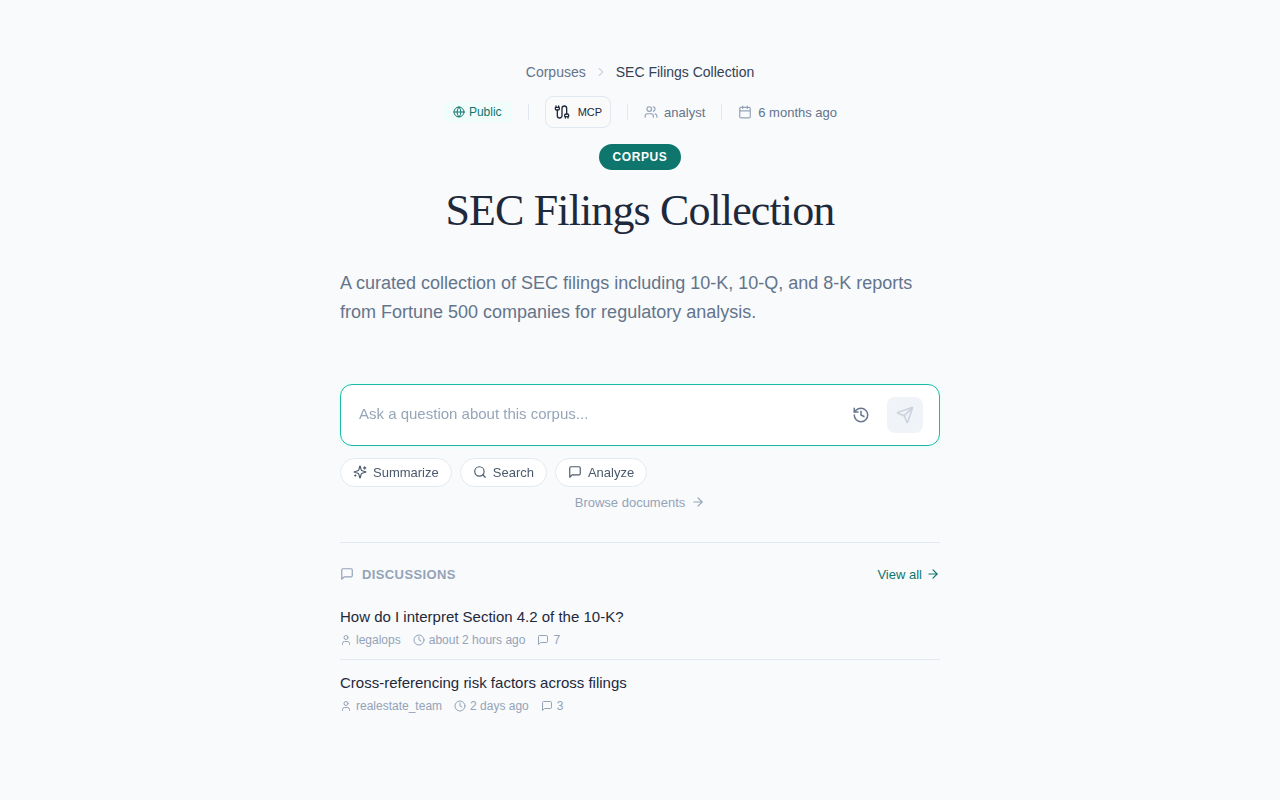
Corpuses support folder hierarchies (like a file system), so you can organize documents by category, client, department, or any structure that fits your workflow.
3. Ingesting Documents
Upload PDFs, DOCX files, or plain text. OpenContracts parses them automatically:
- PDF: Layout-faithful parsing via Docling — preserves tables, columns, and formatting
- DOCX: Converted via Docxodus to a clean internal representation
- Text: Plain text files with automatic encoding detection
The ingestion pipeline is fully pluggable — you can register custom parsers, embedders, and thumbnail generators written in Python.
4. Annotating Documents
OpenContracts provides three annotation modes:
- PDF Canvas: Draw bounding boxes and assign labels on top of the rendered PDF
- Text Spans: Select text ranges and assign labels, relationships, and notes
- Document-Level: Apply type labels to entire documents
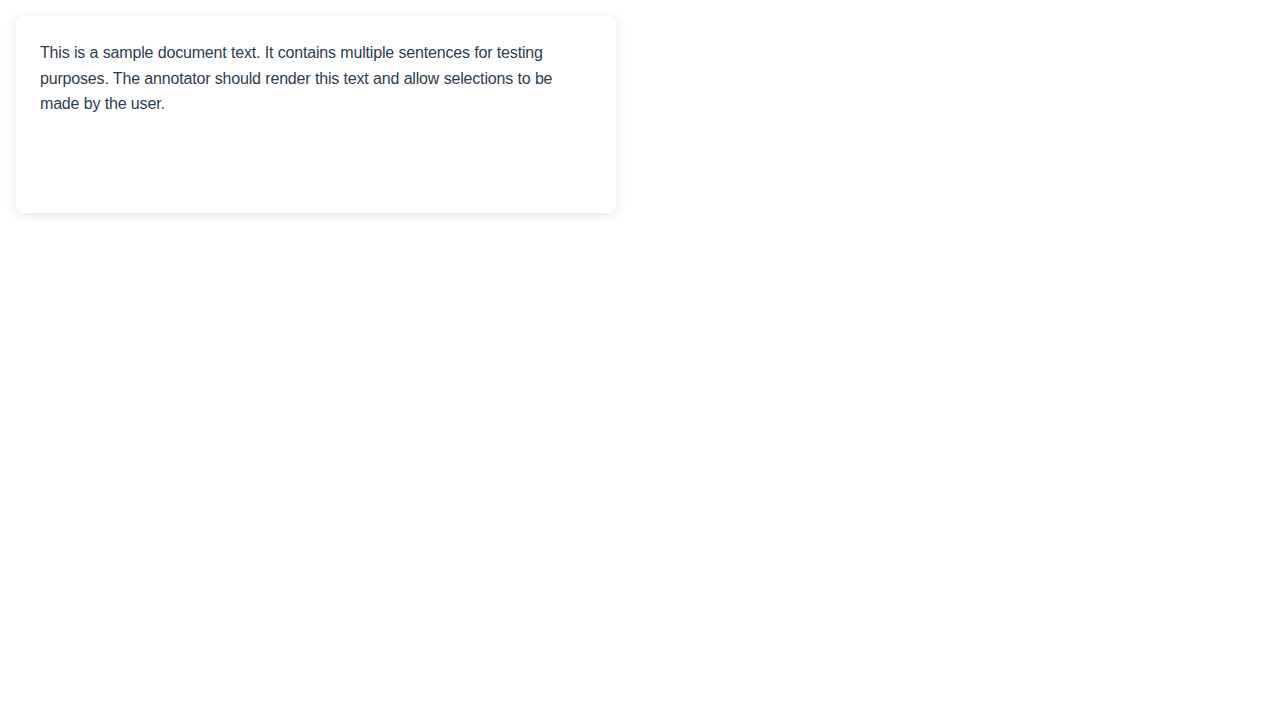
Annotations support relationships between spans, notes for collaboration, and structural annotations auto-extracted by the parser.
5. Deploying AI Agents
One of OpenContracts' most powerful features is its AI agent framework. Configure agents using PydanticAI to:
- Search documents based on natural language queries
- Query annotations and extract insights
- Participate in discussion threads
- Perform actions when new documents are added
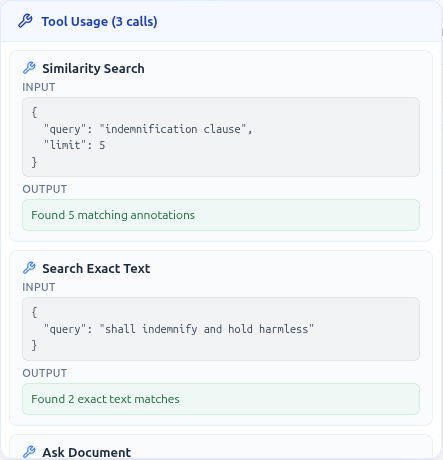
Agents can have approval workflows configured, so sensitive operations require human sign-off before execution.
6. MCP Integration
OpenContracts includes an MCP server that exposes your documents to any MCP-compatible client. This means you can ask Claude or Cursor questions about your documents directly:
- "Find all contracts that mention intellectual property from Q3"
- "Summarize the latest compliance report"
- "Show me annotations related to termination clauses"
7. Data Extraction Across Documents
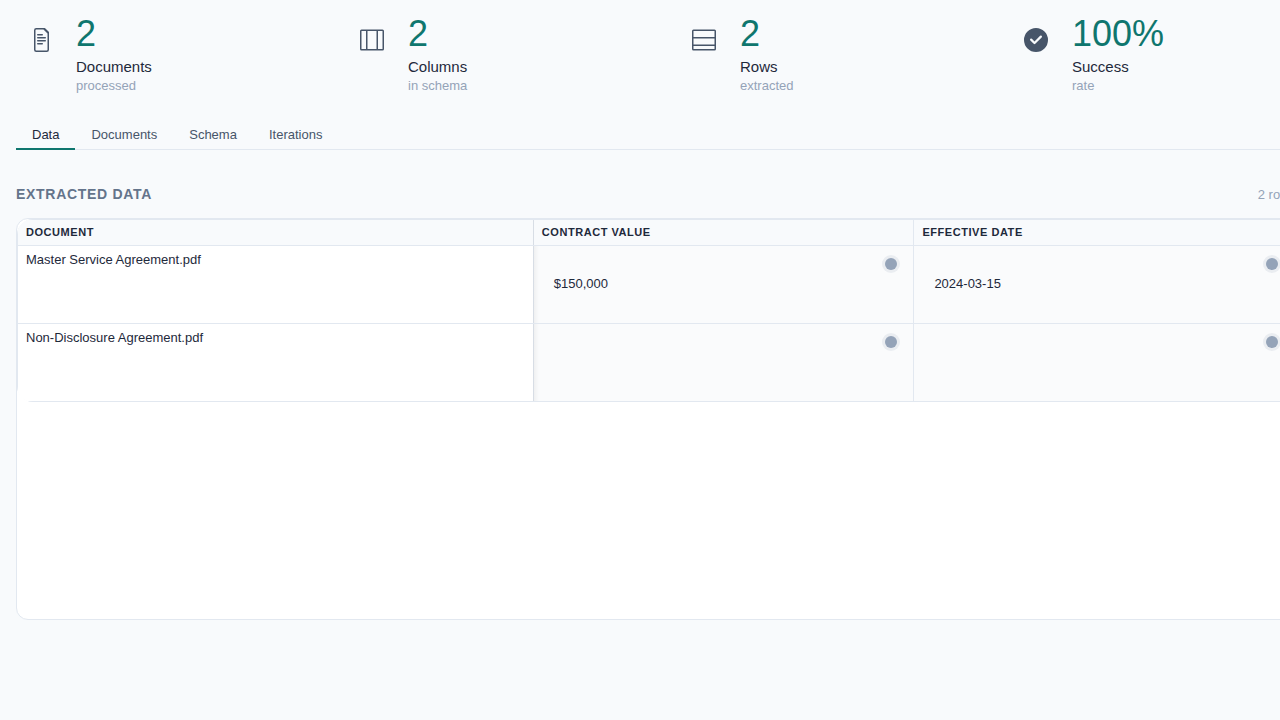
Use the Extract feature to ask structured questions across hundreds of documents simultaneously. Define fieldsets with typed columns, run extraction, and review results in an interactive data grid with approval workflows.
Use Case Examples
| 🏛️ Legal | Contract review, clause extraction, compliance monitoring |
| 🔬 Research | Literature review, data extraction from publications, collaboration |
| 🏢 Enterprise | Document management, knowledge base creation, audit trails |
| 📡 Media | Content analysis, fact-checking, archive management |
🚀 Ready to deploy OpenContracts?
Get the full Docker setup, requirements, and deployment guide.
View OpenContracts Tool Page →