PipesHub: Build Enterprise AI Agents with 30+ Workplace Connectors
An in-depth guide to PipesHub — the open-source workplace AI platform connecting Slack, Gmail, Notion, Google Drive and 30+ tools into a single governed knowledge graph for AI agents.

Your Enterprise Knowledge Deserves a Better Home
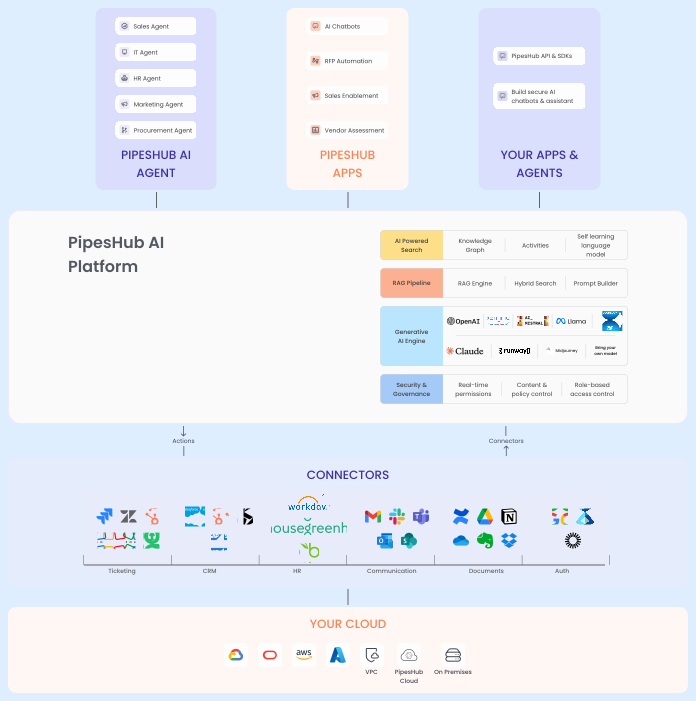
If you've ever tried to build an AI agent that actually understands your company's data — not just the public internet — you know the pain. PipesHub is the open-source context layer that finally solves this. It connects Slack, Gmail, Google Drive, Notion, GitHub, and 30+ other enterprise tools into a single governed knowledge graph, and then lets your AI agents query it with permission-aware precision.
🚀 Want to deploy PipesHub yourself?
Docker configs, system requirements, and installation guides — all on one page.
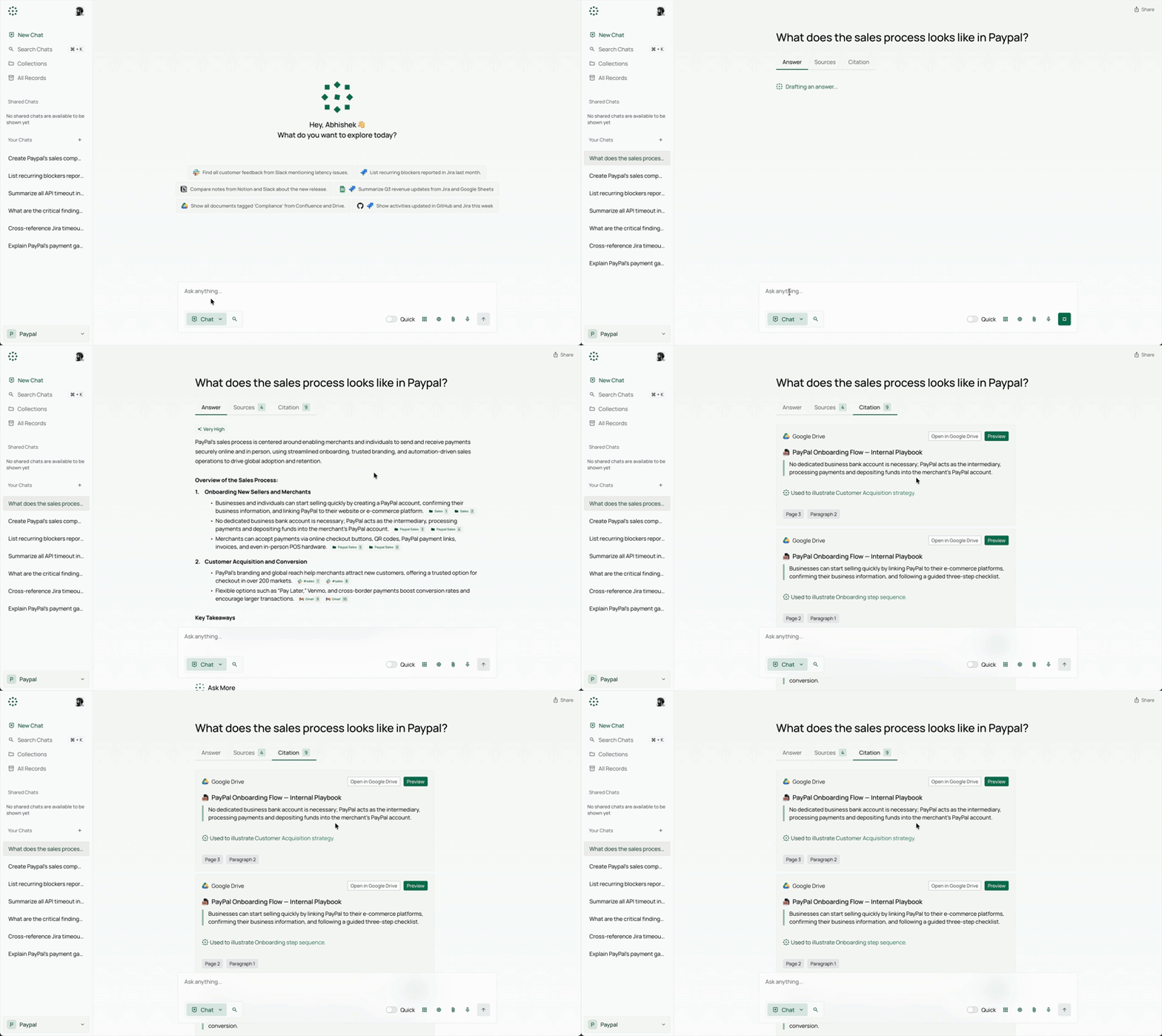
View PipesHub Tool Page →What makes PipesHub different? It doesn't just dump all your files into a vector database. It preserves access permissions, generates block-level citations that actually point to specific paragraphs in your documents, and builds a knowledge graph that understands relationships between pieces of enterprise data. My first test was connecting it to a Google Drive with 200+ spreadsheets — the citation accuracy surprised me. Each answer came back with a reference I could click directly to the source row.
Key Features That Matter
🧩 30+ Enterprise Connectors
Slack channels, Gmail inboxes, Google Drive folders, Notion databases, GitHub repos — PipesHub indexes them all in real-time with scheduled syncs. The connector setup takes about 2 minutes: authenticate, select the scope, and the platform starts building your knowledge graph. One thing that took me by surprise: it handles Google Sheets with hundreds of columns gracefully, preserving structure instead of flattening everything into raw text.
🔒 Permission-Aware by Default
This is the feature I didn't know I needed until I tried it. PipesHub enforces source-level access controls — users only see data from sources they're authorized to access. If a team member can't see a specific Slack channel, the AI agent won't surface it either. This single feature makes it enterprise-ready in a way that most open-source RAG tools aren't.
🧠 Knowledge Graph + No-Code Agent Builder
Beyond simple vector search, PipesHub builds a knowledge graph that captures how pieces of data relate to each other. Combined with the visual agent builder, you can create workflows like "find all customer complaints from last week's support channels, summarize them, and post a report to the #engineering Slack channel" — all without writing code.
Self-Hosted, Your Data, Your Model
PipesHub is fully self-hostable in your own VPC. Bring your own LLM — Ollama, OpenAI, Anthropic, or any custom provider. Data never leaves your infrastructure. The deployment is straightforward with Docker Compose (one container, one volume mount), and the Python SDK lets you build custom integrations in less than 20 lines of code.
Supported File Formats
PDF (including scanned), DOCX, XLSX, PPTX, CSV, Markdown, HTML, plain text, Google Workspace formats, and images. Audio and video support are coming soon.
Conclusion
PipesHub sits in a sweet spot that few open-source projects occupy: powerful enough for enterprise deployment, simple enough for a single developer to set up in an afternoon. If you're building internal AI tools, customer-facing search, or agentic workflows over enterprise data, this is the foundation you've been looking for.
🚀 Explore PipesHub on Run This Ai
Docker Compose configs, system requirements, installation guides, and more — all in one place.
View PipesHub Tool Page →