QuantDinger Tutorial: Backtest and Deploy Your First AI Trading Strategy
Step-by-step tutorial: deploy QuantDinger with Docker, run your first backtest, and connect paper trading in under 15 minutes.
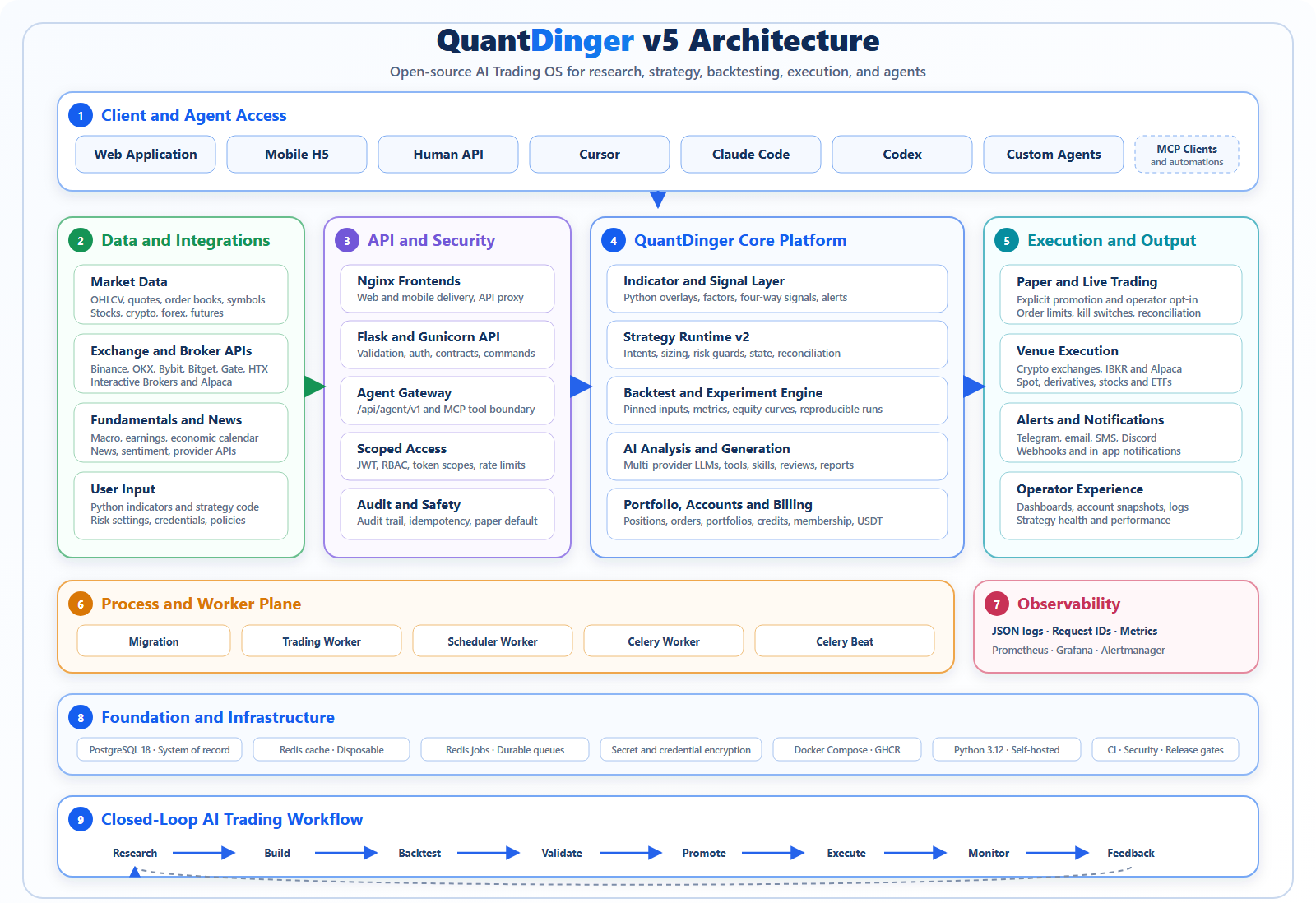
In this tutorial, you'll go from zero to a running QuantDinger instance, then backtest a simple moving-average crossover strategy and connect a paper-trading account. Everything runs in Docker, so you only need a machine with Docker and about 4 GB of RAM.
🚀 Want to deploy QuantDinger yourself?
Docker configs, system requirements, and installation guides — all on one page.
View QuantDinger Tool Page →Step 1: Start the Backend
Create a project directory and a docker-compose.yml that pulls the official image ghcr.io/openbyteinc/quantdinger-backend:latest. Map port 8080 and mount a volume for persistent data. Run docker compose up -d and wait for the health check — the web UI will be available at http://localhost:8080.
Step 2: Configure Market Data
From the dashboard, add a data source. QuantDinger supports major exchanges out of the box:
| Market | Supported Providers |
|---|---|
| Crypto | Binance, Coinbase |
| Stocks | Alpaca |
| Forex | Broker feeds via API |
Step 3: Run Your First Backtest
Create a strategy — either from the built-in templates or the multi-agent research panel. Pick a symbol and date range, then hit Backtest. QuantDinger returns equity curves, drawdown, win rate, and Sharpe ratio. Iterate on parameters until the results match your risk profile.
Step 4: Go Live With Paper Trading
Connect an Alpaca or exchange account in Settings → Exchanges. Start with paper trading: the platform executes your strategy against simulated balances so you can verify behavior without financial risk. Once you're confident, flip the account to live mode.
⚠️ Pro tip: Always backtest across multiple market regimes (bull and bear) before going live, and start with small position sizes while the strategy proves itself.
Step 5: Monitor and Extend
QuantDinger sends Telegram notifications for trade events and lets you hook in the MCP server so AI assistants can query positions or trigger research runs. The platform is Python-based and Apache-2.0 licensed, so extending it with custom indicators or agents is straightforward.
That's it — you now have a self-hosted AI trading stack running 24/7. Start with paper trading, validate your edge, and scale up gradually.
🚀 Ready to run QuantDinger?
Get Docker configs, system requirements, and installation guides on one page.
View QuantDinger Tool Page →