How to Deploy Sage and Automate Complex Workflows: Hands-On Tutorial
A step-by-step tutorial on deploying Sage, connecting a model provider, and running multi-step automated workflows with delivery to WeChat, WeCom, Feishu, and DingTalk.
In this hands-on tutorial, we walk through getting Sage up and running, connecting a model provider, and automating a real multi-step workflow — from planning to delivery.
🚀 Want to deploy Sage yourself?
Docker configs, system requirements, and installation guides — all on one page.
View Sage Tool Page →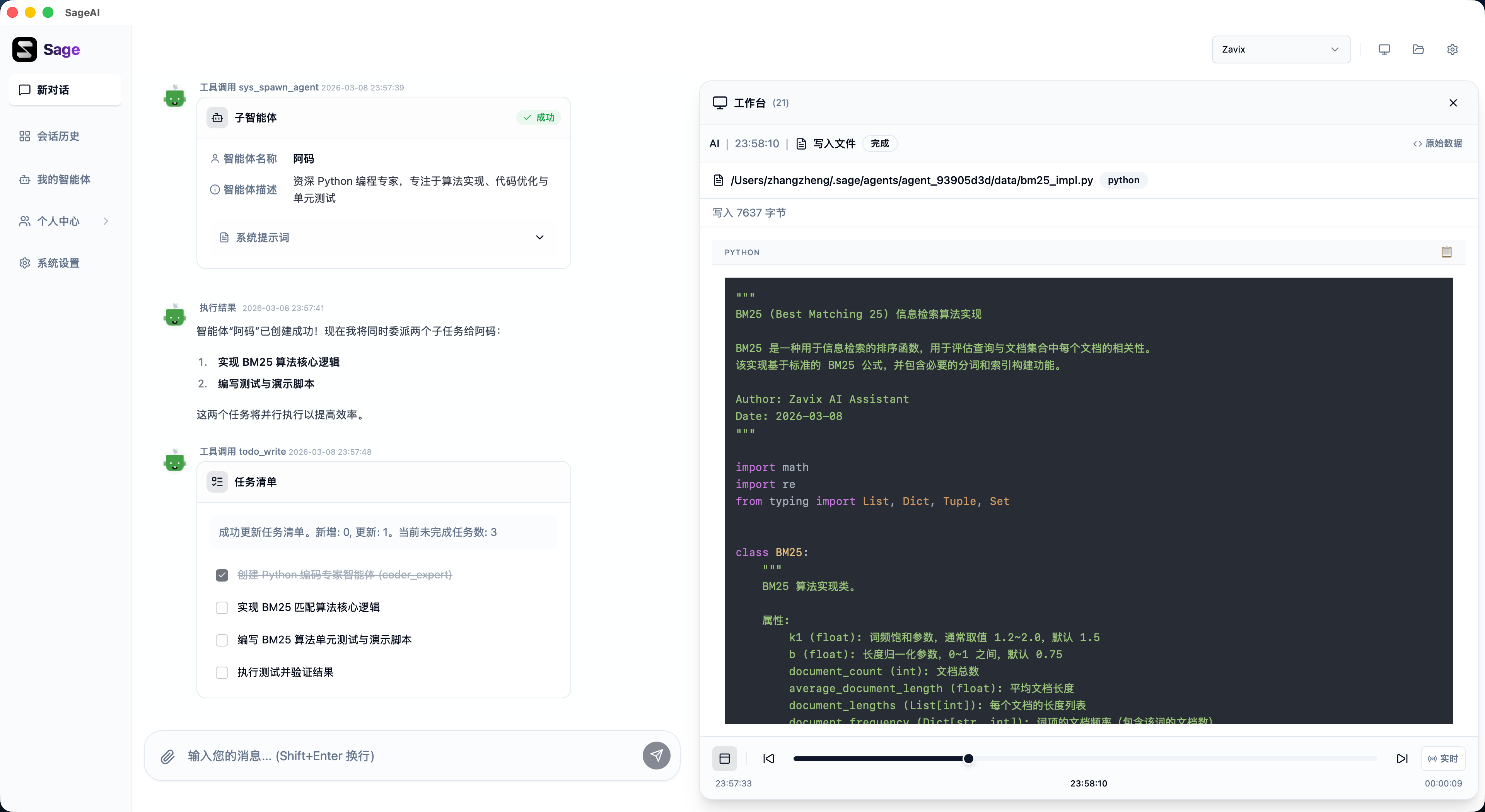
Step 1: Clone and Start
Requires Python 3.10+ and Node.js 18+. Clone the repository and run the dev script:
git clone https://github.com/ZHangZHengEric/Sage.git
cd Sage
./scripts/dev-up.sh
Open http://localhost:5173 and sign in. For the quickest start, choose the Minimal stack (SQLite) when prompted.
Step 2: Add a Model Provider
In Model Source Management, add your preferred provider (OpenAI-compatible APIs work well). Then create or configure an Agent — Sage's built-in agents handle planning, execution, self-check, memory recall, and tool suggestions automatically.
Step 3: Run a Complex Workflow
Give the agent a multi-step goal, e.g., "collect questionnaire data, analyze it, and deliver a summary to Feishu." Sage plans the steps, executes tools in its sandboxed runtime, and delivers results through your connected IM channel — while the visual workbench shows files, charts, and outputs in real time.
| Feature | Benefit |
|---|---|
| Planning → Delivery agents | Complex tasks completed reliably |
| Sandboxed execution | Safer agent runtime isolation |
| Omnichannel IM delivery | Results land in WeChat, WeCom, Feishu, DingTalk |
Review
Sage stands out for its production focus: a polished visual workbench, multiple deployment surfaces, and enterprise touches like local auth and CI coverage. The main considerations are resource needs (a full stack wants 8GB+ RAM) and a learning curve for the agent configuration model. For teams building serious agent automation, it is one of the most complete open-source options right now.
🚀 Deploy Sage in minutes
System requirements, Docker Compose, and the full install guide — on one page.
View Sage Tool Page →