Getting Started with SeekStorm: Deploy Your Own Hybrid Search Engine
A step-by-step tutorial on deploying SeekStorm, creating indexes, indexing documents, and running hybrid search queries with lexical and vector retrieval.
Ready to deploy your own hybrid search engine? In this hands-on tutorial, we'll walk through setting up SeekStorm from scratch — from Docker deployment to indexing documents and running your first search queries. By the end, you'll have a fully functional search server capable of both lexical and vector-based retrieval.
🚀 Want to deploy SeekStorm yourself?
Docker configs, system requirements, and installation guides — all on one page.
View SeekStorm Tool Page →Prerequisites
- Docker Engine 20.10+ installed
- At least 2 CPU cores and 4GB RAM (4 cores / 8GB recommended for production)
- Basic familiarity with REST APIs and JSON
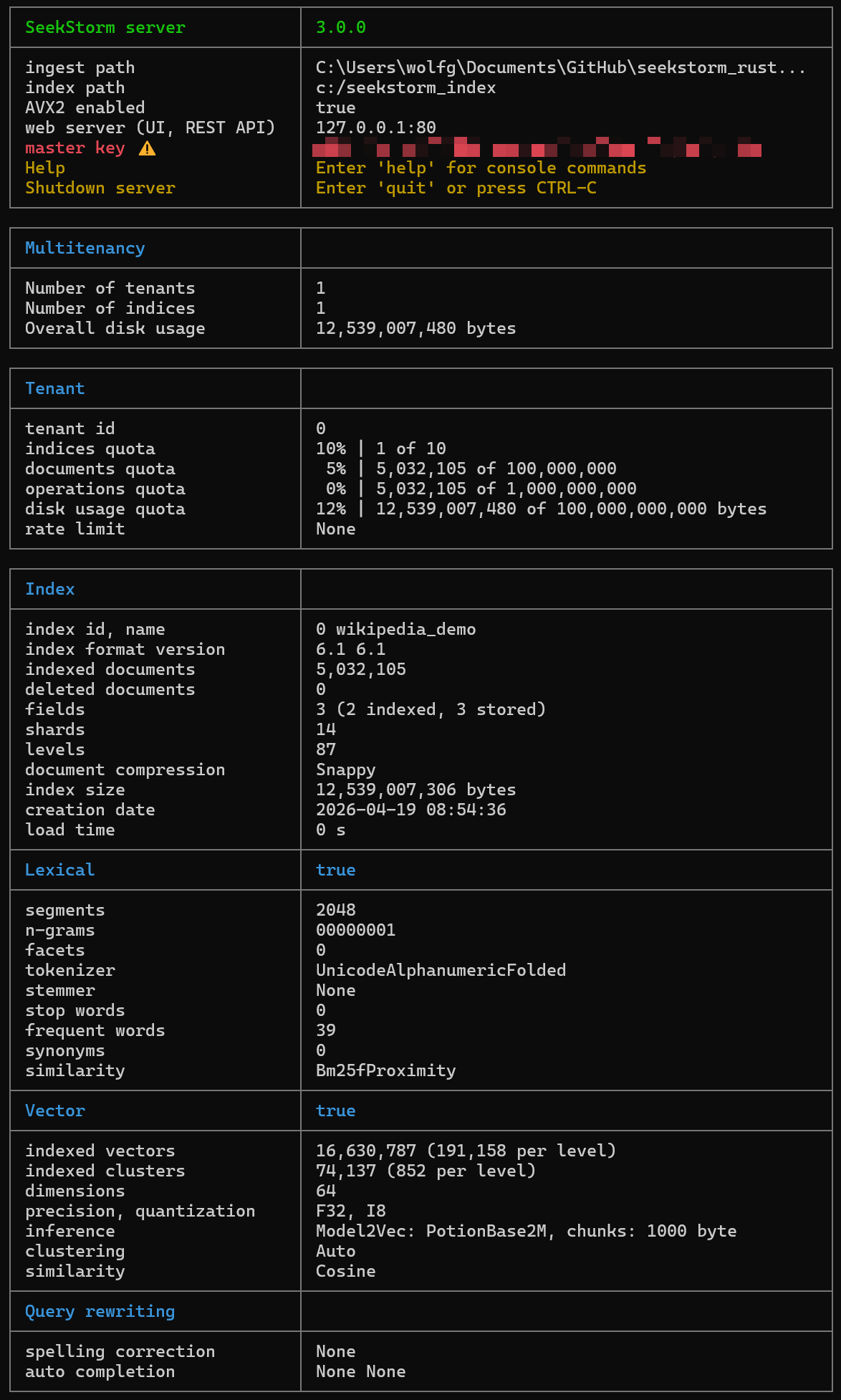
Step 1: Deploy SeekStorm Server
Create a directory for your SeekStorm data and start the server:
mkdir -p ./data/seekstorm
docker run -d --name seekstorm \
  -p 8080:8080 \
  -v ./data/seekstorm:/data \
  wolfgarbe/seekstorm_server:latest
The server listens on port 8080 by default. Verify it's running:
curl http://localhost:8080/health
# {"status":"ok","version":"0.1.0"}
Step 2: Create an Index
SeekStorm uses schemas to define document structure. Let's create a simple index for articles with title, content, and tags:
curl -X POST http://localhost:8080/indexes \
  -H "Content-Type: application/json" \
  -d '{
    "name": "articles",
    "fields": [
      {"name": "title", "type": "text", "indexed": true},
      {"name": "content", "type": "text", "indexed": true},
      {"name": "tags", "type": "text", "indexed": true, "facet": true}
    ]
  }'
Step 3: Index Documents
Add documents one at a time or in bulk:
curl -X POST http://localhost:8080/indexes/articles/documents \
  -H "Content-Type: application/json" \
  -d '{
    "documents": [
      {
        "id": "1",
        "title": "Introduction to Vector Search",
        "content": "Vector search uses embeddings to find semantically similar content...",
        "tags": ["vector", "search", "ai"]
      },
      {
        "id": "2",
        "title": "BM25 Full-Text Search Explained",
        "content": "BM25 is a ranking function used by search engines to...",
        "tags": ["bm25", "lexical", "search"]
      }
    ]
  }'
Step 4: Run Hybrid Search
Now for the magic — hybrid search that combines lexical and vector results:
curl "http://localhost:8080/indexes/articles/search?q=vector+search+semantic&hybrid=true"
The results will include documents matched lexically (keyword-based) and semantically (vector-based), fused together with configurable ranking.
🔍 Pro Tip: Adjust the hybrid ranking fusion weight to prioritize either lexical precision or semantic recall. A weight of 0.5 gives equal importance to both, while 0.7 favors lexical results and 0.3 favors semantic matches.
Step 5: Add Faceted Filtering
Faceted search lets users drill down by categories. With the tags field configured as a facet, you can filter results:
curl "http://localhost:8080/indexes/articles/search?q=search&filters=tags:vector&facets=tags"
Conclusion
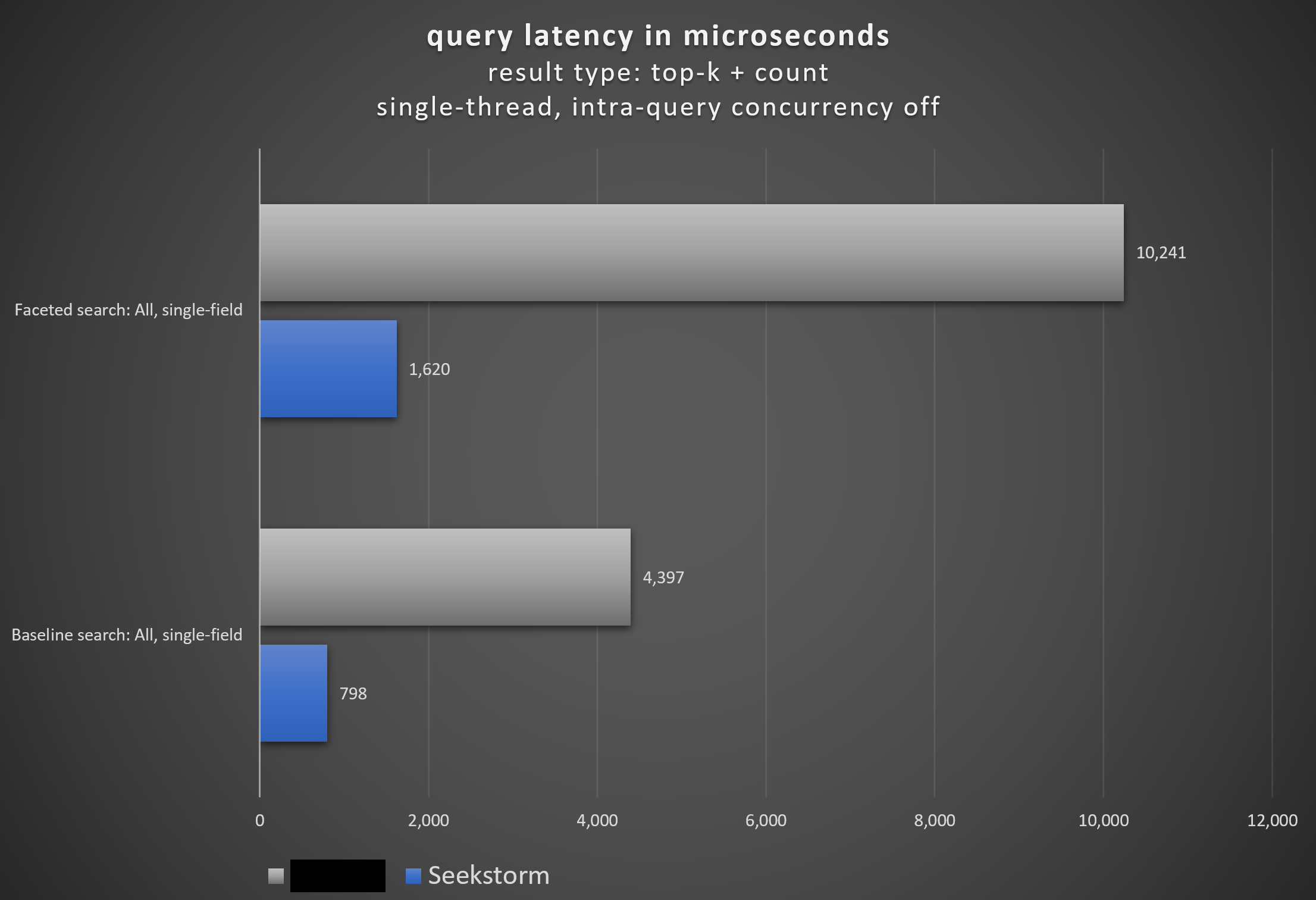
SeekStorm brings together the best of both search worlds — the precision of BM25 lexical search and the semantic understanding of vector embeddings — in a single, well-architected Rust package. Its dual deployment model (library or server), multi-tenancy support, and comprehensive feature set make it a compelling choice for any application that needs high-quality search without the complexity of managing multiple search backends.
🚀 Ready to deploy SeekStorm?
Visit the tool page for Docker Compose setup, system requirements, and more.
View SeekStorm Tool Page →