How to Fine-Tune an 8B Model on a 4 GB Laptop GPU with Soup
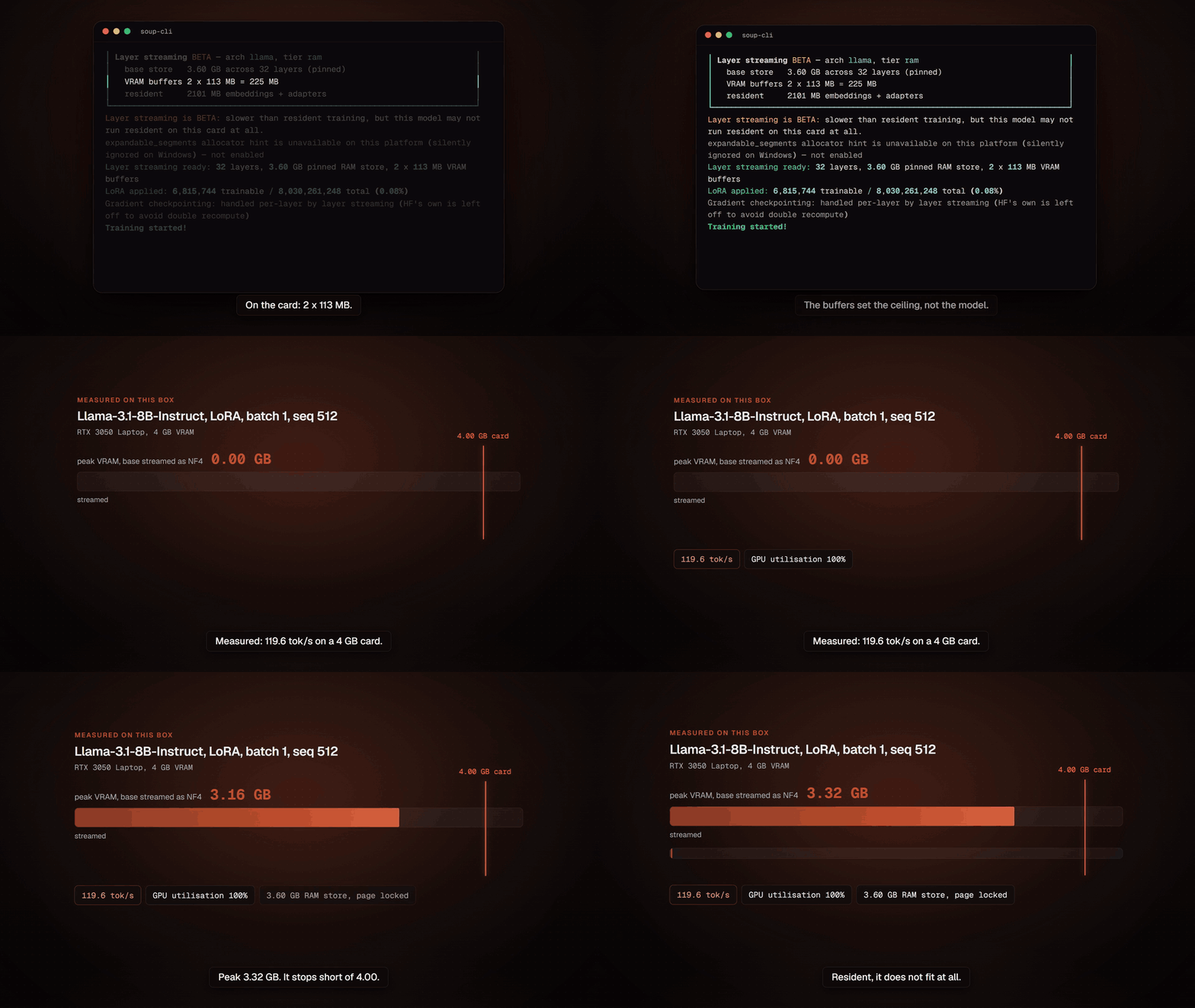
Step-by-step tutorial: install soup-cli, init a chat template, enable layer streaming, and train Llama-3.1-8B-Instruct on a 4 GB RTX 3050 Laptop with a 3.32 GB VRAM peak.
🚀 Want to deploy Soup yourself?
Docker configs, system requirements, and installation guides — all on one page.
View Soup Tool Page →Step 1: Install
Install the light CLI, or add the training stack:
pip install "soup-cli[train]"Step 2: Initialize a Config
Generate a ready-to-run training project from a template:
soup init --template chatThis creates a soup.yaml describing the base model, dataset, adapter (LoRA/QLoRA), and quantization — all in one file you can edit and share.
Step 3: Train with Layer Streaming
Enable streaming and launch the run:
# in soup.yaml
stream_layers: true

soup train
Instead of holding the frozen 8B base in VRAM, Soup streams one decoder layer at a time through the GPU. On a 4 GB RTX 3050 Laptop, Llama-3.1-8B-Instruct (NF4) trains at ~119.6 tok/s with a 3.32 GB peak.
Step 4: Inspect & Serve
Use the chat UI and model registry to evaluate checkpoints, then export or serve the fine-tuned model — all from the same toolchain.
Hardware notes: Minimum 2 vCPU / 4 GB RAM; recommended 4 vCPU / 8 GB RAM plus an NVIDIA GPU with ≥4 GB VRAM for layer streaming. GPU passthrough is pre-configured in the project's docker-compose.yml.
With Soup, a 4 GB laptop is enough to fine-tune real 8B models — try the tutorial above and share your results with the community.
🚀 Want to deploy Soup yourself?
Docker configs, system requirements, and installation guides — all on one page.
View Soup Tool Page →