TaxHacker Guide — Self-Hosted AI Accounting for Freelancers & Small Businesses
A complete guide to TaxHacker, the self-hosted AI accounting app that scans receipts, categorizes transactions with LLMs, supports multi-currency, and keeps your financial data private on your own server.

🏦 Ditch Spreadsheets, Let AI Handle Your Books
I've been freelancing for years, and honestly? Bookkeeping has always been my least favorite part. Every month, the same ritual: save receipts in a folder, manually enter amounts in a spreadsheet, tag categories, and pray the numbers match at tax time. It's tedious, error-prone, and the one thing I kept putting off.
Then I found TaxHacker — a self-hosted AI accounting app that scans receipts, categorizes transactions, and actually understands my custom rules. It's like having a junior accountant who works for free, never sleeps, and keeps everything on your own server.
🚀 Want to deploy TaxHacker yourself?
Docker configs, system requirements, and installation guides — all on one page.
View TaxHacker Tool Page →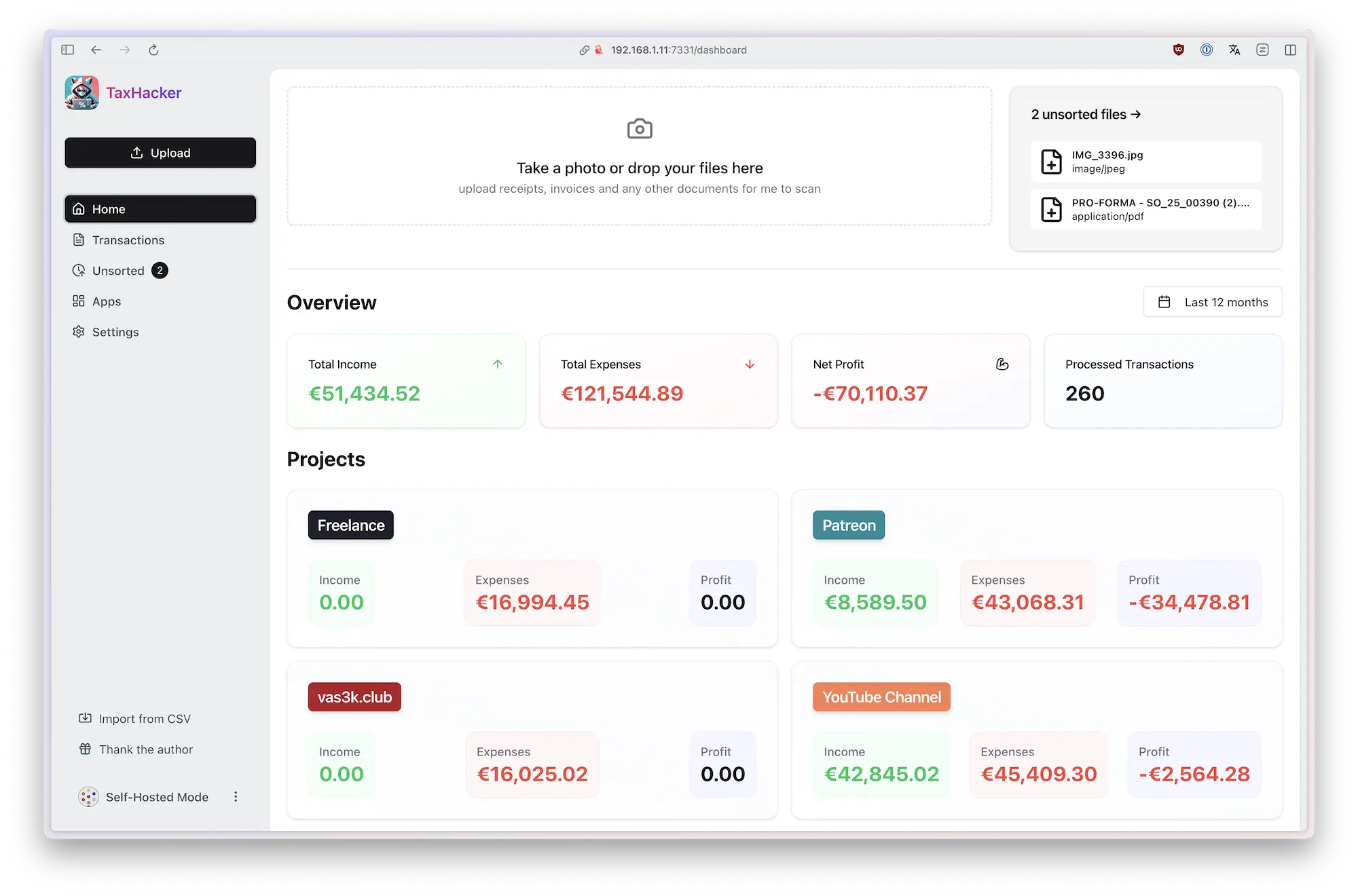
🧠 What Makes TaxHacker Different?
Most "AI accounting" tools are just fancy spreadsheets with a chatbot slapped on top. TaxHacker is different — it actually processes your documents. Drop a receipt image, and the LLM extracts the vendor, amount, date, and category automatically. No manual data entry needed.
🤖 AI That Understands Your Categories
Here's the part I love: you can write custom prompts for categorization. "Anything from Adobe is a software expense." "Restaurant receipts on weekends are personal, not business." TaxHacker learns your rules and applies them consistently — something no generic accounting app has ever done for me.
🌍 Multi-Currency Without the Headache
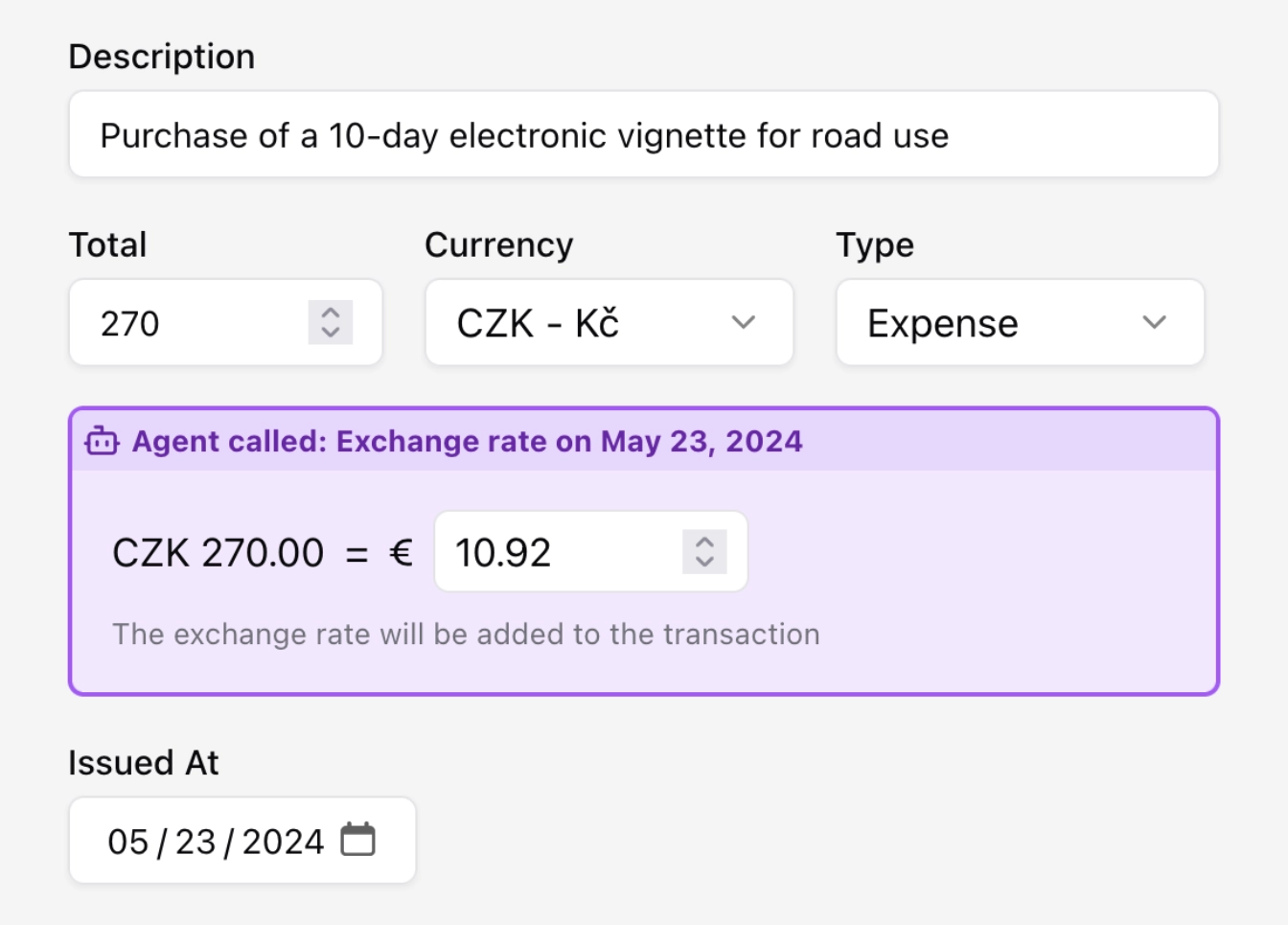
I work with clients in USD, EUR, and GBP. TaxHacker handles all three natively, showing totals in your base currency while keeping the original amounts. No more manual exchange rate lookups.
🔒 Local LLMs for Privacy
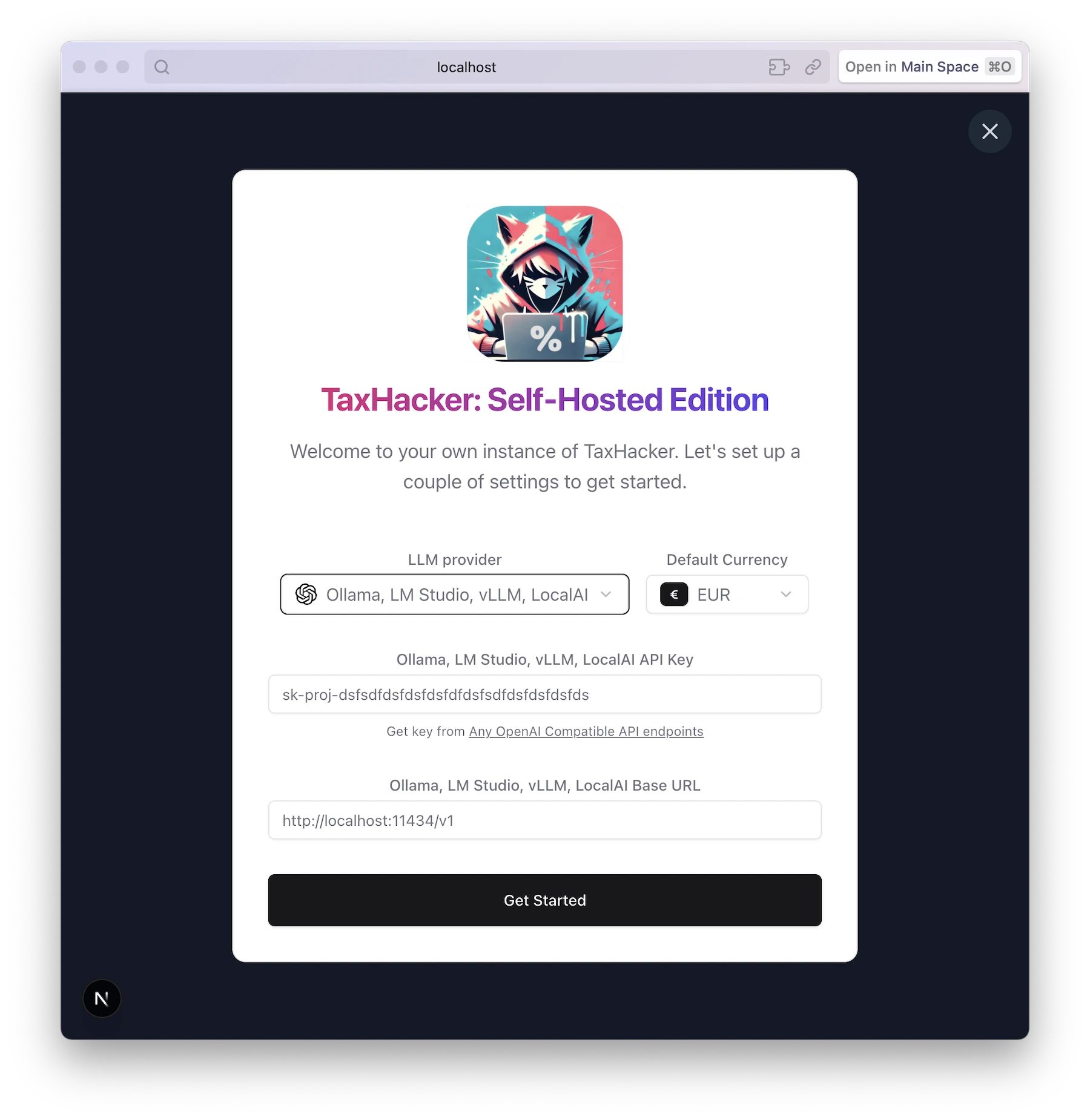
This is a big deal — TaxHacker supports local LLMs via Ollama or llama.cpp. Point it at your local model, and every receipt scan, every transaction categorization, happens entirely on your machine. No data ever leaves your network. For someone who handles sensitive financial data, that's non-negotiable.
😬 What Could Be Better?
Honestly? The setup requires Docker and a bit of comfort with the terminal. It's not a "click to install" app. The GHCR image pulls are fast, but you'll need PostgreSQL running alongside it. Also, the AI scanner works best with clear receipt photos — handwritten or crumpled receipts can confuse the LLM sometimes. But for a free, self-hosted tool? I'll take it.
🎯 Who Is This For?
- Freelancers who juggle multiple clients and currencies
- Small business owners who want AI-powered books without SaaS fees
- Privacy-conscious users who won't send financial data to third parties
- LLM enthusiasts who want a practical use for their local models
If you're using QuickBooks or FreshBooks and feel like you're overpaying for features you don't use — give TaxHacker a shot.
💭 Final Thoughts
I've been running TaxHacker for a few weeks now, and it's genuinely changed how I handle finances. The AI scanner catches ~90% of my receipts correctly on the first try, and the custom category prompts save me hours of manual sorting each month. Is it perfect? No. Is it the best self-hosted accounting tool I've tried? Absolutely.
🚀 Explore TaxHacker on Run This Ai
Docker Compose configs, system requirements, installation guides, and more — all in one place.
View TaxHacker Tool Page →