Xiaohongshu MCP Server: Bring Little Red Book into Your AI Workflow
An overview of xiaohongshu-mcp — the MCP server that connects Claude, Cursor and VS Code to Xiaohongshu (Little Red Book) for search, content fetching and publishing.
🚀 Want to deploy xiaohongshu-mcp yourself?
Docker configs, system requirements, and installation guides — all on one page.
View xiaohongshu-mcp Tool Page →What is xiaohongshu-mcp?
xiaohongshu-mcp is an open-source Model Context Protocol (MCP) server that gives AI assistants direct access to xiaohongshu.com — better known as Little Red Book, China's leading social commerce and lifestyle platform. With over 15,000 GitHub stars and more than 120,000 Docker pulls, it has quickly become the standard way to connect LLM-powered tools to Xiaohongshu content.
Why it matters
Little Red Book hosts millions of product reviews, travel guides, and lifestyle notes. Until now, that data lived behind a web interface that AI agents could not reach. This MCP server changes that: Claude, Cursor, VS Code, and any MCP-compatible client can now search notes, fetch note details, and publish posts — all through simple tool calls.
Key capabilities
| Capability | Details |
|---|---|
| Search notes | Query notes by keyword and retrieve structured results |
| Fetch details | Get full note content, images and metadata |
| Publish posts | Create and publish new Xiaohongshu notes via MCP tools |
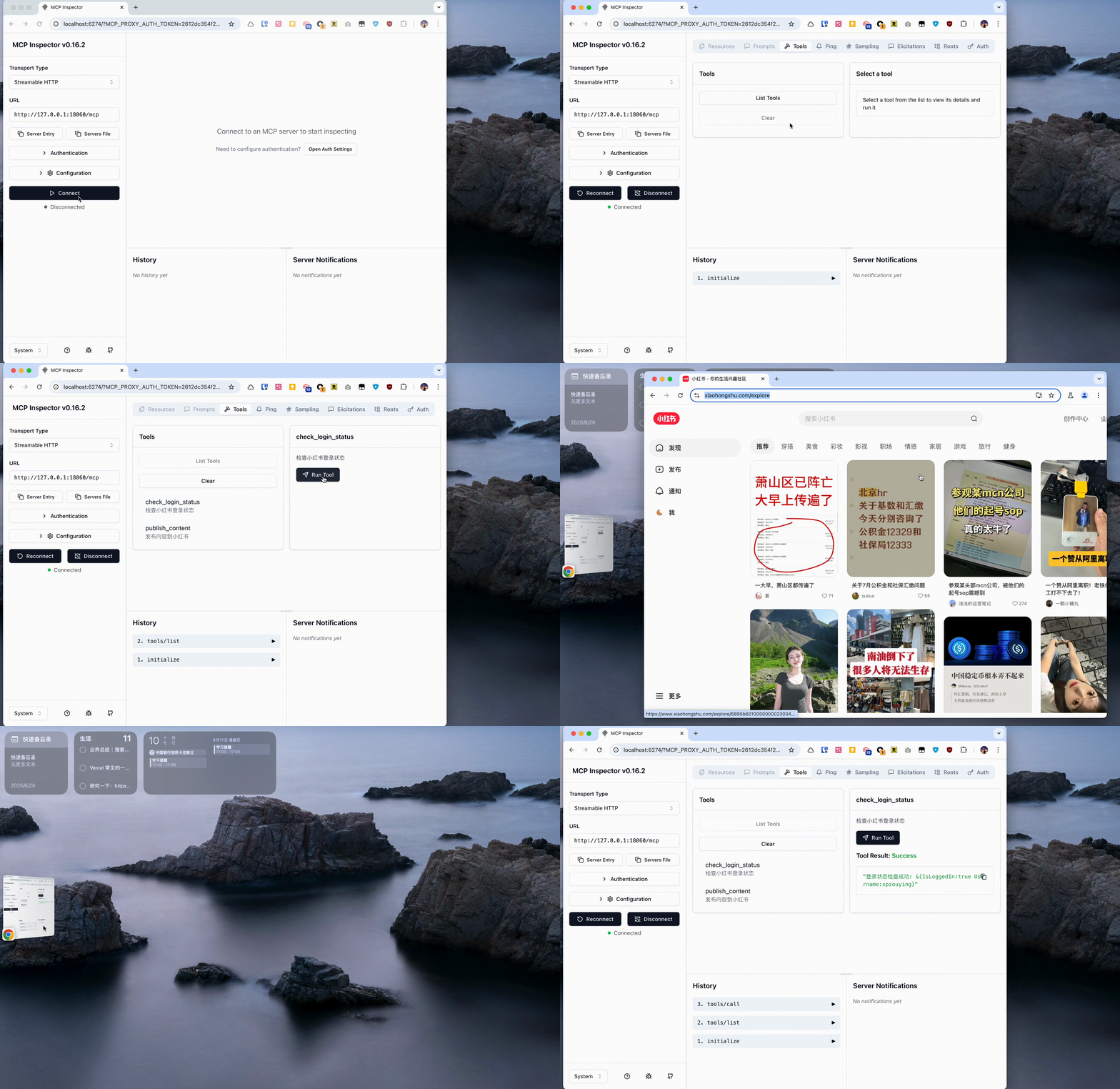
| Session management | Cookie-based login with check-login verification |
Authentication made simple
The server uses cookie-based authentication. A dedicated login workflow checks whether your session is valid, so your assistant can verify access before performing actions:
Getting started
Because the project ships official Docker images and pre-built configuration examples, setup takes minutes. Pick your client — Claude Desktop, Cursor, VS Code, or Inspect — paste the provided config, and connect. The browser automation layer handles rendering, so no scraping hacks are required.
🚀 Ready to run xiaohongshu-mcp?
Docker configs, system requirements, and installation guides — all on one page.
View xiaohongshu-mcp Tool Page →