Getting Started with AgentMemory: Install Memory for Claude Code, Codex CLI, and More
Step-by-step tutorial to install and configure AgentMemory for your AI coding agents. Connect Claude Code, Codex CLI, Cursor, Gemini CLI, and any MCP-compatible agent in 5 minutes.

Make Your Coding Agent Remember Everything — in 5 Minutes
I'll be straight with you: I wasted two hours trying to get persistent memory working with my coding agents before I found AgentMemory. I tried LangChain's memory module (too complex), tried hooking up a vector DB (way overkill), tried session prompting (lol). Nothing stuck.
Then I ran one npm command and everything changed. Here's exactly how to do it.
🚀 Want to deploy AgentMemory?
Docker Compose configs, system requirements, and installation guides — all on one page.
View AgentMemory Tool Page →Step 1: Install AgentMemory
Open a terminal. Run one command:
npm install -g @agentmemory/agentmemoryThat's it. If you hit an EACCES permission error on macOS/Linux (common with system Node), add sudo:
sudo npm install -g @agentmemory/agentmemoryPrefer not to install? Use npx (no install, runs on demand):
npx @agentmemory/agentmemory⚠️ Heads up: If you're already running a differentiiiengine version, AgentMemory pins its own engine (v0.11.2). Stop the other engine first — AgentMemory runs independently in~/.agentmemory/binand won't touch your existing setup.
Step 2: Start the Memory Server
agentmemoryThis starts the memory server on port 3111. You'll see output like:
✦ agentmemory v0.9.16
   iii engine v0.11.2
   Memory server running on http://localhost:3111
   MCP endpoint: http://localhost:3111/mcp
If you see this — congratulations. Your agent now has a place to store memories. Keep this terminal open (or run it as a background service).
Step 3: Run the Demo (Prove It Works)
Before wiring your actual agent, run the demo to make sure everything works:
agentmemory demoThis seeds sample sessions, proves recall works, and shows you the output. Or run it as a one-shot server + demo + teardown in a single command:
agentmemory demo --serve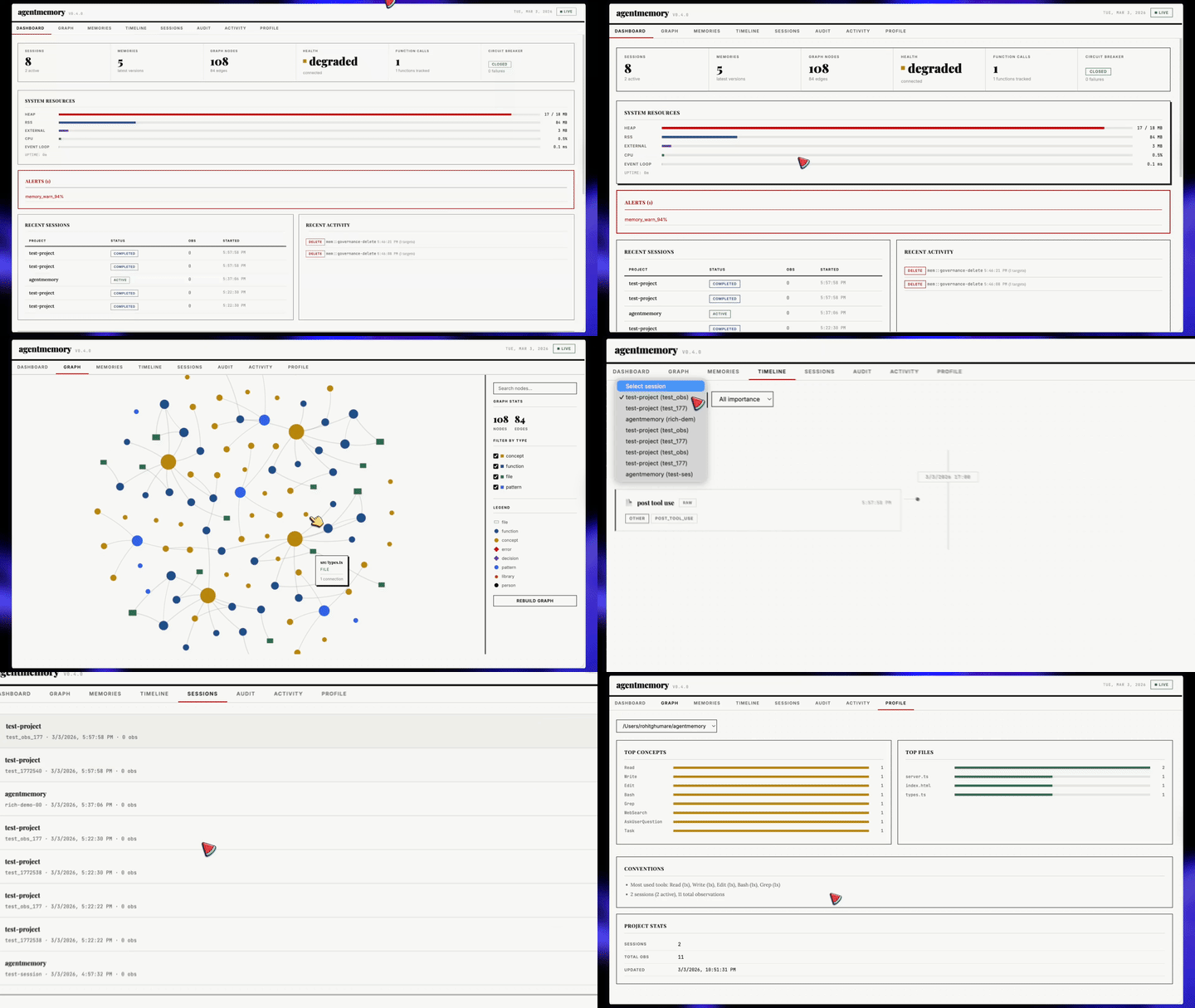
Step 4: Wire It to Your Coding Agent
This is where the magic happens. AgentMemory connects to every major coding agent. Here are the most common setups:
| Agent | Command |
|---|---|
| Claude Code | agentmemory connect claude-code |
| Codex CLI | agentmemory connect codex |
| Copilot CLI | agentmemory connect copilot-cli |
| Cursor | agentmemory connect cursor (MCP) |
| Gemini CLI | agentmemory connect gemini-cli (MCP) |
| Hermes | agentmemory connect hermes |
| Aider | REST API — http://localhost:3111 |
For any MCP-compatible client (Cline, Goose, Kilo Code, OpenCode): just point it to http://localhost:3111/mcp.
Bonus: Install the AgentMemory native skills for agents that support them:
npx skills add rohitg00/agentmemory -yThis adds 15 skills (8 invocable + 7 reference) so your agent knows when to use memory tools automatically.
What I Wish I Knew Before
- Memory is automatic. Claude Code's 12 hooks capture context without you asking. Codex CLI has 6 hooks. Your agent stores memories as it works — you don't need to manually save.
- Check the viewer. Open
http://localhost:3111in your browser to see what memories your agent has stored. It's addictive. - If something breaks:
agentmemory --resetclears all data and restarts fresh. I've used this twice when testing different agent configs. - The memory server uses ~50MB RAM idle. Negligible for any modern dev machine.
That's It
Five minutes from zero to persistent memory. Your agents will stop asking "what's the project structure" and start shipping. Give it a try — I promise it's the quality-of-life upgrade you didn't know you needed.
🚀 Explore AgentMemory on Run This Ai
Docker Compose configs, system requirements, installation guides, and more — all in one place.
View AgentMemory Tool Page →