ClawX: The Complete Guide to the Desktop Interface for OpenClaw AI Agents
ClawX brings the OpenClaw AI agent framework to your desktop with a polished graphical interface — no terminal required. Explore its chat, cron automation, multi-channel management, and skill system.
OpenClaw is one of the most powerful open-source AI agent frameworks available — but for many users, the command line has always been the barrier between them and their agents. ClawX removes that barrier completely. It is a desktop application that wraps the official OpenClaw core in a polished, graphical interface for macOS, Windows, and Linux. No terminal, no YAML files, no environment variable hunting.
🚀 Want to deploy ClawX yourself?
Docker configs, system requirements, and installation guides — all on one page.
View ClawX Tool Page →What Makes ClawX Different
ClawX is not another thin wrapper around an API. It embeds the OpenClaw runtime directly inside the app, so everything works out of the box. Instead of managing processes, config files, and updates by hand, you get a single application that handles the entire agent lifecycle. The philosophy is simple: powerful technology deserves an interface that respects your time.
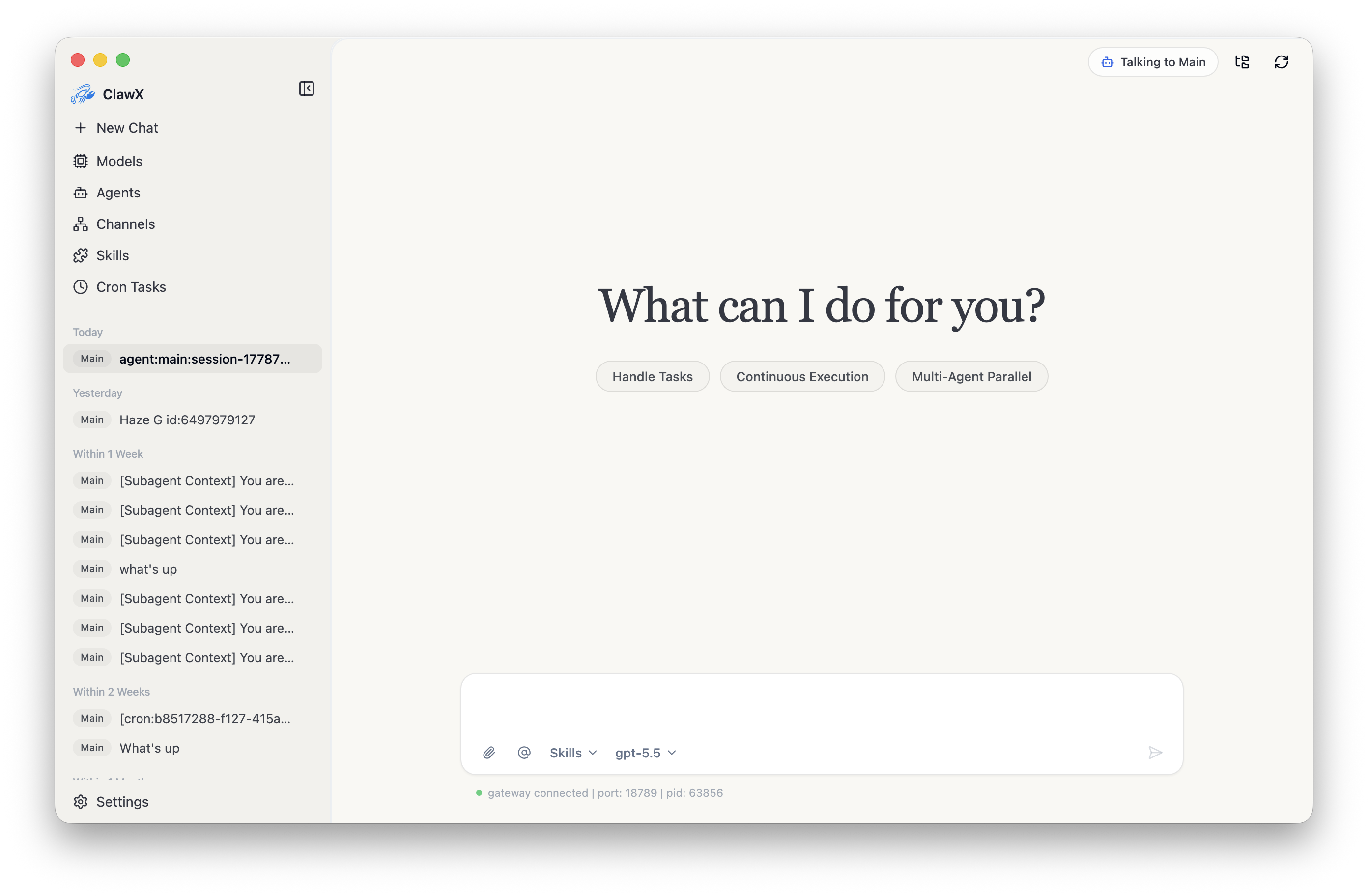
Core Capabilities
| Feature | What You Get |
|---|---|
| 💬 Chat interface | Markdown rendering, LaTeX math, multi-agent @routing, and workspace-first session management. |
| ⏰ Cron automation | Schedule recurring or one-time AI tasks with a visual picker and external delivery to supported channels. |
| 📡 Multi-channel | Run independent agents across Telegram, WeChat, and more — with per-account binding and in-app QR setup. |
| 🧩 Skill system | Local-first skill management, bundled document skills (pdf, xlsx, docx, pptx), and optional marketplace. |
| 🔐 Provider security | OpenAI, Anthropic, Z.AI / GLM and more, with credentials stored in your system keychain. |
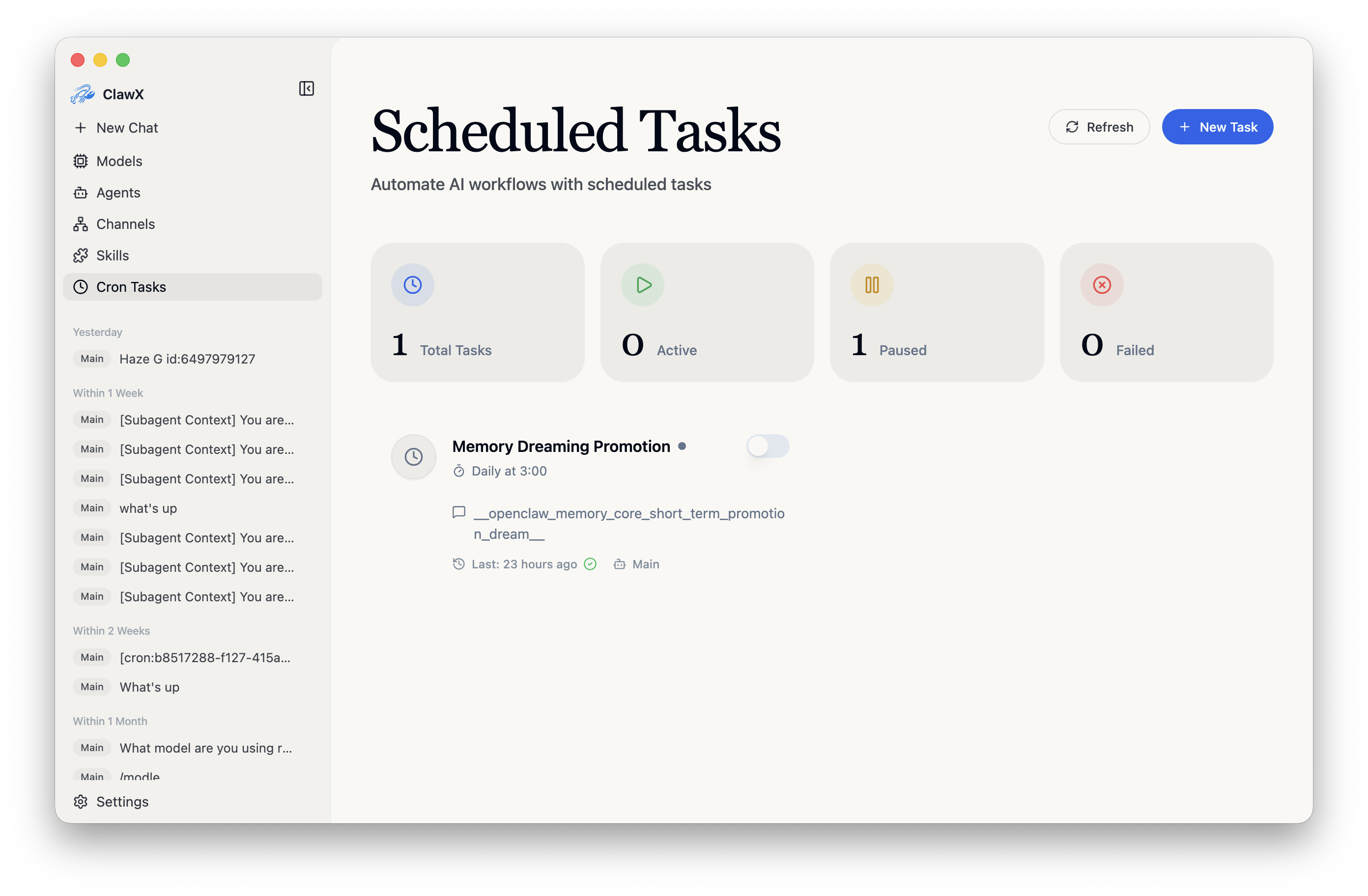
Why Teams and Power Users Choose It
Because ClawX stays aligned with the official OpenClaw releases, you always get the latest capabilities and ecosystem compatibility. Developer Mode exposes advanced configuration, an image generation page, and the Dreams page for OpenClaw memory review. The result is an agent workstation that scales from a first-time user's setup wizard to a power user's full control panel.
🚀 Ready to run ClawX?
Get system requirements, Docker compose files, and deployment notes.
View ClawX Tool Page →