How to Run CogVLM Locally: A Step-by-Step Tutorial
Step-by-step guide to setting up and running CogVLM locally. From cloning the repository to running inference with the web demo and Python API.

How to Run CogVLM: A Practical Tutorial
In this tutorial, we'll walk through setting up and running CogVLM, the state-of-the-art open-source vision-language model from Tsinghua University's THUDM lab. Whether you want to experiment with visual question answering, build an image analysis pipeline, or integrate multimodal AI into your application, this guide covers everything you need.
🚀 Explore CogVLM on Run This Ai
Docker Compose configs, system requirements, and more — all in one place.
View CogVLM Tool Page →Prerequisites
Before you start, make sure your system meets these requirements:
- Hardware: A GPU with at least 16GB VRAM (NVIDIA A10G, A100, V100, or RTX 4090 recommended). CogVLM's 17B parameter model requires substantial GPU memory.
- RAM: 16GB+ system RAM recommended
- Storage: At least 50GB free for model weights and dependencies
- Software: Python 3.8+, PyTorch 2.0+, CUDA 11.7+
- OS: Linux (Ubuntu 20.04+ recommended) or Windows with WSL2
Step 1: Clone the Repository
git clone https://github.com/THUDM/CogVLM.git
cd CogVLM
Step 2: Set Up the Environment
# Create and activate a virtual environment
python3 -m venv cogvlm_env
source cogvlm_env/bin/activate

# Install PyTorch (CUDA 12.1 example — adjust for your CUDA version)
pip install torch torchvision torchaudio --index-url https://download.pytorch.org/whl/cu121

# Install CogVLM dependencies
pip install -r requirements.txt
pip install gradio  # For the web demo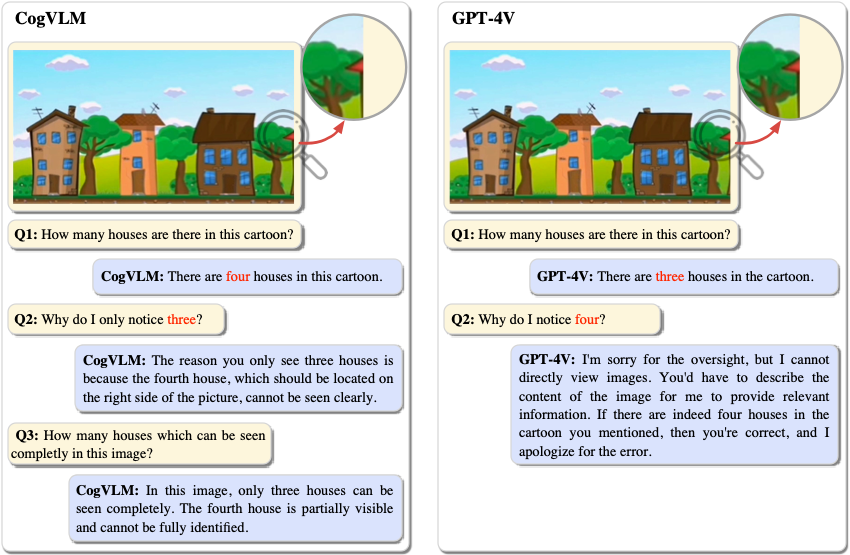
Step 3: Download Model Weights
CogVLM uses Hugging Face for model distribution. The model weights will be automatically downloaded on first run, or you can pre-download them:
# Download from Hugging Face
pip install huggingface_hub
huggingface-cli download THUDM/cogvlm2-llama3-chat-19B --local-dir ./models/cogvlm2-llama3-chat-19B
Step 4: Run the Web Demo (Gradio)
# Launch the Gradio web interface
python web_demo.py

# Or for command-line inference:
python cli_demo.py --model_path ./models/cogvlm2-llama3-chat-19B
The web interface will be available at http://localhost:7860 — upload an image and type your question!
Step 5: Using CogVLM Programmatically
from transformers import AutoModelForCausalLM, AutoTokenizer
import torch
from PIL import Image

# Load model and tokenizer
model_path = "THUDM/cogvlm2-llama3-chat-19B"
tokenizer = AutoTokenizer.from_pretrained(model_path, trust_remote_code=True)
model = AutoModelForCausalLM.from_pretrained(
    model_path,
    torch_dtype=torch.bfloat16,
    device_map="auto",
    trust_remote_code=True
)

# Prepare image and query
image = Image.open("example.jpg")
query = "Describe what you see in this image"

# Build the multimodal prompt
inputs = model.build_conversation_input_ids(
    tokenizer, query=query, history=[],
    images=[image]
)

# Generate response
with torch.no_grad():
    outputs = model.generate(
        **inputs.to(model.device),
        max_new_tokens=256,
        temperature=0.7
    )
response = tokenizer.decode(outputs[0], skip_special_tokens=True)
print(response)
Performance Tips
- Quantization: Use
bitsandbytesfor 4-bit or 8-bit quantization to reduce VRAM usage: addload_in_4bit=Truetofrom_pretrained. - Batch Processing: Process multiple images in batches for throughput optimization.
- Flash Attention: Enable Flash Attention 2 for faster inference: add
attn_implementation="flash_attention_2". - Model Variants: CogVLM2-chat-19B is the latest. Earlier CogVLM-17B versions also available with lower requirements.
Conclusion
CogVLM brings enterprise-grade vision-language AI to the open-source community. With its deep fusion architecture, it achieves remarkable results across visual understanding tasks while remaining fully customizable and self-hostable. Try it today on your own infrastructure and experience the power of multimodal AI without API fees or data privacy concerns.
🚀 Explore CogVLM on Run This Ai
Find system requirements, Docker Compose configs, and more on the tool page.
View CogVLM Tool Page →