DBHub: The Zero-Dependency Database MCP Server Every AI Developer Needs
DBHub is a token-efficient MCP server by Bytebase that connects AI agents to PostgreSQL, MySQL, SQL Server, MariaDB, and SQLite through a single interface. Discover its features, safety guardrails, and built-in Workbench.

Why Did We Need Yet Another Database Tool?
I've been there. You're working with Claude Code, Cursor, or any AI coding agent, and you want it to query your database directly. First, you try a generic PostgreSQL MCP server — works great for Postgres, but what about MySQL? SQLite? SQL Server? Suddenly you're running three different MCP servers, fighting port conflicts, and your AI's context window is half-full of tool definitions.
That's exactly the problem DBHub solves. It's a zero-dependency, token-efficient MCP server built by Bytebase (the team behind the open-source database DevSecOps platform) that speaks to PostgreSQL, MySQL, MariaDB, SQL Server, and SQLite through a single interface.
🚀 Want to deploy DBHub yourself?
Docker configs, system requirements, and installation guides — all on one page.
View DBHub Tool Page →What Makes DBHub Different?
🔌 One Server, Five Databases
Instead of running separate MCP servers for each database type, DBHub handles PostgreSQL, MySQL, SQL Server, MariaDB, and SQLite from a single binary. Configure connections in a dbhub.toml file and you're done. I spent 20 minutes setting up connections to three different databases — no port conflicts, no duplicate configurations.
🎯 Token-Efficient by Design
Here's what I loved: DBHub only implements two MCP tools — execute_sql and search_objects. That's intentional. Every MCP tool definition takes up context window space, and with DBHub, your AI agent has more room for what matters: your actual queries and results. Compared to other MCP database servers that expose 6-8 tools, this makes a real difference in practice.
🛡️ Safety First
DBHub ships with read-only mode, configurable row limits (default 100), and query timeouts. I accidentally ran a SELECT * on a 2-million-row table — DBHub cut it off at 100 rows. No accidental production meltdowns.
| Feature | DBHub | Typical MCP DB Server |
|---|---|---|
| Databases Supported | 5 (PG, MySQL, MSSQL, MariaDB, SQLite) | Usually 1-2 |
| MCP Tools | 2 (execute_sql, search_objects) | 6-8 |
| Dependencies | Zero | Varies (Node, Python) |
| Install | docker run or npx | Often complex setup |
The Built-in Workbench
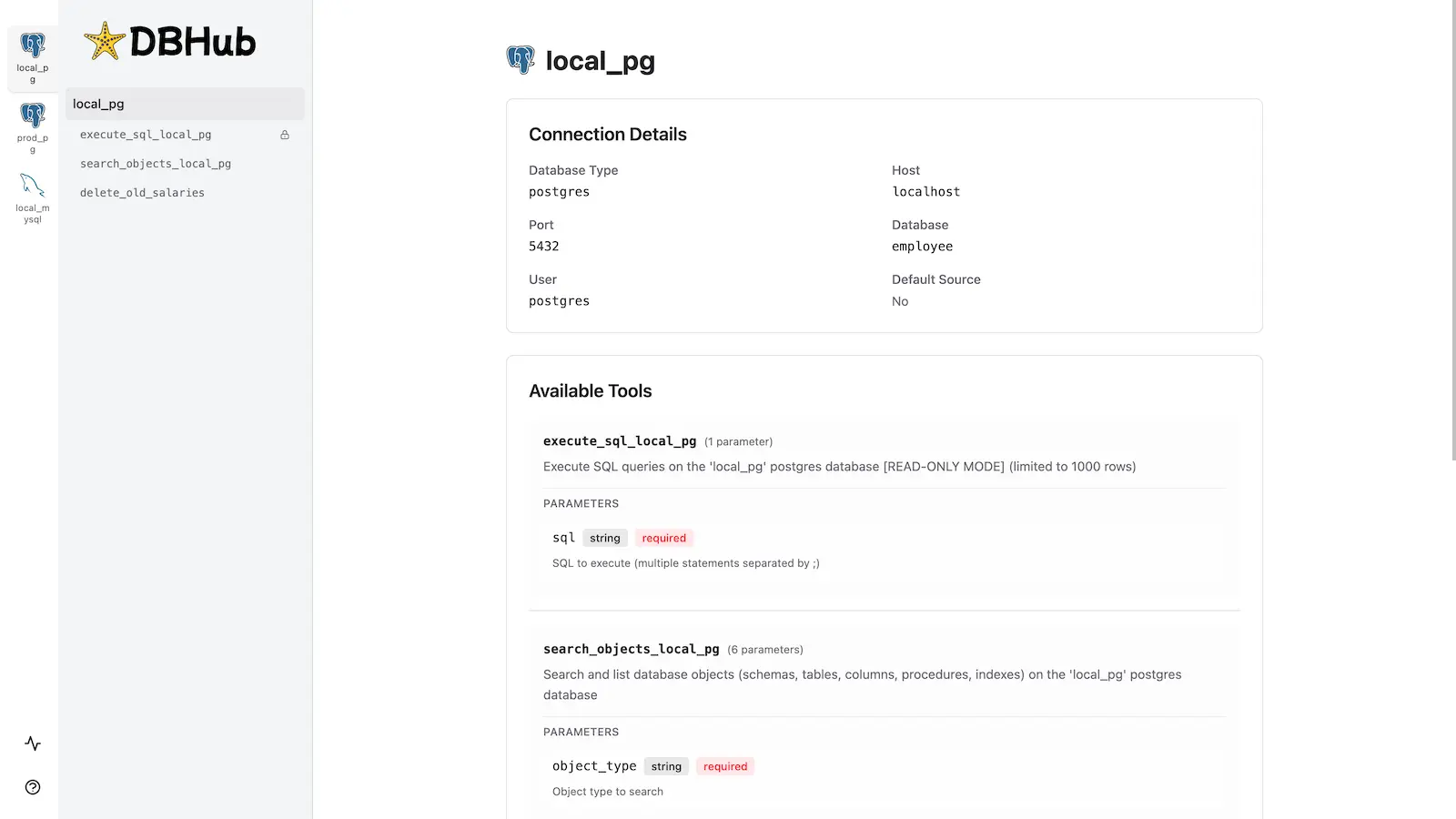
One feature I didn't expect to use but now love: the web-based Workbench. It's a browser UI for executing queries, running custom tools, and viewing request traces — all without needing an MCP client open. Great for debugging or when you just want to test a query quickly.
Who Is DBHub For?
Perfect for: AI developers using Claude Desktop, Cursor, VS Code with Copilot, or any MCP client who need safe, multi-database access from their coding agent. Also great for teams running multiple database types who want a unified MCP interface.
Not ideal if: You only need one database type and want deep-specific features (though DBHub handles the basics well even then). Also, if you need complex transaction management across databases, that's not DBHub's scope.
Final Thoughts
After a few days of using DBHub with Claude Code, I can say it's become my go-to database MCP server. The zero-dependency setup is refreshing — one Docker command and I'm connected to three databases. The workbench UI is a nice bonus I keep coming back to.
🚀 Explore DBHub on Run This Ai
Docker Compose configs, system requirements, installation guides, and more — all in one place.
View DBHub Tool Page →