How to Set Up DBHub with Docker: A Step-by-Step Tutorial for AI Database Access
Learn how to set up DBHub, the zero-dependency MCP server for PostgreSQL, MySQL, SQL Server, MariaDB, and SQLite. Step-by-step guide with Docker, multi-database config, and MCP client setup.

Setting Up DBHub: A Practical Walkthrough
I'll be honest — when I first heard "zero-dependency MCP server for 5 databases," I was skeptical. These things are never as simple as they claim. But I set up DBHub with PostgreSQL and SQLite in under 5 minutes. Here's exactly how I did it, including the mistakes I made so you don't have to.
🚀 Want to deploy DBHub yourself?
Docker Compose configs, system requirements, and installation guides — all on one page.
View DBHub Tool Page →Prerequisites (30 seconds to check)
- ✅ Docker installed (or Node.js >= 22.5.0 for npx)
- ✅ A database to connect to (PostgreSQL, MySQL, SQLite — any will do)
- ✅ An MCP client (Claude Desktop, Cursor, VS Code with Copilot)
Step 1: Run DBHub with Docker (2 minutes)
This is the part I messed up first. I used --publish 8080:8080 without the --init flag. DBHub needs --init for proper signal handling. Here's the correct command:
docker run --rm --init \
  --name dbhub \
  --publish 8080:8080 \
  bytebase/dbhub \
  --transport http \
  --port 8080 \
  --dsn "postgres://user:password@host:5432/dbname?sslmode=disable"
If you see Starting MCP server on port 8080 in the logs — congrats, it's running. If not, check your DSN string. This is where I wasted 10 minutes — I'd forgotten the ?sslmode=disable for a local Postgres instance.
Step 2: Connect Multiple Databases (3 minutes)
DBHub's real power is multi-database support. Create a dbhub.toml file:
[[connections]]
name = "my-pg"
dsn = "postgres://user:pass@localhost:5432/mydb"

[[connections]]
name = "my-sqlite"
dsn = "file:/data/mydb.sqlite"

[[connections]]
name = "my-mysql"
dsn = "mysql://user:pass@localhost:3306/mydb"
Then run with the config file mounted:
docker run --rm --init \
  --name dbhub \
  --publish 8080:8080 \
  --volume $(pwd)/dbhub.toml:/etc/dbhub/dbhub.toml \
  bytebase/dbhub \
  --transport http \
  --port 8080 \
  --config /etc/dbhub/dbhub.toml
⚠️ Pro tip: Mount the config file as a bind mount, not a Docker volume. I tried using a named volume first and DBHub couldn't read the TOML config — wasted 15 minutes.
Step 3: Configure Your MCP Client
For Claude Desktop, add to your claude_desktop_config.json:
{
  "mcpServers": {
    "dbhub": {
      "command": "docker",
      "args": [
        "run", "--rm", "--init",
        "--network", "host",
        "bytebase/dbhub",
        "--transport", "http",
        "--port", "8080",
        "--dsn", "postgres://user:pass@localhost:5432/mydb"
      ]
    }
  }
}
Restart Claude Desktop and you should see the hammer icon with two tools: execute_sql and search_objects.
Step 4: Try a Real Query
Open Claude and ask: "List all tables in the database and show me the first 5 rows of each."
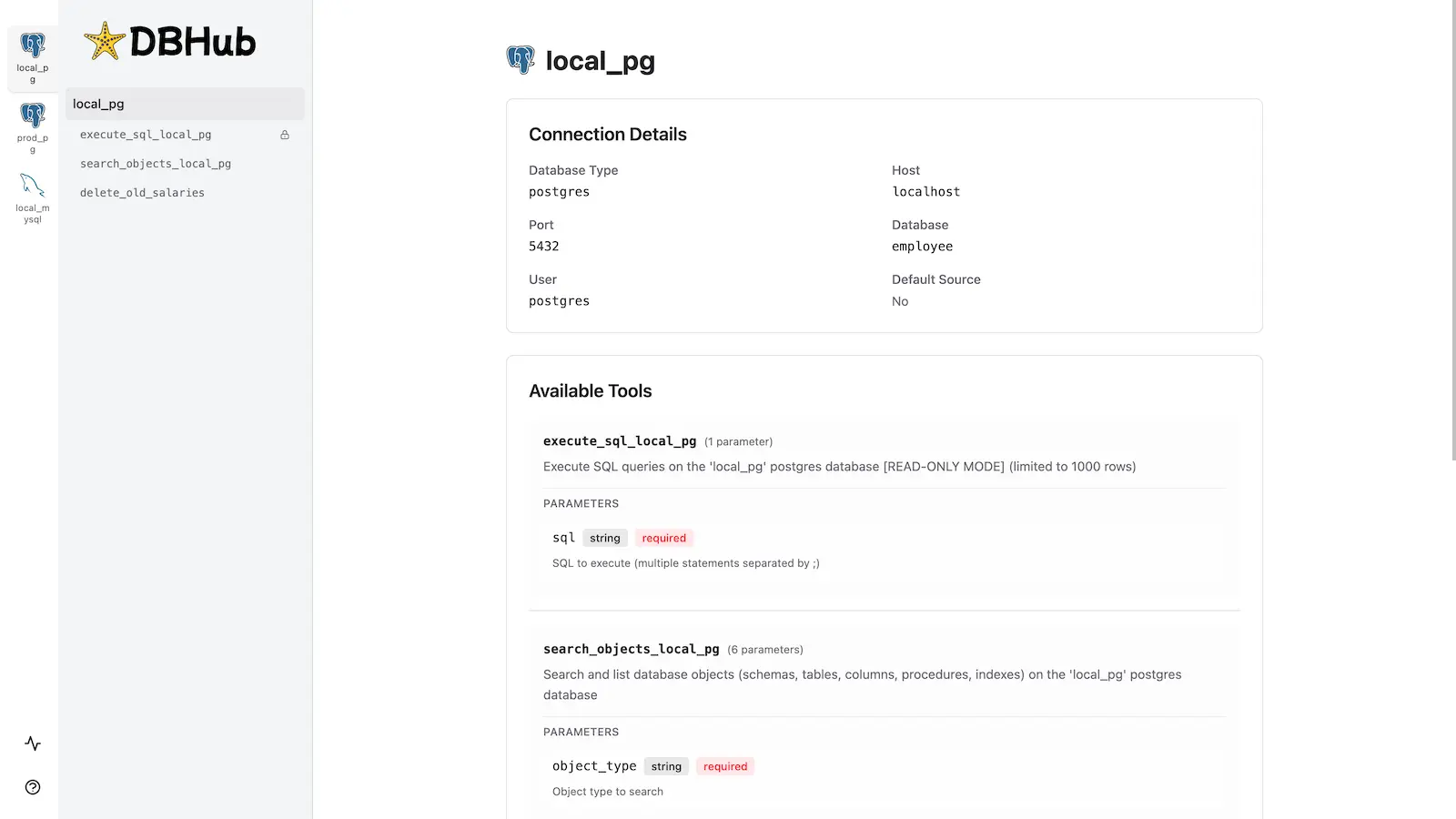
DBHub handles this in two tool calls: search_objects to find tables, then execute_sql to query them. What I love is that the whole interaction took maybe 10 seconds — and I could see each query in the Workbench UI.
Common Gotchas (From Experience)
- DSN format matters: PostgreSQL uses
postgres://notpostgresql://. MySQL usesmysql://. Get this wrong and you'll get a silent failure. - Row limits: Default is 100 rows. Use
--row-limit 500to increase, but be careful with large tables. - Port conflicts: If port 8080 is taken, use
--port 8081and update your MCP client config. - Read-only mode: Add
--readonlyfor production connections. I wish I'd known this before accidentally updating a dev DB.
Verdict
DBHub is the simplest database MCP server I've used. Setting it up is genuinely a 5-minute job for a single database, and maybe 10 minutes for multiple connections. The zero-dependency claim holds up — it's a single Go binary with no Python, no Node modules, no headaches.
Is it perfect? No. The documentation is a bit sparse on advanced config options, and I'd love to see MongoDB support. But for what it does — giving AI agents safe, multi-database SQL access — it's excellent.
🚀 Explore DBHub on Run This Ai
Docker Compose configs, system requirements, installation guides, and more — all in one place.
View DBHub Tool Page →