Getting Started with DeepEval: Test Your LLM Apps Like Production Software
A practical guide to testing LLM outputs with DeepEval - install, first tests, CI/CD integration, and key metrics explained.

Why Test LLM Applications?
If you have ever deployed an LLM-powered feature to production, you know the sinking feeling of seeing a hallucinated answer or a biased response reach your users. Traditional software testing does not apply - LLM outputs are non-deterministic, context-dependent, and often surprising. DeepEval was built specifically to solve this problem: it brings the rigor of unit testing to the world of large language models.
Quick Start: Your First Evaluation
Getting started with DeepEval takes minutes. First install the package:
pip install deepevalThen create a test file and define your first evaluation metric. DeepEval supports multiple metric types: G-Eval for general quality assessment, hallucination detection for factual accuracy, bias evaluation for fairness, and many more. Each metric returns a score and detailed reasoning.
Integration with Popular Frameworks
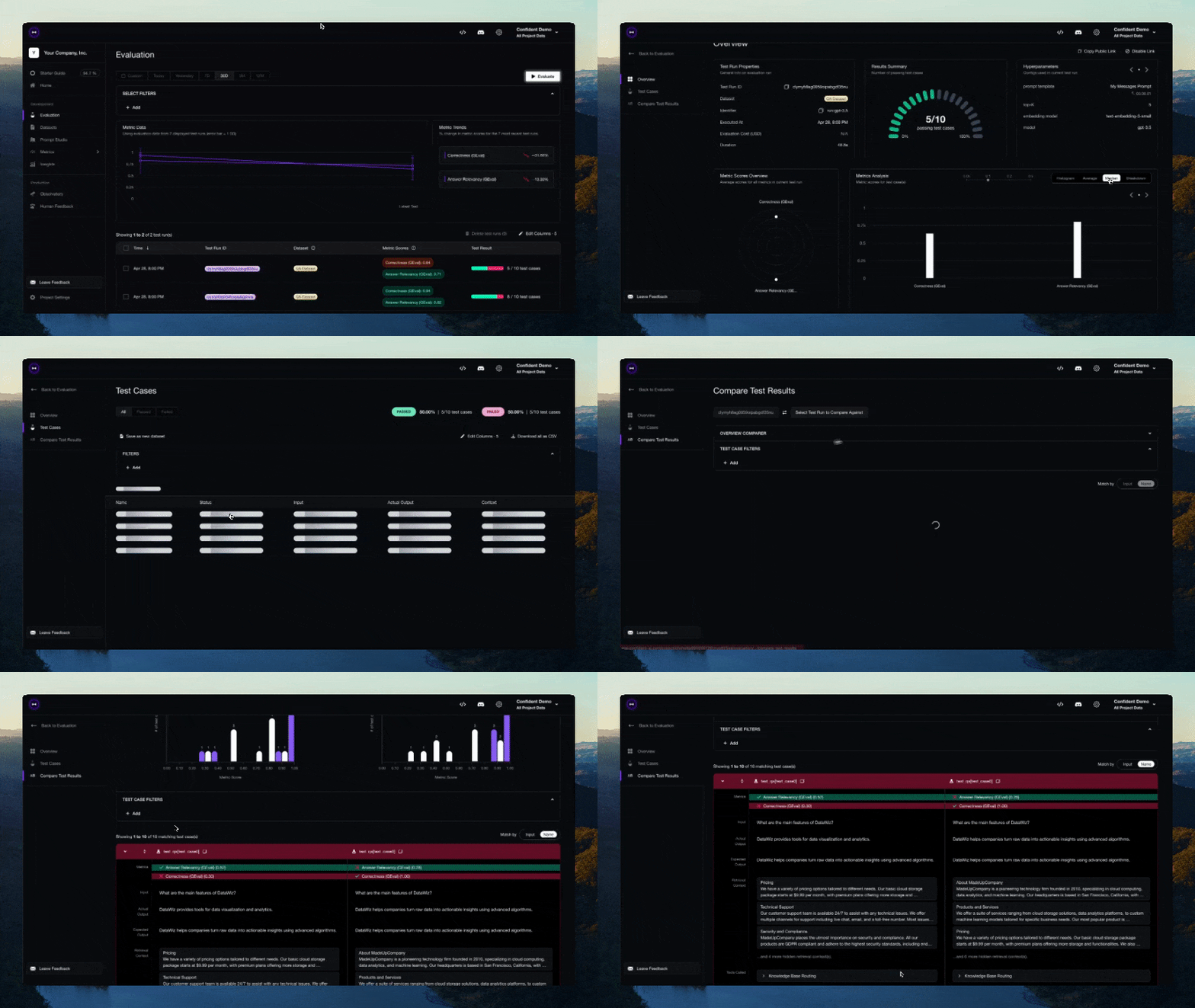
DeepEval works seamlessly with the tools you already use. It integrates natively with LangChain and LlamaIndex for evaluating RAG pipelines, Guardrails AI for validation rules, and any custom LLM provider through its flexible API. You can also export results to Confident AI for team dashboards and historical tracking.
CI/CD Integration
The true power of DeepEval reveals itself in CI/CD. Add a simple deepeval test run command to your GitHub Actions or GitLab CI pipeline, and every PR gets automatically evaluated. Catch regressions before they merge. Track evaluation scores over time. Gate deployments on quality thresholds.
Key Metrics Explained
- G-Eval - GPT-based evaluation that scores outputs on coherence, consistency, fluency, and relevance
- Hallucination - Detects when the LLM generates information not present in the provided context
- Bias - Measures unwanted bias in LLM outputs across demographic dimensions
- Toxicity - Flags harmful, offensive, or toxic language
- Contextual Recall/Precision - Ensures the LLM correctly uses the retrieved context in RAG systems
- Answer Relevancy - Checks that the response actually answers the user's question
Conclusion
DeepEval transforms LLM evaluation from an afterthought into a first-class engineering practice. With its rich metric ecosystem, CI/CD integration, and active open-source community, it is the tool every LLM developer should have in their stack. Start testing today and ship with confidence.