Desktop Commander MCP: Give Your AI Terminal Control Over Your Development Environment
An honest guide to Desktop Commander MCP — the open-source MCP server that gives Claude terminal control, file search and document editing. 6.3K stars, Docker image available.

Ever Wished Claude Could Just… Run Your Terminal?
I've been there. Staring at an AI's suggestion thinking "great, now I need to copy this, open a terminal, paste it, check the output, copy the error, paste it back…" It's a rhythm that kills flow. You go from deep focus to administrative monkey-work in one tab switch.
Then I found Desktop Commander MCP. And honestly? It changed how I work with Claude entirely.
🚀 Want to deploy Desktop Commander MCP yourself?
Docker configs, system requirements, and installation guides — all on one page.
View Desktop Commander MCP Tool Page →What Actually Is Desktop Commander?
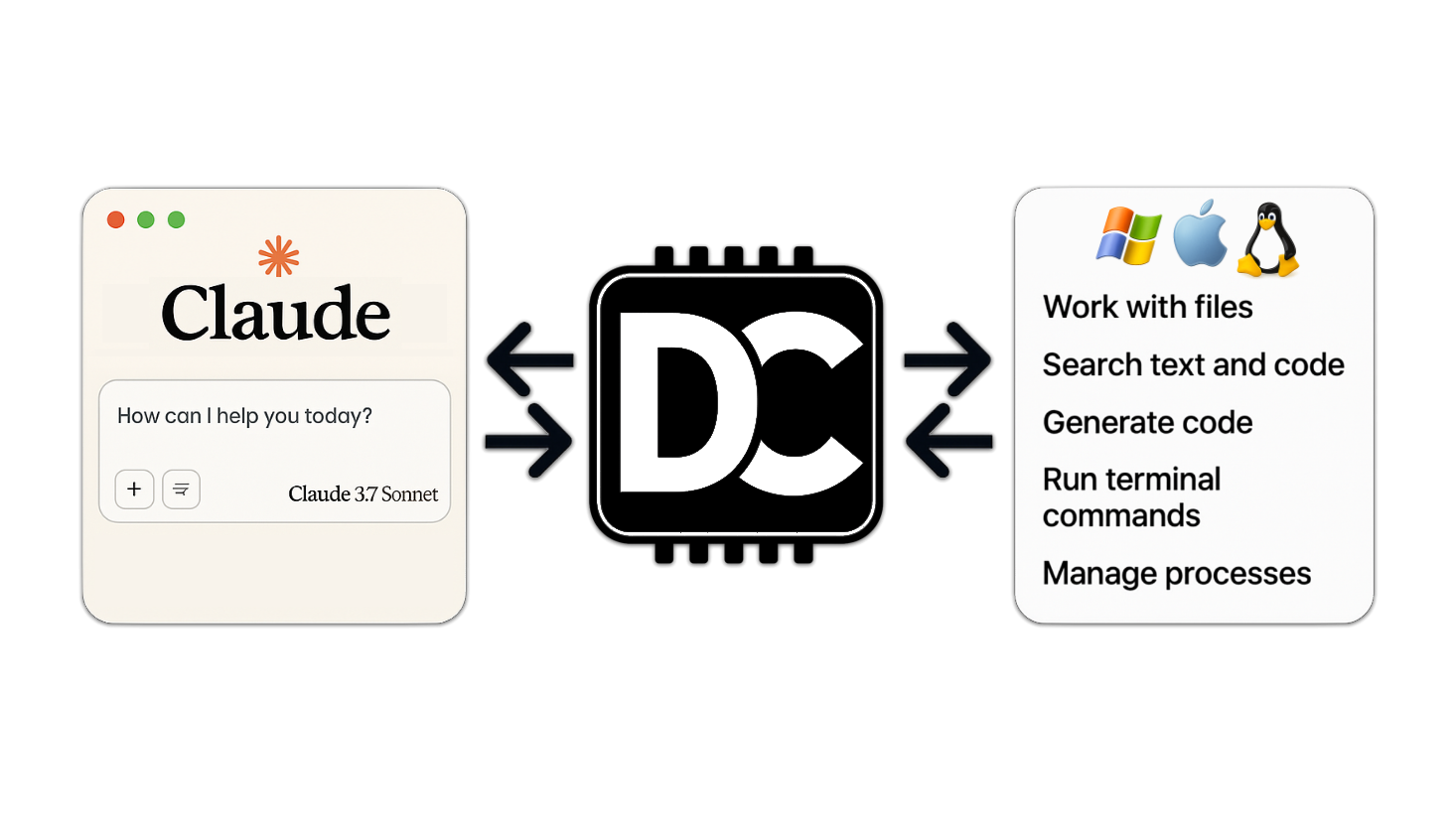
At its core, Desktop Commander is an MCP (Model Context Protocol) server that acts as a bridge between Claude (or any MCP-compatible AI) and your local machine. Instead of the AI just suggesting what to do, it can actually do it — run commands, edit files, manage processes, work with documents.
Think of it as giving your AI pair programmer a keyboard. Not just a voice in your ear — actual hands on the terminal.
What I Love (and What Bothers Me)
👍 The Good Stuff
Terminal control without tab-switching. This is the killer feature. I spent a whole afternoon testing it — asked Claude to find all unused imports in a Python project, run the cleanup, and report back. It did it in one go. No copy-paste. No "please paste the output." Just "done, here's what I removed."
The file preview UI threw me off at first. I didn't expect rendered markdown with images inside Claude Desktop. But once I saw it — file diffs highlighted, markdown rendered, images inline — I couldn't go back. It makes reading code suggestions feel like browsing GitHub, not a raw text dump.
Document handling surprised me. Excel files, PDFs, DOCX — it reads and edits them natively. I threw a 500-row CSV at it and asked for analysis. It wrote a Python script, ran it in memory, and gave me pivot tables. All inside the chat.
👎 What Could Be Better
Docker setup isn't plug-and-play. The official image is community-maintained (mcp/desktop-commander), not from the original author. This isn't a dealbreaker, but it means you're trusting a third-party build. I'd love an official GHCR image.
Long-running processes can be fiddly. If you're running a build that takes 15 minutes, the session management works — but you have to remember to check back. There's no push notification when it finishes (yet).
How It Fits in Your Stack
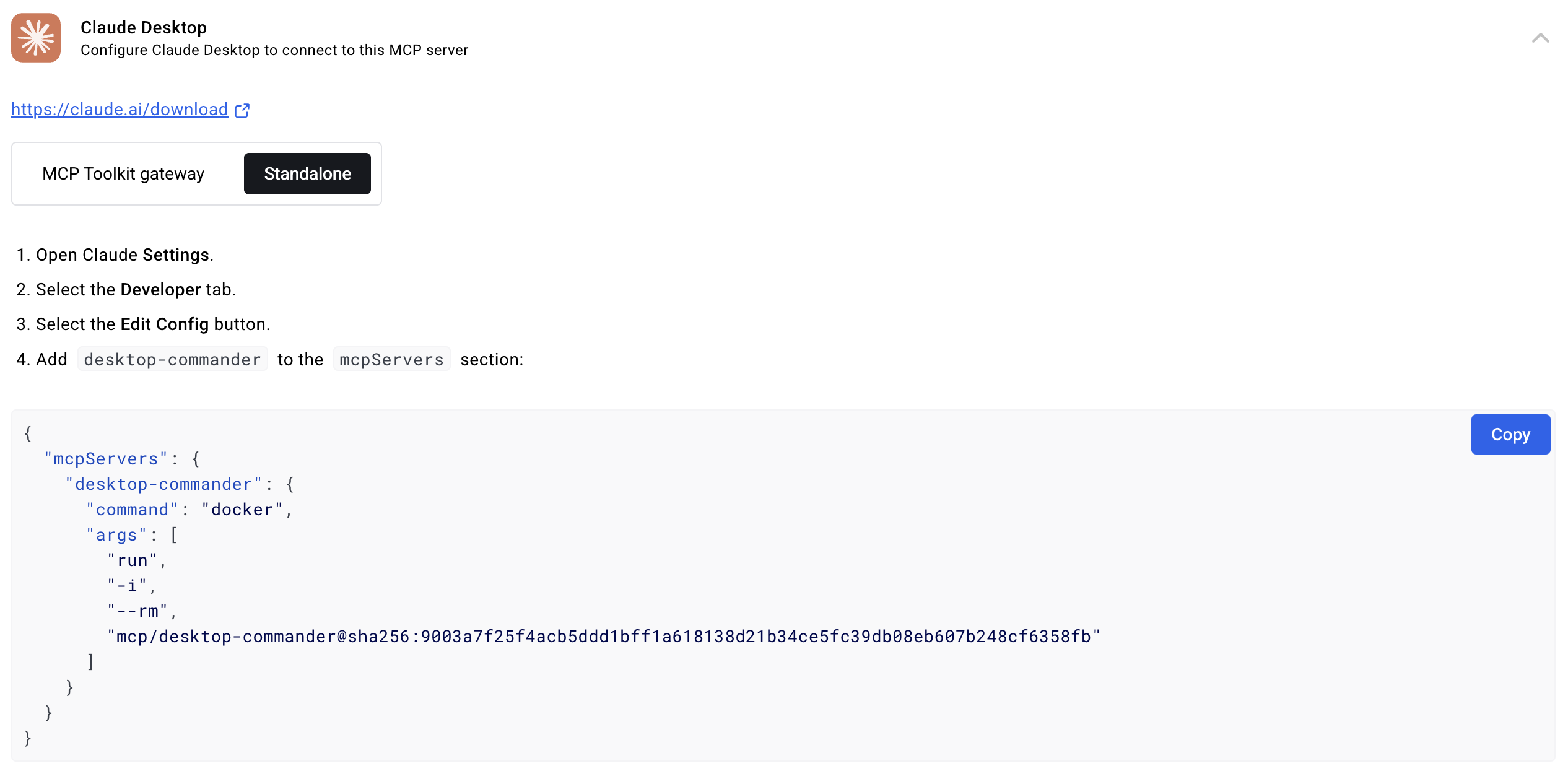
Desktop Commander works alongside your existing tools. It's not a replacement for VS Code or your IDE — it's a companion that handles the tasks you'd rather delegate. I use it for:
- Code analysis — ask Claude to find bugs, check style, suggest refactors
- Data exploration — throw CSV/Excel files at it for instant analysis
- Process monitoring — running servers, checking logs, managing containers
- Document work — generating reports, editing DOCX files programmatically
Who Should Use This?
You, if: You spend more time copy-pasting between Claude and your terminal than actually developing. You want your AI to be proactive, not just reactive. You work with files, data, and processes daily.
Not for you, if: You only use AI for chat and don't need it touching your filesystem. You're uncomfortable giving an AI terminal access (fair — it's powerful but needs caution). You're looking for a visual IDE replacement (this isn't one).
Final Take
Desktop Commander MCP is one of those tools that feels unassuming until you try it, and then you wonder how you worked without it. With 6,300+ GitHub stars and an active community, it's clearly scratching an itch a lot of developers have. Is it perfect? No. The Docker situation could be cleaner, and long-running tasks need better UX. But the core idea — giving your AI actual hands — is executed well enough that I'm keeping it in my daily workflow.
🚀 Explore Desktop Commander MCP on Run This Ai
Docker Compose configs, system requirements, installation guides, and more — all in one place.
View Desktop Commander MCP Tool Page →