How to Install and Run Devika AI - Quick Start Tutorial
Step-by-step tutorial to install and run Devika AI - the open-source software engineer. Covers Python setup, frontend, Ollama integration, and cloud model configuration.

Getting Started with Devika
Devika is an open-source AI software engineer that you can run on your own machine. This tutorial will walk you through installing and running Devika locally. Whether you want to use cloud models like GPT-4 or run fully offline with Ollama, this guide has you covered.
Prerequisites
- Python 3.10 or 3.11 (Python 3.12+ not yet supported)
- Node.js 18+ and Bun (JavaScript runtime)
- uv (fast Python package manager) — install from GitHub
- At least 4GB RAM (8GB recommended for local models)
- Optional: Ollama for running local LLMs
Step 1: Clone the Repository
git clone https://github.com/stitionai/devika.git
cd devika
Step 2: Set Up the Python Backend
uv venv
source .venv/bin/activate  # Linux/Mac
uv pip install -r requirements.txt
Step 3: Set Up the Frontend
cd frontend
bun install
cd ..
Step 4: Configure and Run
Devika supports multiple LLM backends. Configure your preferred models through the web UI at Settings, or set environment variables for API keys.
# Run the backend
uv run python devika.py &

# In another terminal, run the frontend
cd frontend && bun run dev
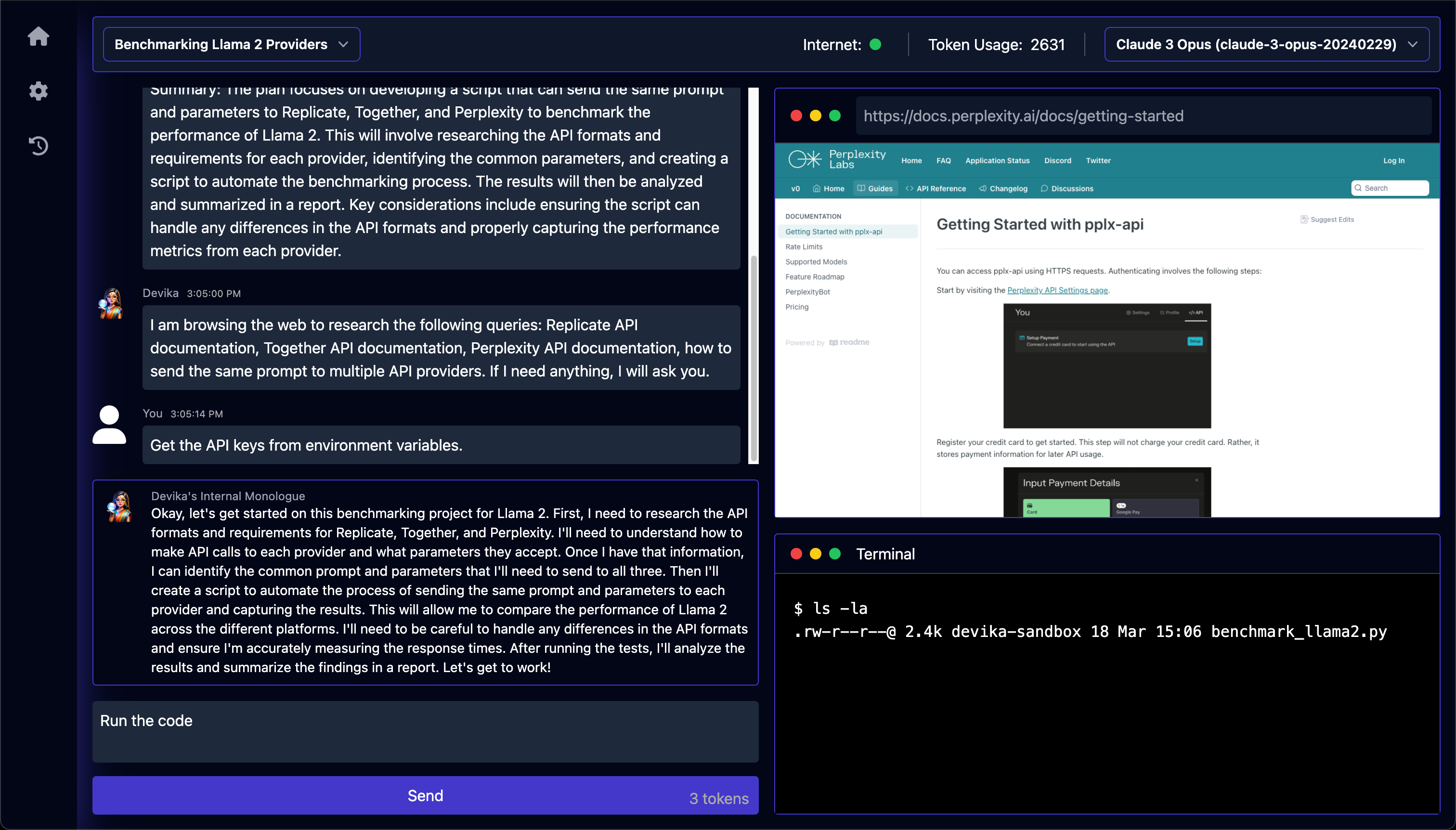
Open your browser to http://localhost:3000 to access the Devika interface.
Using Devika with Different Models
With Ollama (Fully Local)
# Install and run Ollama first
ollama pull llama3.2

# Then configure Devika to use Ollama endpoint in the UI
With Cloud Models
Set your API keys in the Devika Settings page:
- OpenAI:
sk-...for GPT-4 - Anthropic: for Claude 3
- Google: for Gemini
- Groq: for fast inference
What Can You Build?
Once running, you can ask Devika to build entire features, fix bugs, write tests, or create projects from scratch. Just describe what you want in natural language, and Devika will plan, research, and code it for you.
Troubleshooting
If you encounter issues, check the GitHub Issues page. Common problems include Python version mismatches (ensure 3.10-3.11) and missing API keys for cloud models.
Conclusion
Devika brings agentic AI software engineering to your desktop with full control over models and data. The setup takes about 10 minutes, and once running, you have a powerful autonomous coding assistant at your fingertips.