Getting Started with Future AGI: A Step-by-Step Tutorial
A hands-on tutorial for deploying Future AGI and using its tracing, evaluations, simulations, and guardrails to build reliable AI agents.
🚀 Want to deploy Future AGI yourself?
Docker configs, system requirements, and installation guides — all on one page.
View Future AGI Tool Page →So you've built an AI agent — now how do you make sure it actually works? In this step-by-step tutorial, I'll walk through setting up Future AGI and using it to evaluate and improve a real AI agent.
Prerequisites
- A Linux server with Docker installed
- At least 2 CPU cores and 4 GB RAM
- Git (optional, for source code access)
Step 1: Deploy Future AGI
Future AGI runs on Docker. Create a directory and start the services:
mkdir -p ~/future-agi/data && cd ~/future-agi
docker run -d --name future-agi \
  -p 8080:8080 \
  -v $(pwd)/data:/data \
  futureagi/future-agi:latest
Once the container is running, access the web UI at http://localhost:8080.
Step 2: Set Up Your First Evaluation
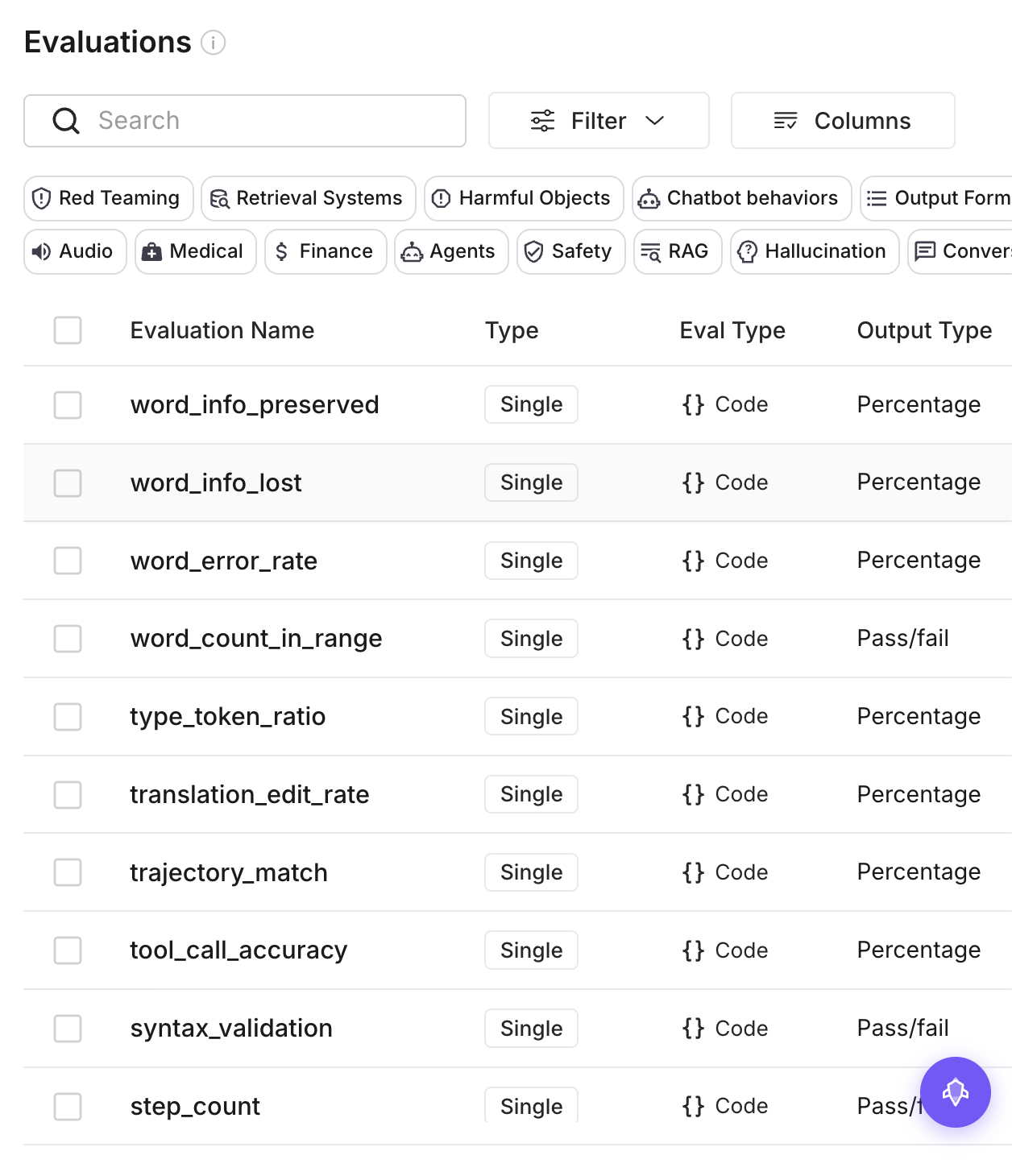
Navigate to the Evals section in the dashboard. Click "Create Evaluation" and define your first test suite. You can test for:
- Factual accuracy — Does the agent return correct information?
- Safety compliance — Does the agent avoid harmful outputs?
- Tool usage — Does the agent call the right tools at the right time?
- Response quality — Is the output well-structured and relevant?
Step 3: Trace Your Agent's Decisions
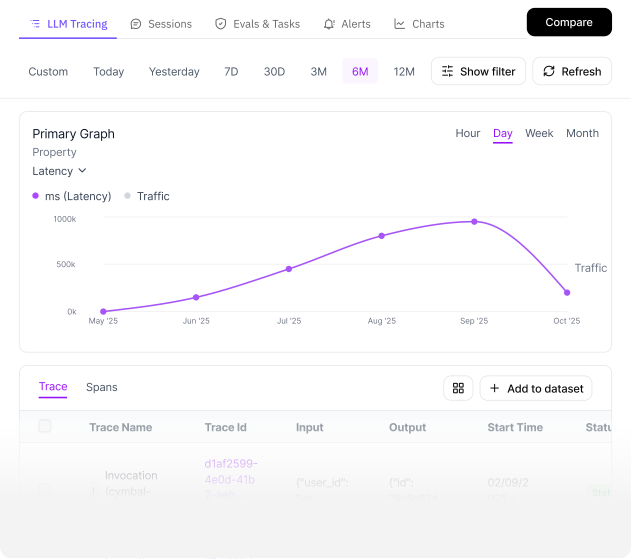
Future AGI's tracing feature captures every step your agent takes. Enable tracing by adding the Future AGI SDK to your agent code:
from fi import trace

with trace("agent-run") as span:
    span.set_input("User query: " + query)
    result = my_agent.run(query)
    span.set_output(result)
    span.set_score(evaluate(result))
Each trace shows you the full chain — from the initial user query through every LLM call, tool invocation, and intermediate reasoning step.
Step 4: Run Simulations
Before deploying to production, test your agent against simulated scenarios. Future AGI's simulation engine lets you create realistic user interactions and edge cases:
- Adversarial inputs designed to break your agent
- High-volume load tests to check performance
- Multi-turn conversations to test memory and context handling
Step 5: Deploy with Guardrails
Once your agent passes all evaluations, deploy it through Future AGI's built-in gateway. The gateway adds:
- Rate limiting — Prevent abuse and control costs
- Content filtering — Block harmful or off-topic outputs
- Cost tracking — Monitor LLM API usage per agent and per user
Conclusion
Future AGI turns the chaotic process of debugging AI agents into a disciplined, data-driven workflow. With tracing, evaluations, simulations, and guardrails all in one platform, you can ship agents with confidence. The Apache 2.0 license means no vendor lock-in, and the Docker-based deployment gets you started in minutes.
For the full configuration including Docker Compose setup, visit the Future AGI tool page on Run This Ai.
🚀 Ready to deploy Future AGI?
Full Docker Compose, system requirements, and installation guide.
Deploy Future AGI →