Getting Started with Gradio: Quick Start Guide
Get started with Gradio in 5 minutes. Install, build your first app, share it publicly, and deploy with Docker or Hugging Face Spaces.

Quick Start Guide
This guide will have you running your first Gradio app in under 5 minutes. Gradio is a Python library, so you only need Python 3.8+ and pip installed on your machine.
Installation
Prerequisites
- Python 3.8 or higher
- pip (Python package manager)
- Basic familiarity with Python functions
Install Gradio
pip install gradioThat is it. One command and you are ready to build ML web apps.
Your First Gradio App
Create a file called app.py with this minimal example:
import gradio as gr

def greet(name):
    return f"Hello {name}!"

demo = gr.Interface(fn=greet, inputs="text", outputs="text")
demo.launch()
Run it:
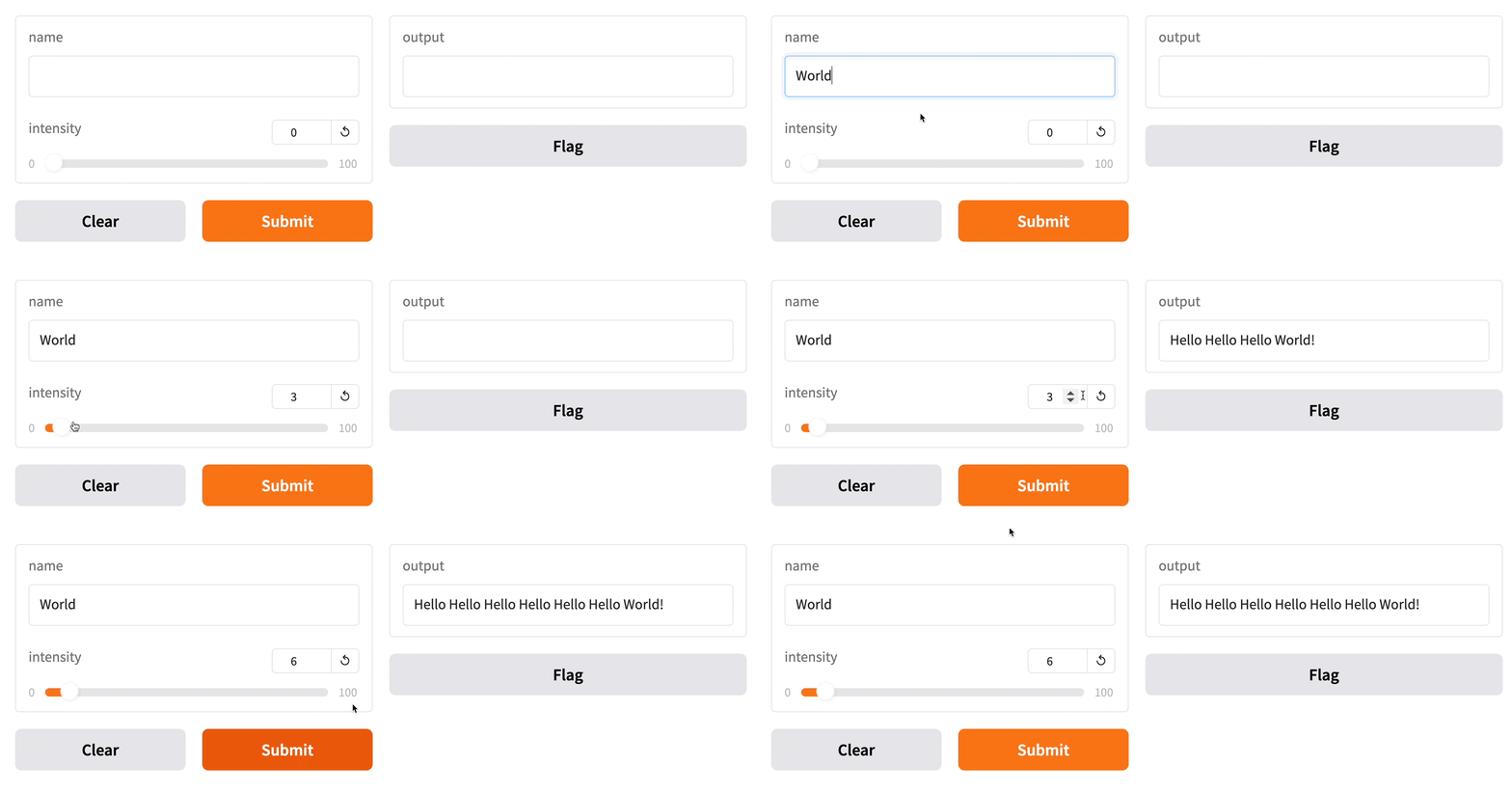
python app.pyOpen the URL shown in your terminal (typically http://127.0.0.1:7860) and you will see your first Gradio app running.
Running with Docker
If you prefer containerized deployment, use the official Docker image:
docker pull gradio/gradio:latest
# Create a directory for your app
mkdir gradio-app && cd gradio-app
# Create your app.py file
# Then run:
docker run -d --name gradio -p 7860:7860 -v $(pwd):/app gradio/gradio:latest python /app/app.py
Building a Real ML Demo
Here is a more practical example — an image classifier using a Hugging Face model:
import gradio as gr
from transformers import pipeline

classifier = pipeline("image-classification", model="google/vit-base-patch16-224")

def classify_image(image):
    results = classifier(image)
    return {r["label"]: r["score"] for r in results}

demo = gr.Interface(
    fn=classify_image,
    inputs=gr.Image(type="pil"),
    outputs=gr.Label(num_top_classes=3),
    title="Image Classifier",
    description="Upload an image to classify it with ViT"
)
demo.launch()
Sharing Your App
To share your app publicly, pass share=True:
demo.launch(share=True)Gradio generates a public URL (valid for 72 hours) that anyone can access. No server configuration needed.
Deploying to Hugging Face Spaces
For permanent hosting with custom domain, deploy to Hugging Face Spaces:
- Go to huggingface.co and create a Space
- Choose the Gradio SDK
- Push your
app.pyandrequirements.txtto the Space's repository - Your app is live at your-username/your-space-name
Self-Hosting with Docker Compose
For production self-hosting, use Docker Compose:
version: "3"
services:
  gradio:
    image: gradio/gradio:latest
    restart: unless-stopped
    ports:
      - "7860:7860"
    volumes:
      - ./app:/app
    command: python /app/app.py
Next Steps
Explore the Gradio documentation for advanced components, theming, authentication, and queue configuration. Gradio also supports Gradio Blocks for more complex layouts with multiple inputs/outputs arranged in custom grids and tabs.