GPUStack: Open-Source GPU Cluster Management for High-Performance AI Serving
GPUStack pools every GPU across your machines into one cluster for serving vLLM and SGLang models — plus on-demand SSH-accessible GPU instances for training.
🚀 Want to deploy GPUStack yourself?
Docker configs, system requirements, and installation guides — all on one page.
View GPUStack Tool Page →Running AI models at scale used to mean fighting with GPU scheduling, driver hell, and half a dozen disjoint tools. GPUStack (Apache-2.0, ~5.5K stars) collapses that into a single open-source control plane: it pools every GPU across your machines into one cluster, then serves vLLM and SGLang models through a unified API — while also handing out on-demand, SSH-accessible GPU instances for training and development.
Why GPU Stacking Matters
Most teams either over-provision GPUs for peak load or let idle cards sit unused on developer machines. GPUStack solves both: it discovers heterogeneous GPUs (NVIDIA, AMD, Apple Silicon) automatically, schedules inference workloads on whichever cards are free, and shares capacity across the whole team. The result is dramatically better GPU utilization without buying new hardware.
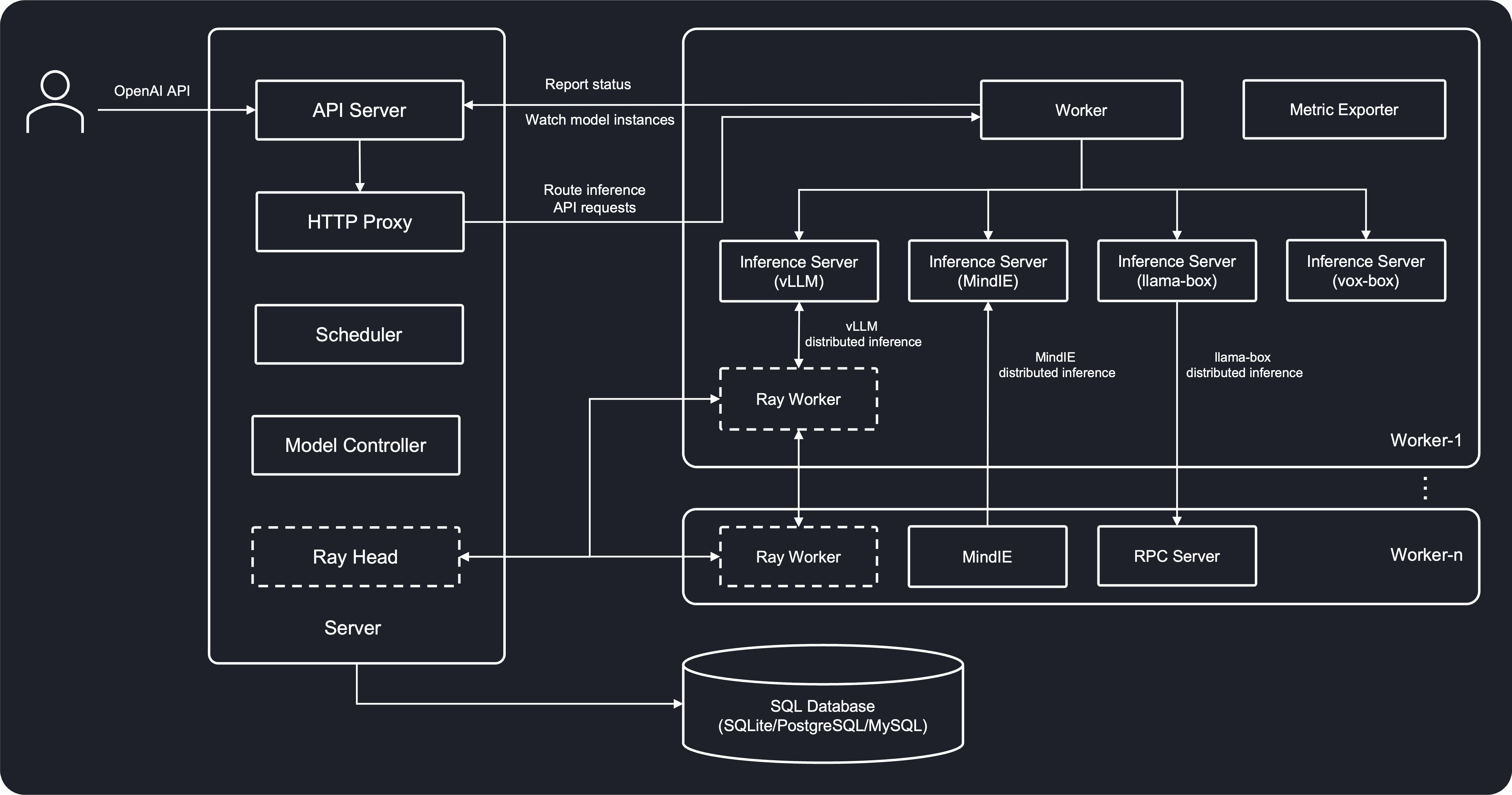
What You Get Out of the Box
GPUStack vs. Plain Docker GPU Serving
| Capability | Docker + vLLM only | GPUStack |
|---|---|---|
| Multi-node pooling | ❌ Manual | ✅ Automatic |
| Autoscaling replicas | ❌ No | ✅ Built-in |
| SSH GPU instances | ❌ No | ✅ Yes |
| Multi-tenant access keys | ❌ DIY | ✅ Built-in |
Built-In Model Catalog
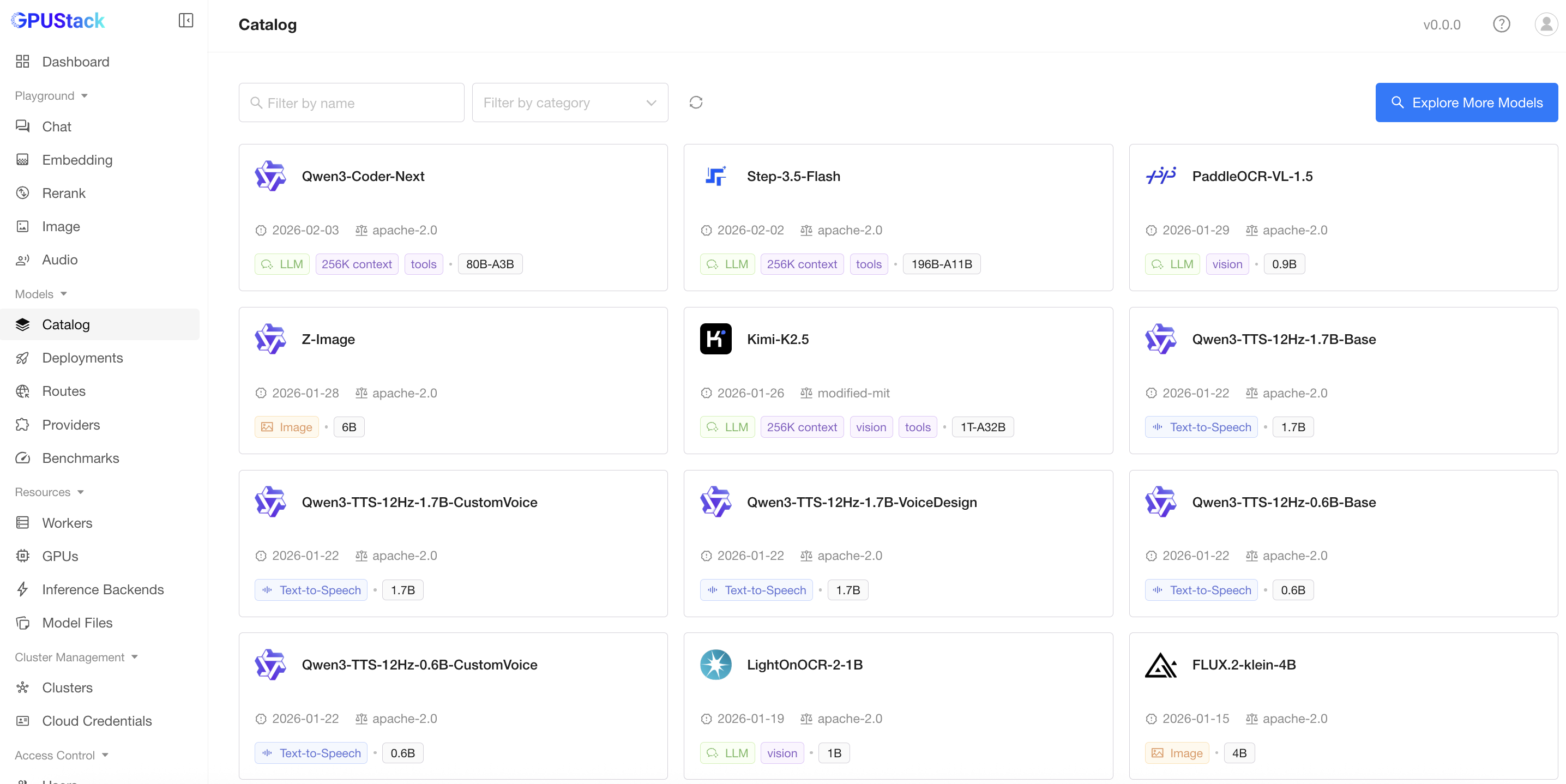
GPUStack ships with a curated model catalog so you can deploy popular open-weight models — Llama, Qwen, DeepSeek, and more — in a few clicks, with automatic image pull and optimized serving configs.
Whether you are an MLOps engineer consolidating inference infrastructure or a startup trying to stretch a handful of GPUs, GPUStack is one of the most practical open-source options today. It is actively developed, well documented, and — thanks to its Apache-2.0 license — safe to build on.
🚀 Ready to unify your GPU fleet?
System requirements, Docker Compose configs, and full install guides on the tool page.
View GPUStack Tool Page →