How to Run Multi-Agent Dev Workflows with TAKT
Hands-on tutorial: install TAKT, define a plan-implement-review-fix workflow in YAML, queue tasks with /go, and run them in isolated worktrees with human checkpoints.
🚀 Want to deploy TAKT yourself?
Docker configs, system requirements, and installation guides — all on one page.
View TAKT Tool Page →TAKT promises "stop babysitting AI coding agents." In this hands-on walkthrough, we put that claim to the test: install the CLI, define a workflow in YAML, queue a task, and watch a multi-agent plan → implement → review → fix loop run with human checkpoints.
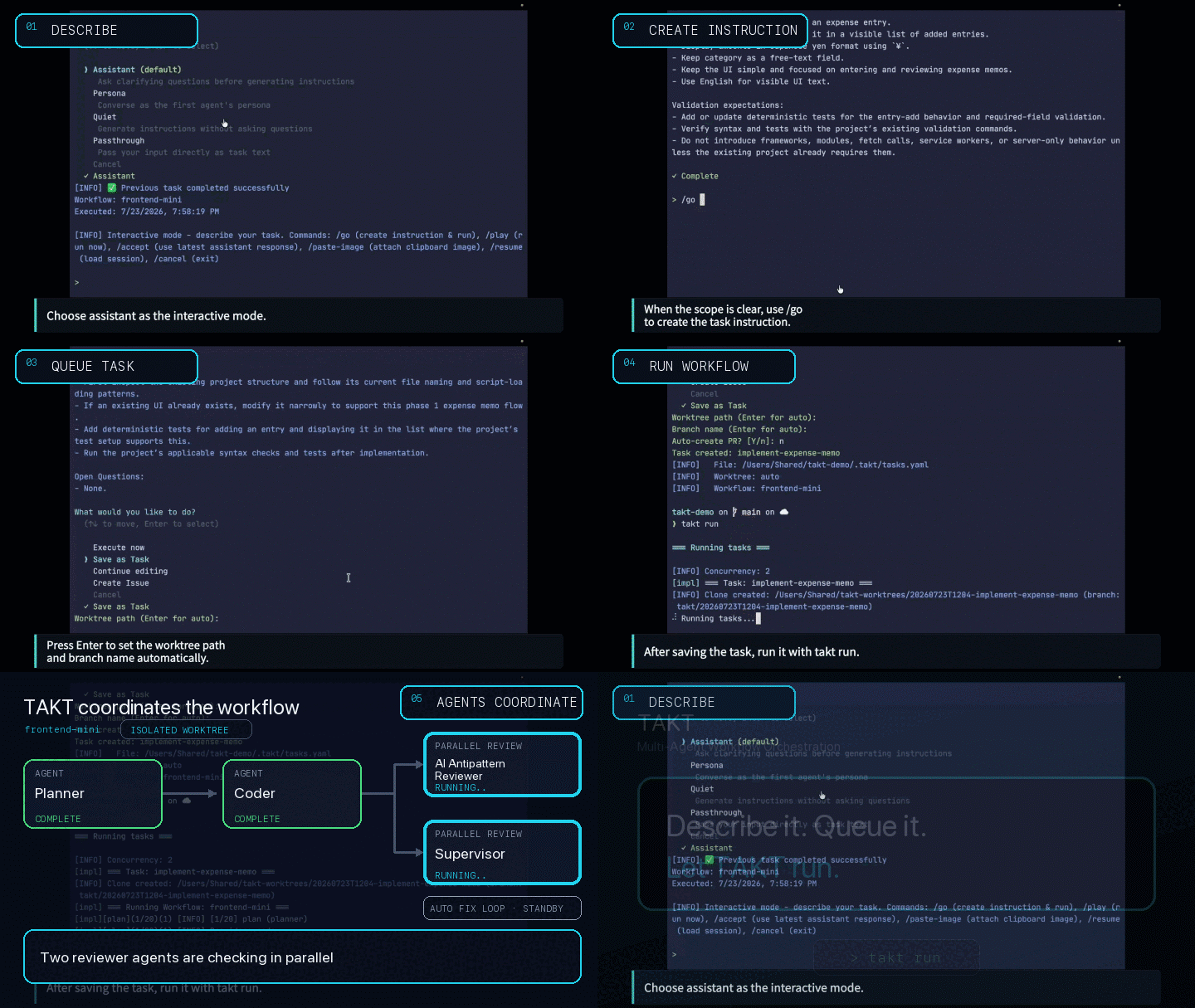
1. Install and configure
From any Git repository with at least one commit:
npm install -g takt

# First run: configure a provider in ~/.takt/config.yaml
# or use API key environment variables
SDK-based providers (claude-sdk, codex, opencode, pi) run on Node.js alone. CLI-based providers (Cursor, GitHub Copilot CLI, Kiro) require their external CLIs, and deepseek-harness additionally needs Python 3.10+.
2. Define the workflow in YAML
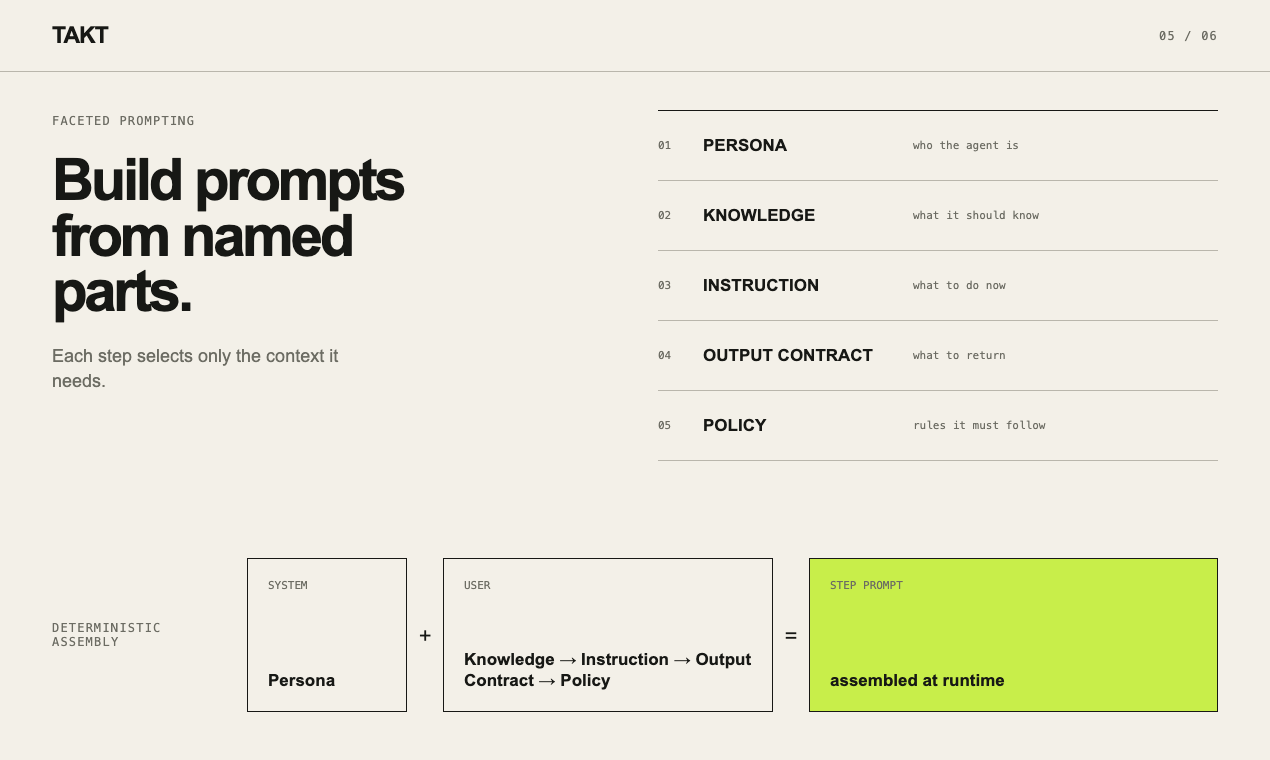
The heart of TAKT is a YAML workflow file. Each phase — planning, implementation, review, fix — gets its own persona, policy, knowledge, and output contract. Reviews cannot be silently skipped: findings route work back to fix steps, and human judgment is requested when needed.
3. Queue and run tasks
# Talk to AI, describe a task, use /go, then choose "Queue as task"
takt

# Execute queued tasks in isolated worktrees
takt run

# Review diffs, merge, retry, requeue, or delete task branches
takt list
Tasks run in isolated worktrees by default, and every step leaves logs and reports — so the path from task to pull request stays traceable and auditable. The same process is reusable, reviewable, and versionable across projects.
4. Beyond coding
TAKT is built primarily for AI coding workflows, but the model generalizes: any task where multiple agents must coordinate — or where review, judgment, and feedback loops improve quality — fits the topology. Governance, permissions, and human checkpoints are first-class citizens, not afterthoughts.
Verdict: TAKT shines for teams that want deterministic, auditable multi-agent development. If you have ever fought an agent that "forgot" its review step, TAKT's explicit workflow ownership is worth the switch.
🚀 Want to deploy TAKT yourself?
Docker configs, system requirements, and installation guides — all on one page.
View TAKT Tool Page →