Huatuo Tutorial: Deploy eBPF Monitoring with Docker in 15 Minutes
Step-by-step Docker deployment of Huatuo: pull the official image, run the privileged container, and explore host metrics, container metrics, and profiling dashboards.
In this tutorial, you will deploy Huatuo — the eBPF-based observability platform for Linux kernels and AI agent sandboxes — using Docker, then explore host metrics, container metrics, and continuous profiling in Grafana. Total setup time: about 15 minutes.
🚀 Want to deploy Huatuo yourself?
Docker configs, system requirements, and installation guides — all on one page.
View Huatuo Tool Page →Prerequisites
- A Linux host with kernel 5.8+ (eBPF support) and root access.
- Docker 20.10+ with the
--privilegedflag available. - At least 4 GB RAM and 2 CPU cores for a smooth demo.
Step 1 — Pull the Official Image
Huatuo ships an official Docker image with 12K+ pulls on Docker Hub:
docker pull huatuo/huatuo-bamai:latestStep 2 — Run the Container
docker run -d --name huatuo \
  --privileged \
  -p 8080:8080 \
  -v /sys/kernel/debug:/sys/kernel/debug:rw \
  huatuo/huatuo-bamai:latest
The --privileged flag and the debugfs mount are required so eBPF programs can attach to kernel tracepoints. Open http://localhost:8080 to reach the UI.
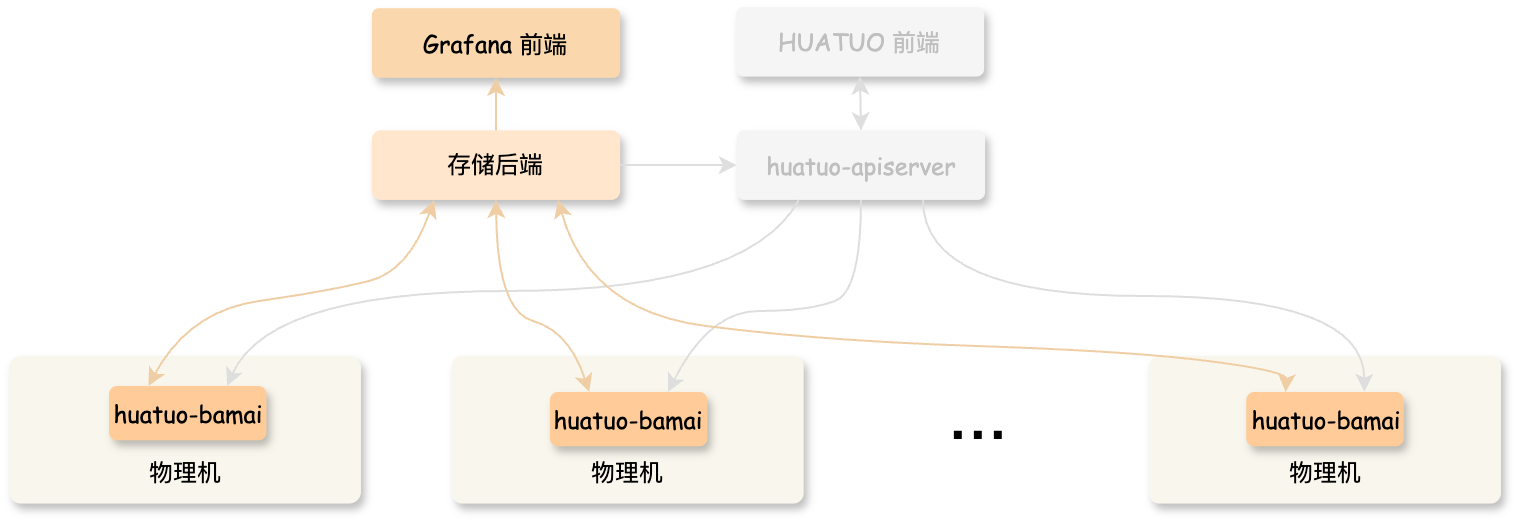
Step 3 — Explore the Dashboards
Huatuo provisions Grafana dashboards automatically. You should see:
- Host metrics: CPU, memory, disk, and network from kernel counters.
- Container metrics: per-container resource usage and syscall activity.
- Continuous profiling: flame graphs for CPU and memory hot spots.
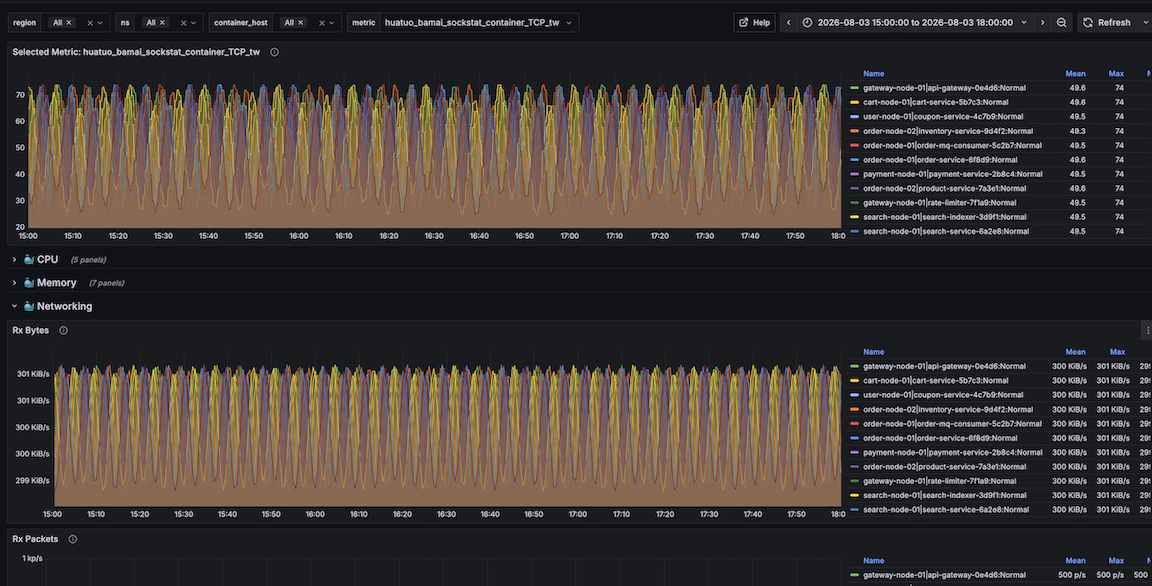
Step 4 — Watch Agent Sandbox Events
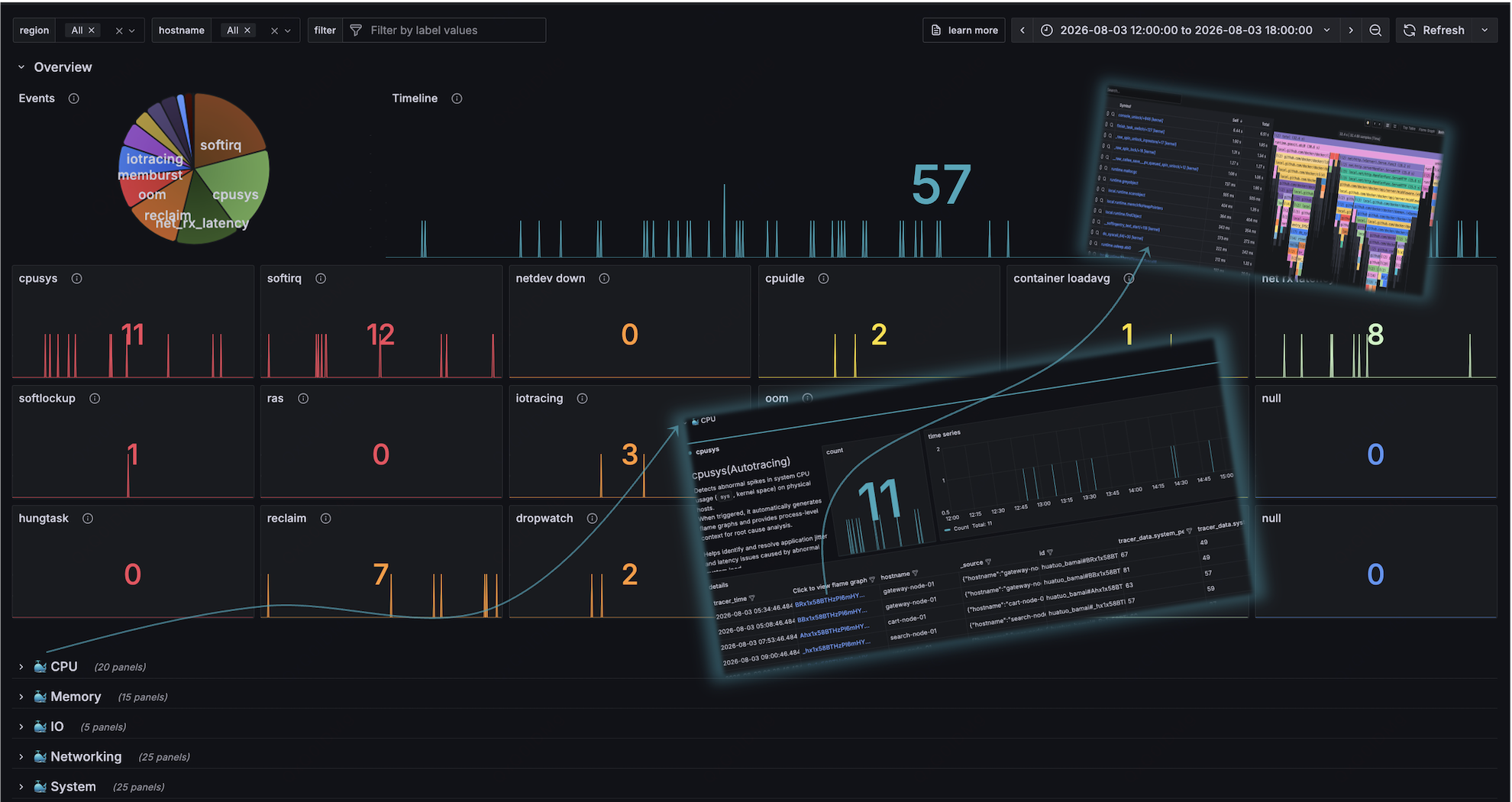
Run any workload inside a container — or better, launch an AI agent sandbox — and watch the auto-tracing events stream in. Huatuo records syscalls and kernel events per process, which makes it easy to spot anomalous behavior in untrusted agent code.
Troubleshooting Tips
| Problem | Fix |
|---|---|
| "Operation not permitted" on start | Run with --privileged and ensure kernel 5.8+. |
| No metrics in Grafana | Check the debugfs mount and container restart policy. |
| High overhead concerns | Use sampling; eBPF overhead is already near zero. |
🚀 Want to deploy Huatuo yourself?
Docker configs, system requirements, and installation guides — all on one page.
View Huatuo Tool Page →You now have kernel-level visibility into your host and your AI agent sandboxes. Check the Run This Ai tool page for requirements, Docker Compose config, and installation notes.