How to Deploy LMCache with vLLM: Step-by-Step Tutorial
A hands-on tutorial for installing LMCache, enabling it in vLLM, running the distributed LMCache Server, and verifying time-to-first-token improvements.
LMCache integrates with vLLM in minutes and starts saving GPU memory from the first request. This tutorial walks through a real deployment: install the engine, enable it in vLLM, and verify the speedup with prefix reuse. Expect roughly 30 minutes on a machine with a CUDA GPU.
🚀 Want to deploy LMCache yourself?
Docker configs, system requirements, and installation guides — all on one page.
View LMCache Tool Page →Prerequisites
- Python 3.10+ and a CUDA-capable GPU (or CPU mode for testing)
- vLLM installed (
pip install vllm) - Docker & Docker Compose if you prefer the container route
Step 1 — Install LMCache
pip install lmcacheThis pulls the engine plus the LMCache Server package, ready to talk to vLLM or SGLang.
Step 2 — Enable LMCache in vLLM
vLLM detects LMCache automatically when the package is installed. For an explicit local cache, launch the server with:
vllm serve meta-llama/Llama-3.1-8B-Instruct \
  --kv-cache-dir /tmp/lmcache \
  --enable-lmcache
The --kv-cache-dir flag tells LMCache where to store reused KV caches on local disk.
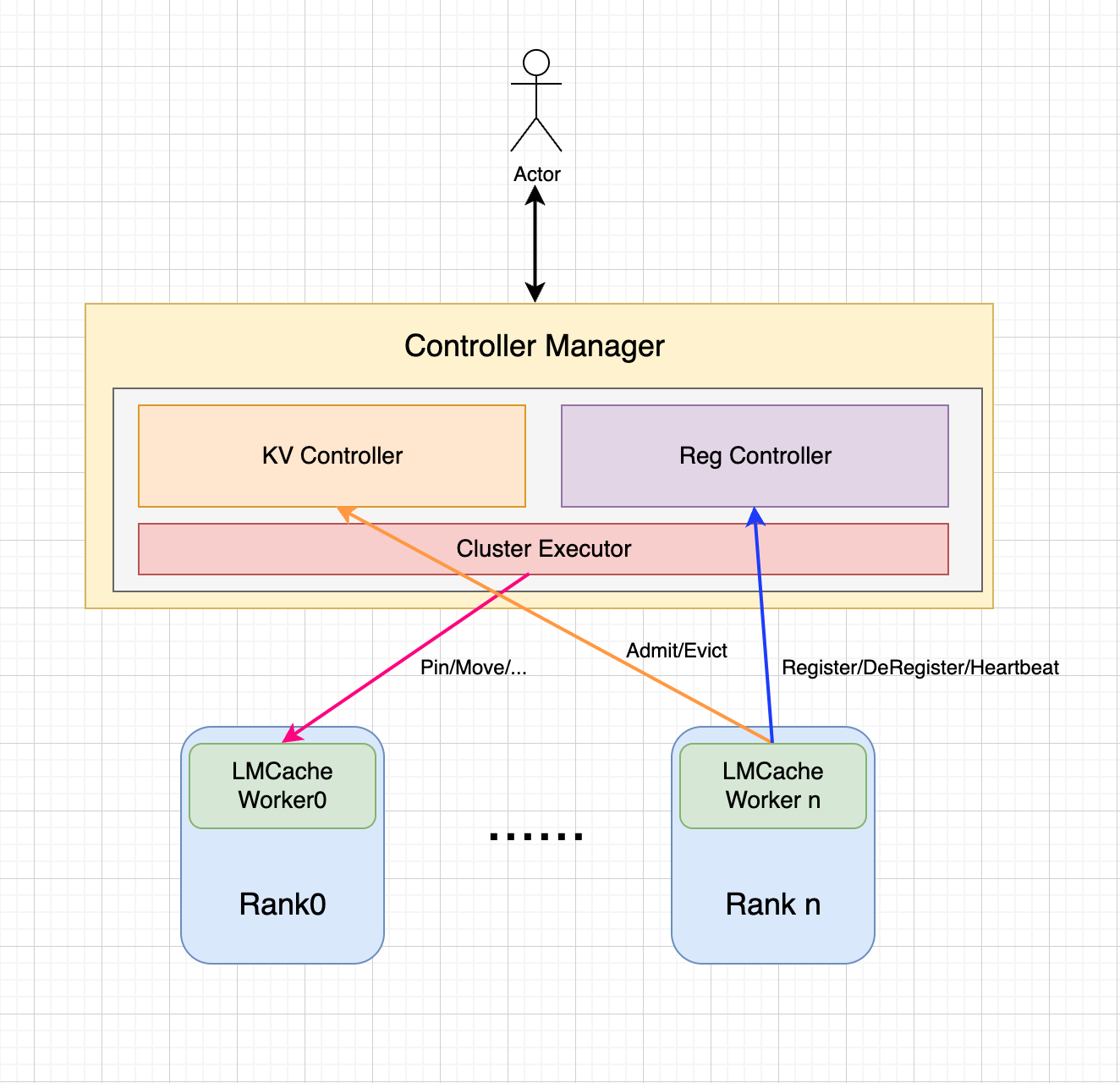
Step 3 — Deploy LMCache Server for Distributed Caching
For multi-GPU or multi-node setups, run the standalone cache server so every replica shares one cache pool:
lmcache_server --port 65432Point vLLM at it with --lmcache-server-addr localhost:65432. Requests that hit the same prefix — common in agent loops and RAG — skip recomputation entirely.
Step 4 — Verify the Speedup
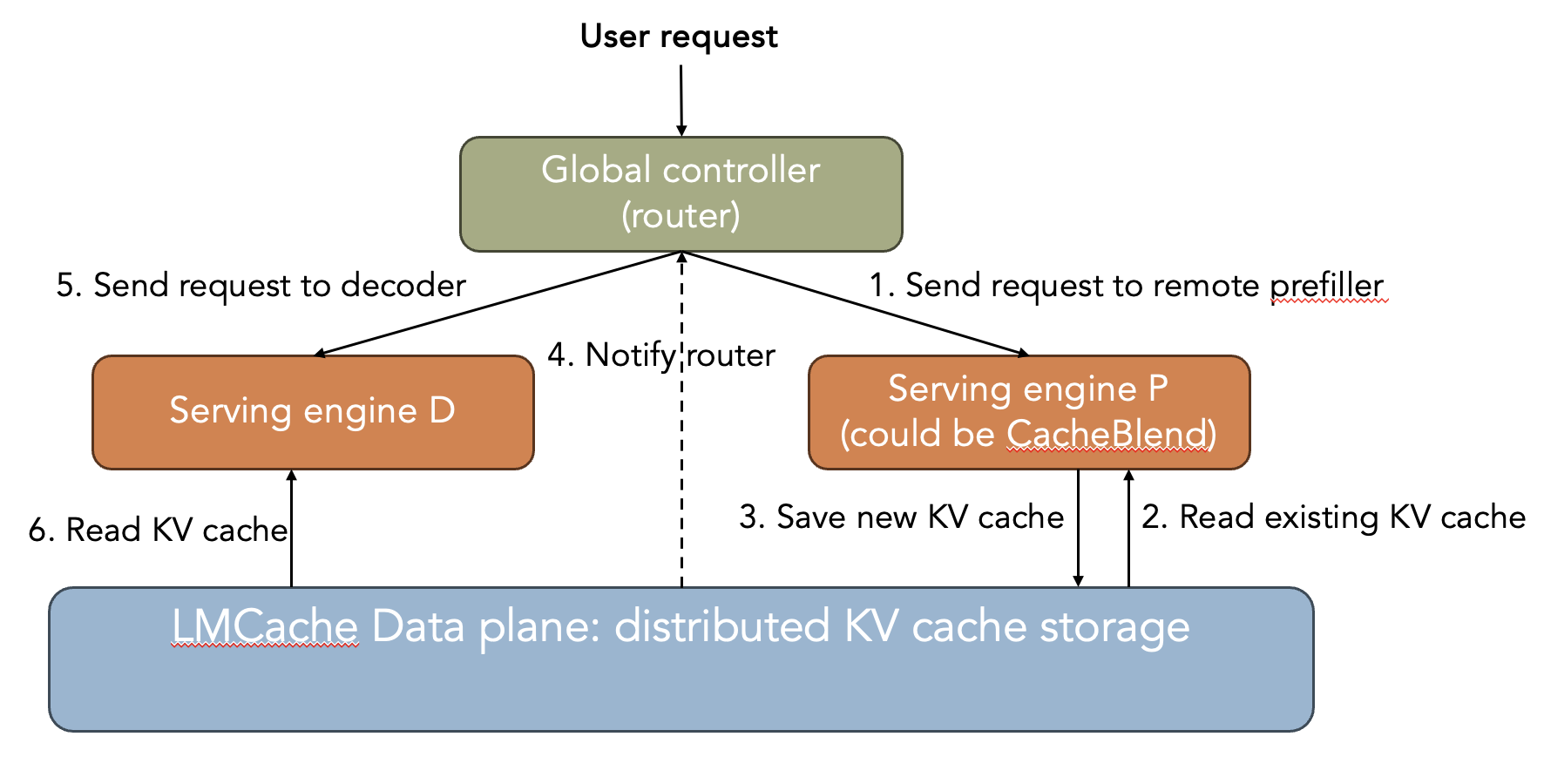
Send the same prompt twice and compare time-to-first-token. On the second call, LMCache serves the cached prefix, and TTFT drops dramatically. For a quick measurement, use the benchmarks/ttft-estimator script included in the repo.
Tips & Troubleshooting
- CPU mode: set
LMCACHE_USE_CPU_ONLY=1for testing without a GPU. - Memory pressure: cap cache size with
--kv-cache-max-size. - Prefill-heavy traffic: pair LMCache with disaggregated prefill for the biggest gains.
🚀 Deploy LMCache the easy way
System requirements and ready-to-use Docker configs, verified and maintained.
View LMCache Tool Page →Next Steps
Once LMCache is live, monitor cache hit rate with the server's built-in metrics. High hit rates on shared prefixes mean you are saving real money — then scale the cache horizontally with the distributed server mode.