How to Test and Debug MCP Servers with MCPJam Inspector: A Step-by-Step Tutorial
Step-by-step tutorial: install MCPJam Inspector with Docker, connect your first MCP server, trace tool calls, debug OAuth flows, and run evaluation test cases from CI.
In this tutorial you will install MCPJam Inspector with Docker, connect your first MCP server, and debug a real tool call end to end. If you build or maintain anything on the Model Context Protocol, this is the fastest way to see exactly what your server is doing.
🚀 Want to deploy MCPJam Inspector yourself?
Docker configs, system requirements, and installation guides — all on one page.
View MCPJam Inspector Tool Page →Step 1 — Run the Inspector
Start the container and map port 8080:
docker run -d --name inspector -p 8080:8080 mcpjam/mcp-inspector:latestOpen http://localhost:8080 and you will see the chat playground. MCPJam Inspector speaks both to MCP servers and to ChatGPT apps, so you can test either kind of backend from the same UI.
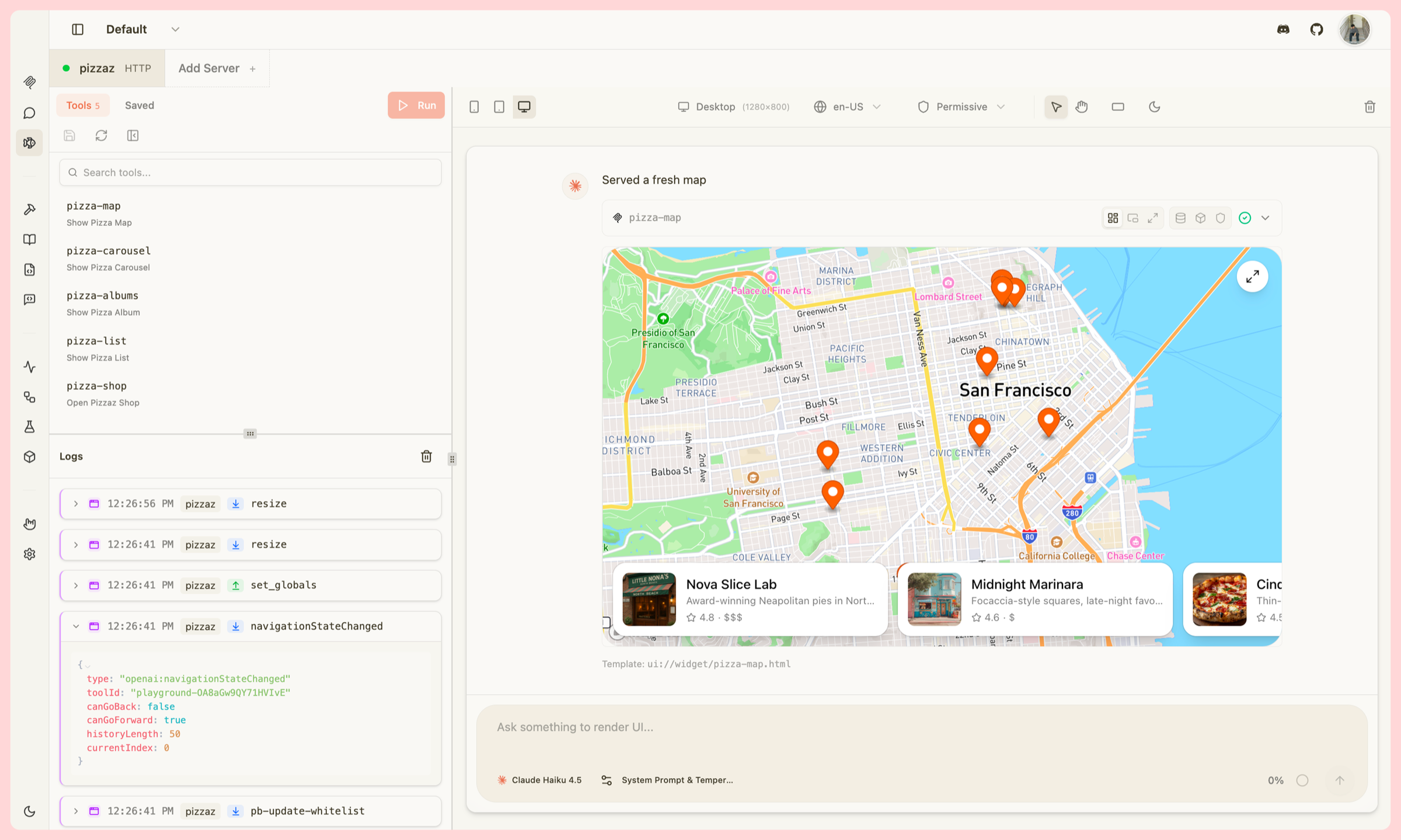
Step 2 — Connect an MCP server
Add a server by providing its command, stdio or SSE/HTTP transport, and environment variables. Inspector lists every exposed tool with its input schema, so you can verify the server contract without reading its source code.
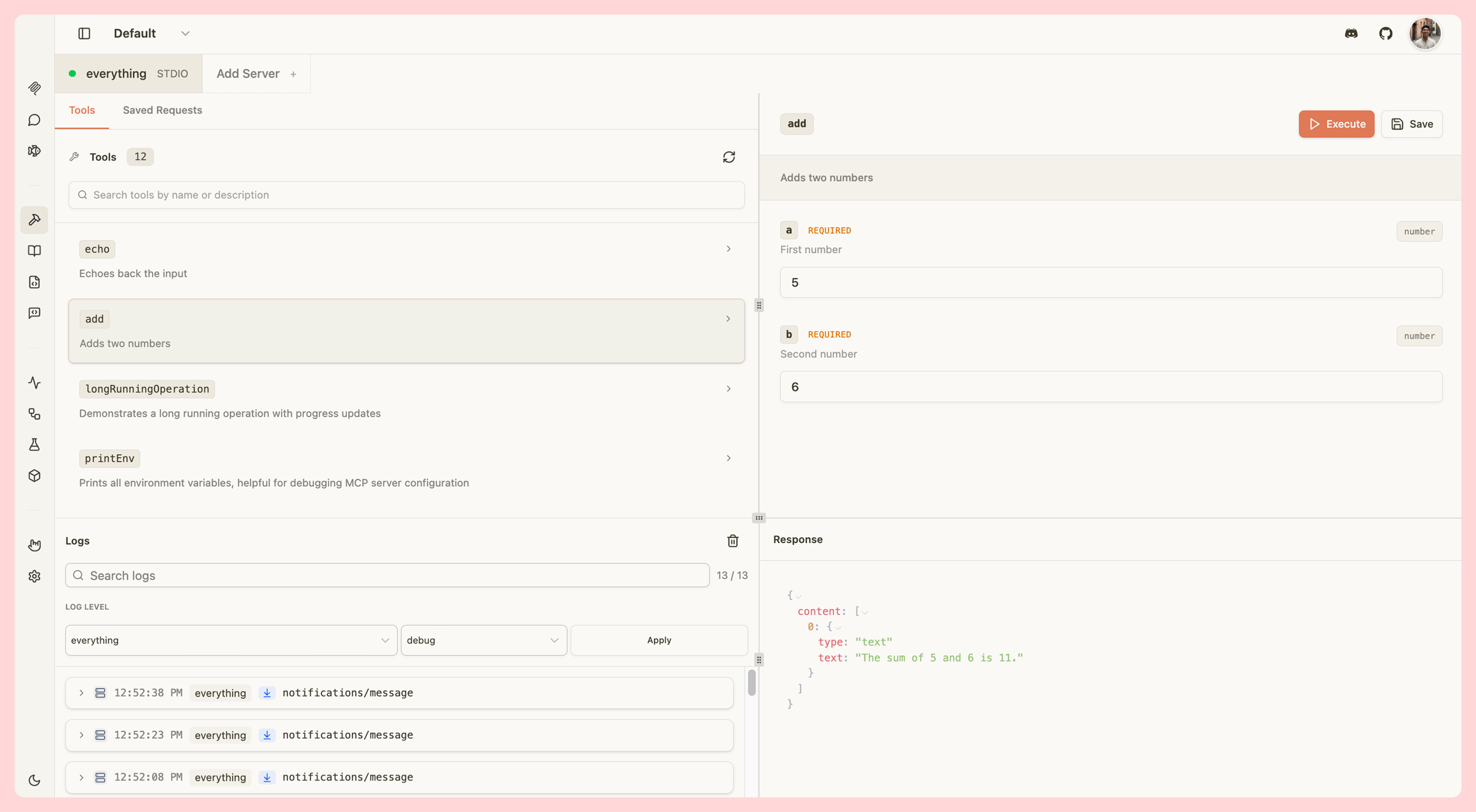
Step 3 — Chat and inspect tool calls
Send a message that triggers a tool call. The Inspector shows the full trace: which tool was selected, the exact arguments sent, the response returned, and any errors. This is where integration bugs become obvious — wrong parameter names, missing scopes, malformed outputs all surface instantly.
Step 4 — Debug OAuth and evaluate
For servers using OAuth, the built-in debugger walks you through every step of the flow. For long-term quality, save test cases and run them from CI to catch regressions before they reach production. It is a complete testing loop in one container.
| Task | How Inspector helps |
|---|---|
| Tool contract check | Browse schemas and call tools manually before integrating. |
| Auth debugging | Step-by-step OAuth trace pinpoints token and scope failures. |
| Regression testing | Reusable test cases run locally or in CI pipelines. |
Final thoughts
MCPJam Inspector turns black-box MCP debugging into a visual, repeatable workflow. It is free, open source (Apache-2.0), and self-hosted — your conversation and tool data never leaves your machine. If you work with MCP servers or ChatGPT apps, add it to your toolbox today.
🚀 Deploy MCPJam Inspector in minutes
System requirements, docker-compose, and installation notes — all on one page.
View MCPJam Inspector Tool Page →