Oh My Pi: A Complete Guide to the Terminal AI Coding Agent
Discover Oh My Pi (omp), the AI coding agent for your terminal. Built on a 55K-line Rust core with 40+ LLM providers, hash-anchored edits, LSP/DAP integration, and 32 built-in tools — everything you need for AI-assisted development from the command line.
Oh My Pi: A Complete Guide to the Terminal AI Coding Agent
If you spend most of your day in the terminal, you've probably wished for an AI assistant that lives there too — not a web chat interface, not an IDE plugin, but a true agent that understands your codebase, runs commands, and edits files right from the command line. Oh My Pi (omp) is exactly that: a full-featured AI coding agent built from the ground up for the terminal experience.
🚀 Want to deploy Oh My Pi yourself?
Docker configs, system requirements, and installation guides — all on one page.
View Oh My Pi Tool Page →What Makes Oh My Pi Different?
Oh My Pi isn't another LLM chat wrapper. It's a purpose-built agent with a ~55,000-line Rust core that handles the hard parts of AI-assisted development. Here's what sets it apart:
| Feature | Details |
|---|---|
| Hash-Anchored Edits | Every file edit is verified by content hash — no more corrupted changes or partial writes. |
| 40+ LLM Providers | Works with OpenAI, Anthropic, Google, DeepSeek, local models via Ollama, and more. |
| 32 Built-in Tools | File operations, code search, shell execution, web scraping, and browser automation. |
| Full LSP & DAP Integration | 14 LSP operations for code intelligence and 28 DAP operations for debugging. |
| Subagent Architecture | Spawn specialized sub-agents for parallel task execution. |
Architecture Overview
Oh My Pi is built on a modern polyglot architecture combining Rust, TypeScript, and Python. The Rust core handles all performance-critical operations including the tool harness, LSP/DAP integration, and file system operations. TypeScript provides the agent orchestration layer, while Python integration enables data science and ML workflows directly from the agent.

Installation Methods
Oh My Pi supports multiple installation methods across platforms:
- curl (macOS/Linux):
curl -fsSL https://omp.sh/install | sh - Homebrew:
brew install can1357/tap/omp - Bun (recommended):
bun install -g @oh-my-pi/pi-coding-agent - Windows PowerShell:
irm https://omp.sh/install.ps1 | iex - mise:
mise use -g github:can1357/oh-my-pi
Key Capabilities
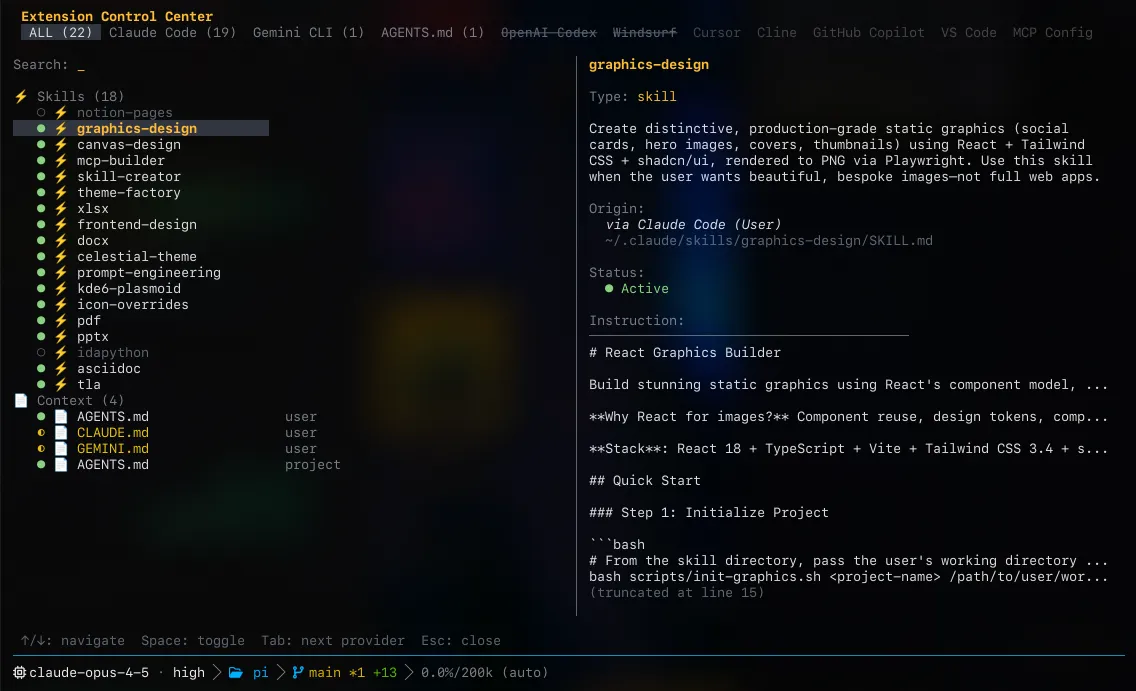
Once installed, Oh My Pi provides a comprehensive set of capabilities that rival full IDEs — all accessible from your terminal:
- Semantic Code Search: Find code by meaning, not just text matching
- Multi-File Refactoring: Rename variables, extract functions, and restructure code across files
- Integrated Python & Shell Execution: Run code and see results inline
- Browser Automation: Navigate and interact with web pages programmatically
- Full Debugger Interface: Set breakpoints, inspect variables, and step through code
🚀 Want to deploy Oh My Pi yourself?
Docker configs, system requirements, and installation guides — all on one page.
View Oh My Pi Tool Page →Conclusion
Oh My Pi represents a new generation of AI coding agents that understand your entire development workflow. With its robust Rust core, extensive provider support, and deep integration with LSP/DAP protocols, it's a powerful addition to any developer's toolkit. Whether you're building web applications, data pipelines, or system software, Oh My Pi works alongside you in the terminal environment you already know and love.