Getting Started with PipesHub: Connect Slack, Gmail, and Notion to Your AI Stack
Step-by-step tutorial to deploy PipesHub with Docker, connect 3 enterprise data sources (Slack, Gmail, Notion), and build your first permission-aware AI search agent.

PipesHub Quickstart: Connect Slack, Gmail, and Notion in 15 Minutes
I spent my first evening with PipesHub connecting three of the messiest data sources in my company: Slack archives, Gmail inbox, and a Notion workspace full of meeting notes. Spoiler: by the time my coffee went cold, I had a working AI agent answering questions across all three. Here's exactly how I did it.
🚀 Want to deploy PipesHub yourself?
Docker configs, system requirements, and installation guides — all on one page.
View PipesHub Tool Page →Prerequisites
- Docker and Docker Compose installed
- An LLM provider (I used Ollama with llama3 locally — but you can use OpenAI or Anthropic too)
- About 15 minutes and a sense of adventure
Step 1: Docker Deploy (30 seconds)
mkdir ~/pipeshub && cd ~/pipeshub
wget -O compose.yaml https://runthisai.com/en/tool/pipeshub/docker-compose
docker compose up -d
If you see "Starting pipeshub" — congrats, the hard part is done. Wait about 10 seconds for the health check to pass, then open http://localhost:8080 in your browser.
⚠️ Quick tip: I hit a snag here because port 8080 was already taken by another container. Change the host port: ports: - "9090:8080" in the compose file. Don't lose 15 minutes to this like I did.
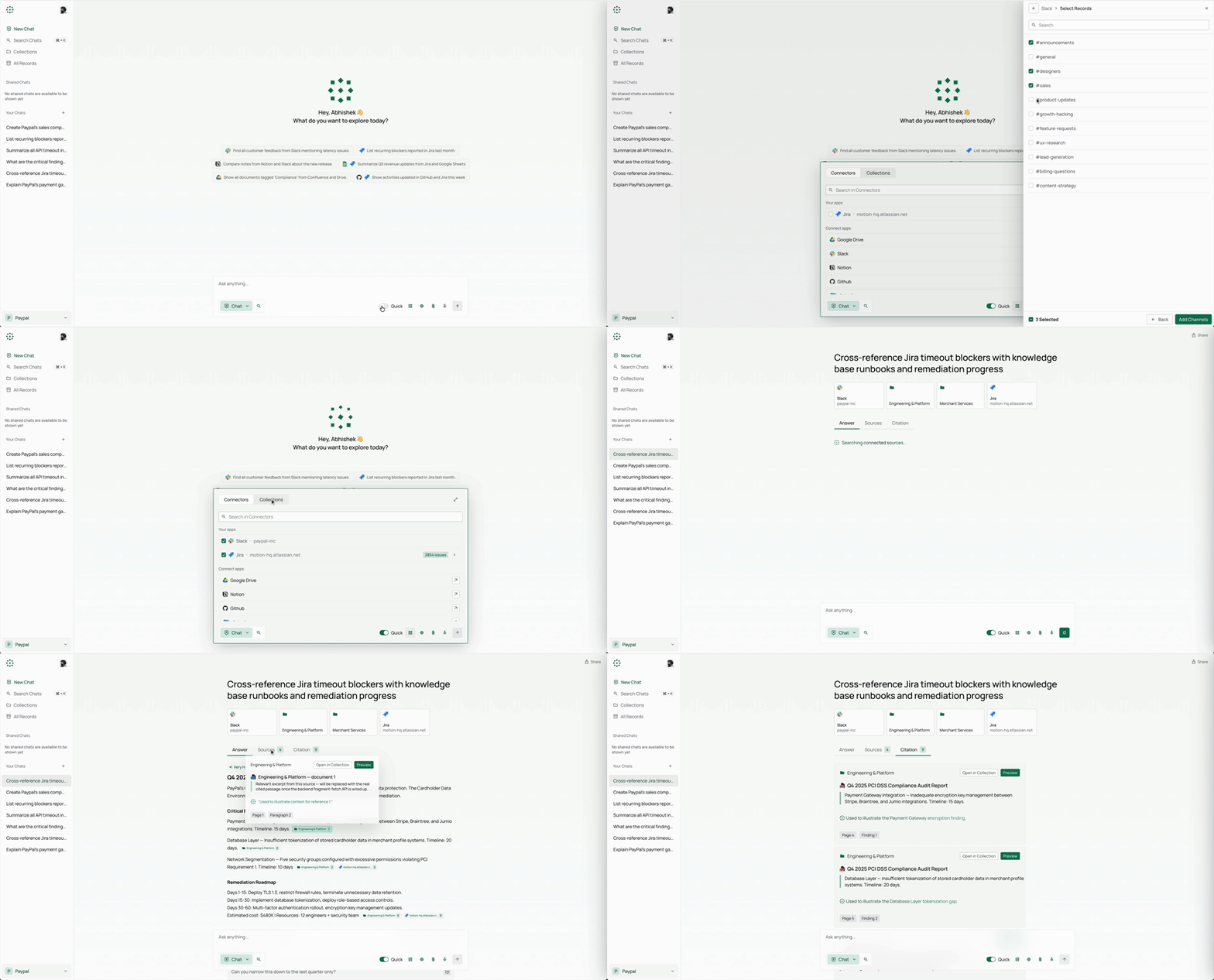
Step 2: Connect Your First Data Source (5 minutes)
The Web UI walks you through connector setup. Here's what I did for each:
🔌 Slack Connector
Click "Add Connector" → select Slack → authenticate with OAuth. Choose which channels to index (I started with #engineering and #product). This takes about 2 minutes. The first sync indexes all message history — after that, it's real-time.
🔌 Gmail Connector
Google's OAuth screen looks intimidating, but stick with it. Select specific labels (I picked "Inbox" and "Projects"). One thing I didn't expect: PipesHub preserves email threading, so when you search for "budget approval," you get the full conversation chain, not just individual emails.
🔌 Notion Connector
The smoothest of the three — one-click OAuth, then pick your workspace pages. I indexed my entire "Meeting Notes" database. The knowledge graph automatically ties Notion pages to related Slack conversations and emails.
Step 3: Ask Your First Question (2 minutes)
Go back to the main chat interface and try:
"What was decided in last week's product meeting about the Q3 roadmap?"
PipesHub will search across Slack (the #product channel), Notion (your meeting notes database), and Gmail (any related emails). The answer comes back with block-level citations — you can click each reference and see the exact paragraph, message, or email it was sourced from.
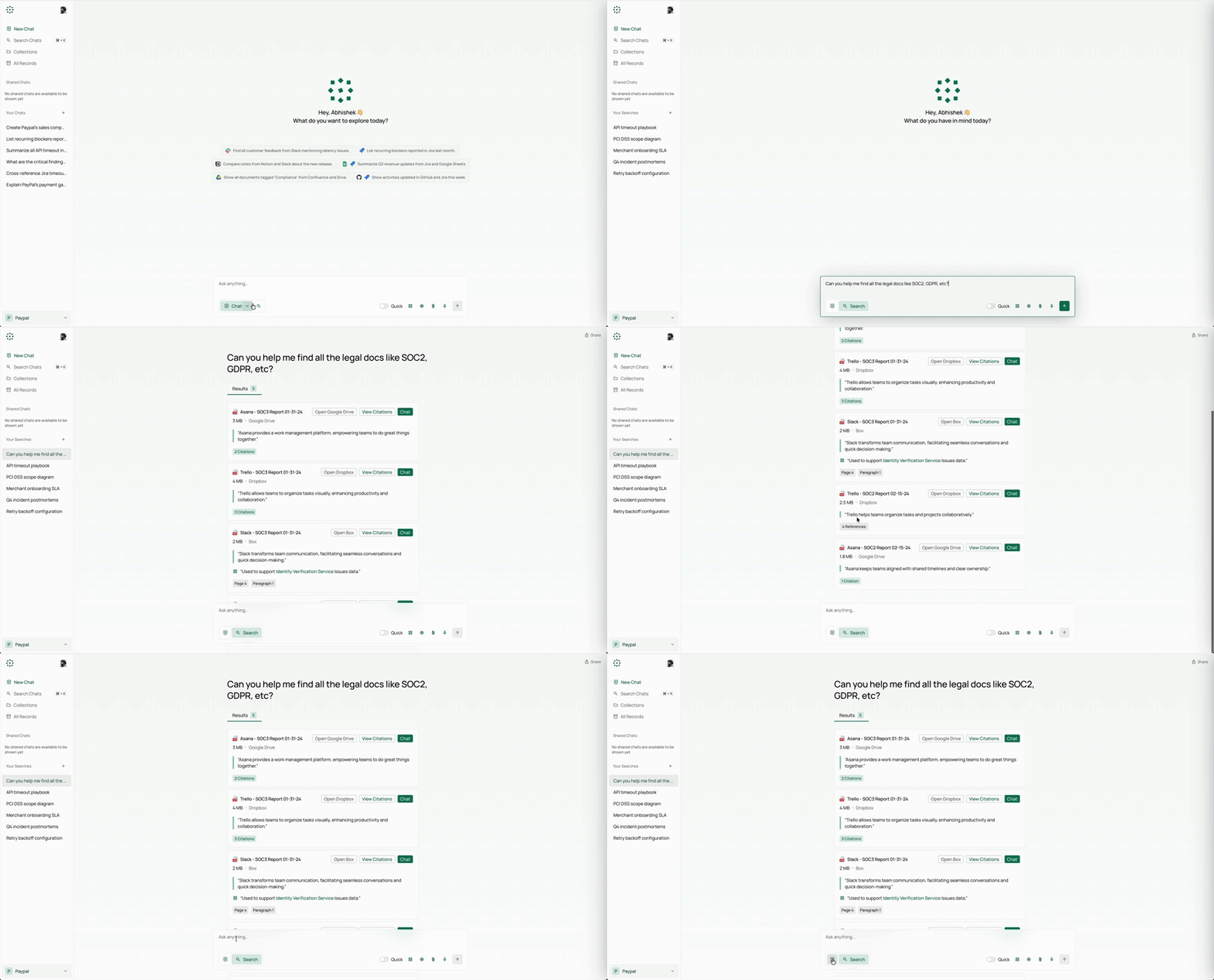
What I Learned the Hard Way
| Issue | My Mistake | Solution |
|---|---|---|
| Slow first sync | Indexed 2 years of Slack history | Start with 3 months — expand scope later |
| Missing citations | Used a generic model without instruction-following | Switch to llama3 or GPT-4 for best citation quality |
| Duplicate content | Connected both Google Drive and Gmail to the same files | Connectors are smart — data is deduplicated at the source level |
Conclusion
PipesHub solved a problem I've been chasing with various RAG tools for months: a single, governed context layer for enterprise AI. The permission-aware search means I can deploy it across my team without worrying about data leaks. The no-code agent builder means my non-technical colleagues can create their own workflows. Is it perfect? The first sync on large data sources takes a while, and the UI could use a dark mode. But for an open-source project at 3K stars, it punches way above its weight.
🚀 Explore PipesHub on Run This Ai
Docker Compose configs, system requirements, installation guides, and more — all in one place.
View PipesHub Tool Page →