PySpur: A Visual Playground for Agentic Workflows
PySpur is an open-source visual graph-based builder for agentic workflows. See how it compares to traditional agent frameworks and why visual debugging changes everything.

🔍 Why I Stopped Guessing and Started Visualizing My Agent Workflows
I've lost count of how many times I've built an AI agent, tested it, watched it fail in some edge case I never thought of, tweaked a chain of prompts, and prayed it would work. That whole "code, test, cry, repeat" loop was eating my weekends. The problem wasn't the LLM — it was that I couldn't see what my agent was actually doing at each step.
When I found PySpur, the first thing that hit me was: oh, this is what agent building should feel like. Instead of staring at walls of code, you get a visual graph of your agent's brain — every node, every decision, every LLM call laid out in front of you.
🚀 Want to deploy PySpur yourself?
Docker configs, system requirements, and installation guides — all on one page.
View PySpur Tool Page →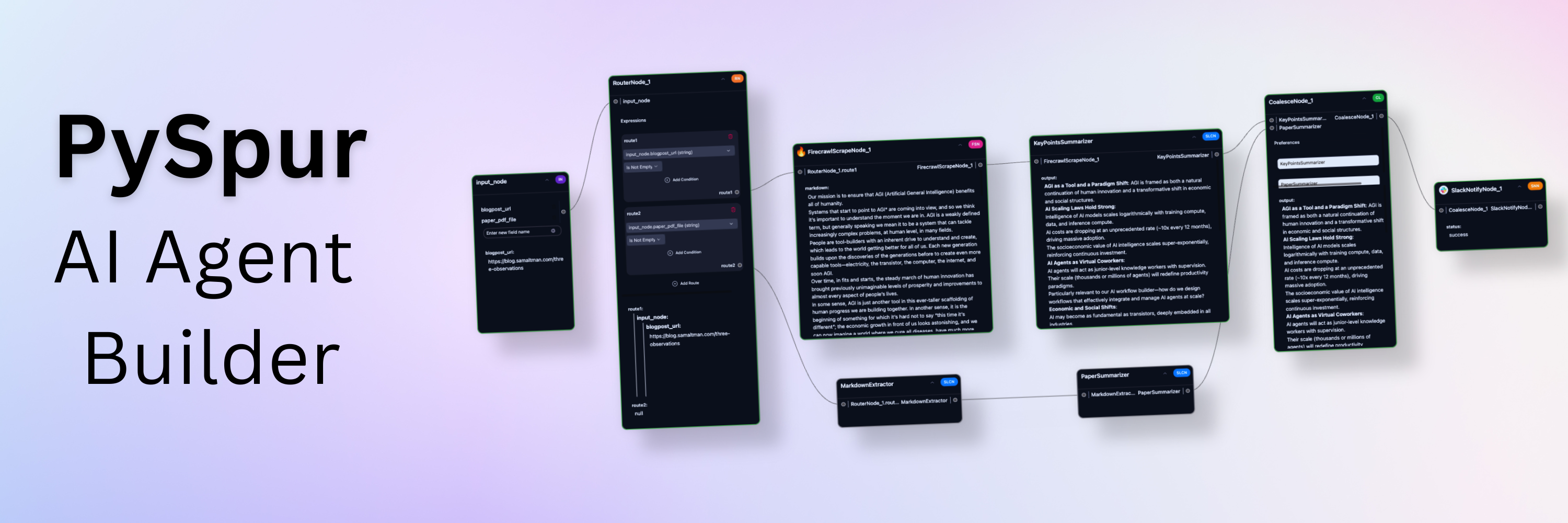
🧠 What Makes PySpur Different?
Every agent builder I've tried either dumbed things down (drag, drop, hope it works) or forced me to code everything from scratch. PySpur hits this sweet spot where you can see the full graph of your agentic workflow while still having fine-grained control over each node.
The Graph That Shows Everything
I remember spending two hours debugging a RAG pipeline where the retrieval step was silently failing. In PySpur, I would've spotted it in 10 seconds — the graph node would've been red, showing exactly where the chain broke. That's the kind of visibility I didn't know I needed until I had it.
Multi-Provider Support That Actually Works
You're not locked into one LLM provider. PySpur lets you mix and match — use Gemini for vision tasks, GPT-5 for reasoning, Ollama for local inference — all within the same workflow. I tested this with a multimodal agent that first analyzed images via Gemini, then passed the context to GPT-5 for final reasoning. Worked on the first try.
Human-in-the-Loop Is Built-In, Not Bolted On
This was the killer feature for me. When your agent is about to make a critical decision, PySpur can pause the workflow and wait for human approval. It's not an afterthought — it's a native node type in the graph.
⚡ Quick Facts
| Feature | PySpur |
|---|---|
| License | Apache-2.0 ✅ |
| GitHub Stars | 5,745 ⭐ |
| Docker | GHCR Image (pyspur-backend) ✅ |
| LLM Providers | OpenAI, Anthropic, Gemini, Ollama, DeepSeek |
| Human-in-the-Loop | Built-in ✅ |
| Tracing | Full execution tracing ✅ |
💭 My Take
PySpur isn't trying to be everything to everyone. It's for people who build agent workflows — developers, AI engineers, tinkerers who want to iterate fast without losing visibility. After a week of using it, I can confidently say: if you're still debugging agent chains by reading logs, you're wasting time.
Is it perfect? No. The docs could use more examples for advanced workflows, and I wish it had native deployment templates. But as a visual builder for agentic workflows? It's the best I've used.
🎯 Who Should Use This?
- ✅ AI Engineers prototyping multi-step agent workflows
- ✅ Researchers who need to trace and debug LLM chains
- ✅ Teams building production RAG pipelines with human oversight
- ❌ Not for complete beginners who want a no-code "make an agent" button
🚀 Explore PySpur on Run This Ai
Docker Compose configs, system requirements, installation guides, and more — all in one place.
View PySpur Tool Page →