RetainPDF Tutorial: How to Translate Scanned and Image-Based PDFs
Step-by-step: use RetainPDF to OCR scanned papers, protect code and inline formulas with translation rules, and export a perfectly laid-out translated PDF.
🚀 Want to deploy RetainPDF yourself?
Docker configs, system requirements, and installation guides — all on one page.
View RetainPDF Tool Page →Scanned PDFs are the hardest documents to translate: there is no text layer, formulas are images, and OCR output usually destroys the page layout. This tutorial shows how to get a clean, layout-preserving translation with RetainPDF — from a raw scan to a finished bilingual-style PDF.
Step 1 — Get RetainPDF
Grab the release for your OS from GitHub Releases (Windows Setup.exe, macOS .dmg, Linux .deb), or deploy the Docker image wxyhgk/retainpdf-app:latest if you want a shared instance for your team.
Step 2 — OCR handles the scan
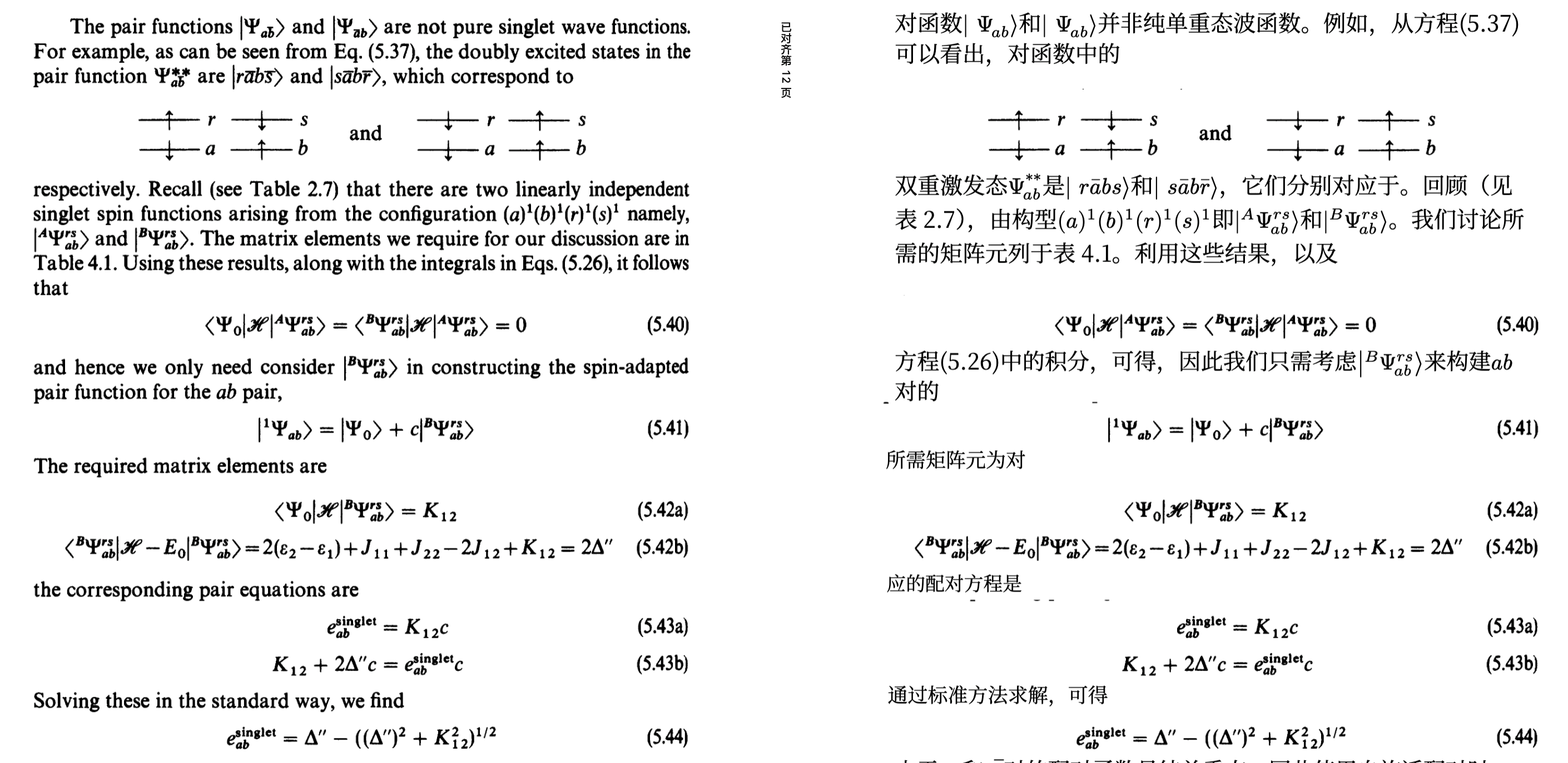
RetainPDF runs OCR on image-based pages automatically. The scan below is converted into a real text layer — the first step toward an accurate translation, not a garbled blob:
Step 3 — Protect code and formulas
Configure translation rules so code blocks stay untouched and complex inline formulas render correctly. RetainPDF's rule-based strategy means you decide what gets translated and what stays verbatim — a lifesaver for technical manuals and research papers.
Step 4 — Export with layout intact
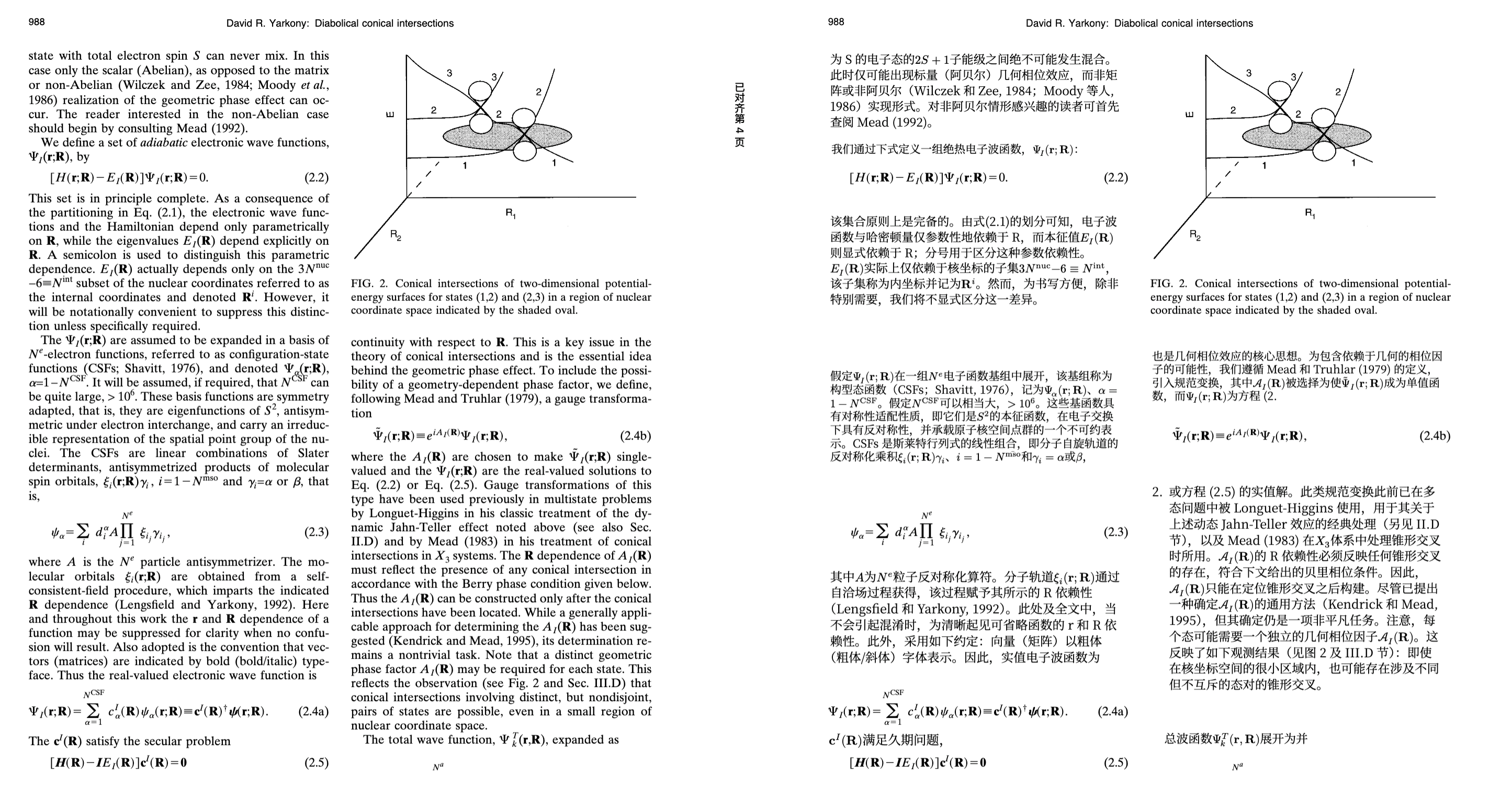
The result keeps the original structure: headings, tables, and page flow survive, and the output is compressed to keep file size reasonable. Here is the scanned-document result after translation:
Automate the whole flow
RetainPDF is decoupled (OCR → translation → typesetting → delivery), so you can call its API and plug it into a document pipeline that processes hundreds of PDFs without human interaction.
🚀 Want to deploy RetainPDF yourself?
Docker configs, system requirements, and installation guides — all on one page.
View RetainPDF Tool Page →