How to Build Your First RAG Pipeline with RocketRide (Tutorial)
Step-by-step tutorial: install RocketRide with Docker, wire a RAG pipeline in the VS Code extension, trace every node, and drive it from the Python SDK.
🚀 Want to deploy RocketRide yourself?
Docker configs, system requirements, and installation guides — all on one page.
View RocketRide Tool Page →Hands-on: build your first RocketRide pipeline
In this tutorial we'll create a simple RAG pipeline in RocketRide — ingest a document, embed it into a vector store, and answer questions with an LLM — then run it from the VS Code extension and via the Python SDK.
Step 1: Install and start the engine
The fastest path is Docker: pull the engine image and start the stack with PostgreSQL + pgvector, Milvus, and Chroma. RocketRide's compose file wires everything together, and the engine exposes a health check on /ping. Minimum 4 GB RAM; 8 GB recommended for production workloads.
docker pull ghcr.io/rocketride-org/rocketride-engine:latest
docker compose up -d   # engine + postgres + milvus + chroma
Step 2: Open the IDE extension
Install the RocketRide VS Code extension and connect it to the running engine. You get a visual canvas where nodes are dragged and wired together. For our RAG pipeline we need: a document loader, a text splitter, an embedding node, a vector store node (pgvector), a retriever, and an LLM node.
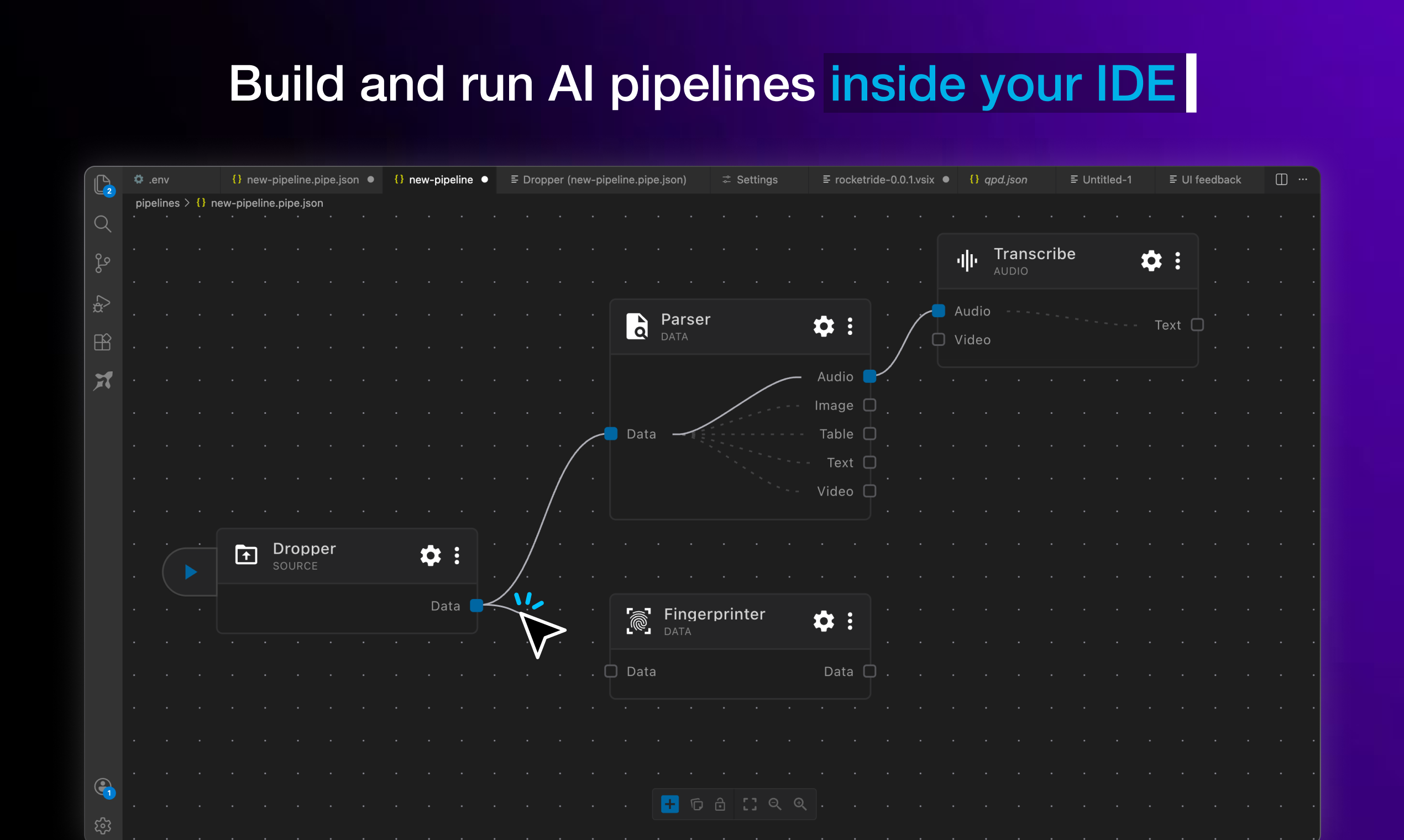
Step 3: Wire the nodes and trace
Connect loader → splitter → embedding → pgvector to index your document. Then build the query branch: question → retriever → LLM. Hit Run and watch the tracing panel — every node's inputs, outputs, and latency are recorded in real time, which makes debugging failed steps trivial.
Step 4: Drive it from code
RocketRide ships TypeScript and Python SDKs. The same pipeline you drew in the IDE can be triggered from your application:
from rocketride import Client

client = Client("http://localhost:5565")
result = client.run("rag-pipeline", {"question": "What is RocketRide?"})
print(result.answer)

Review verdict
| Aspect | Score |
|---|---|
| Performance (C++ core) | ⭐⭐⭐⭐⭐ |
| Developer experience | ⭐⭐⭐⭐⭐ |
| Self-hosting ease | ⭐⭐⭐⭐ |
| Docs & community | ⭐⭐⭐⭐ |
Bottom line: RocketRide is one of the most complete open-source LLM workflow engines available — fast, IDE-native, and fully self-hostable. If you want production-grade pipelines without cloud lock-in, it's an excellent pick.
🚀 Ready to run RocketRide?
Get the Docker setup, system requirements, and install guide in one place.
View RocketRide Tool Page →