Rowboat: Open-Source AI Coworker with Memory — Complete Guide
Rowboat is an open-source AI coworker with persistent memory that indexes your work into a knowledge graph. Learn about its features: email client, browser, meeting notes, code mode, and background agents.
What Is Rowboat?
Rowboat is an open-source AI coworker built to live alongside you on your machine. Unlike cloud-only assistants, Rowboat runs locally and indexes your work — emails, meetings, Slack conversations, notes, code — into a persistent knowledge graph that grows with you. It's designed not just to answer questions, but to take action: drafting emails, browsing the web, writing code, joining meetings, and running scheduled background tasks.
🚀 Want to deploy Rowboat yourself?
Docker configs, system requirements, and installation guides — all on one page.
View Rowboat Tool Page →Key Features
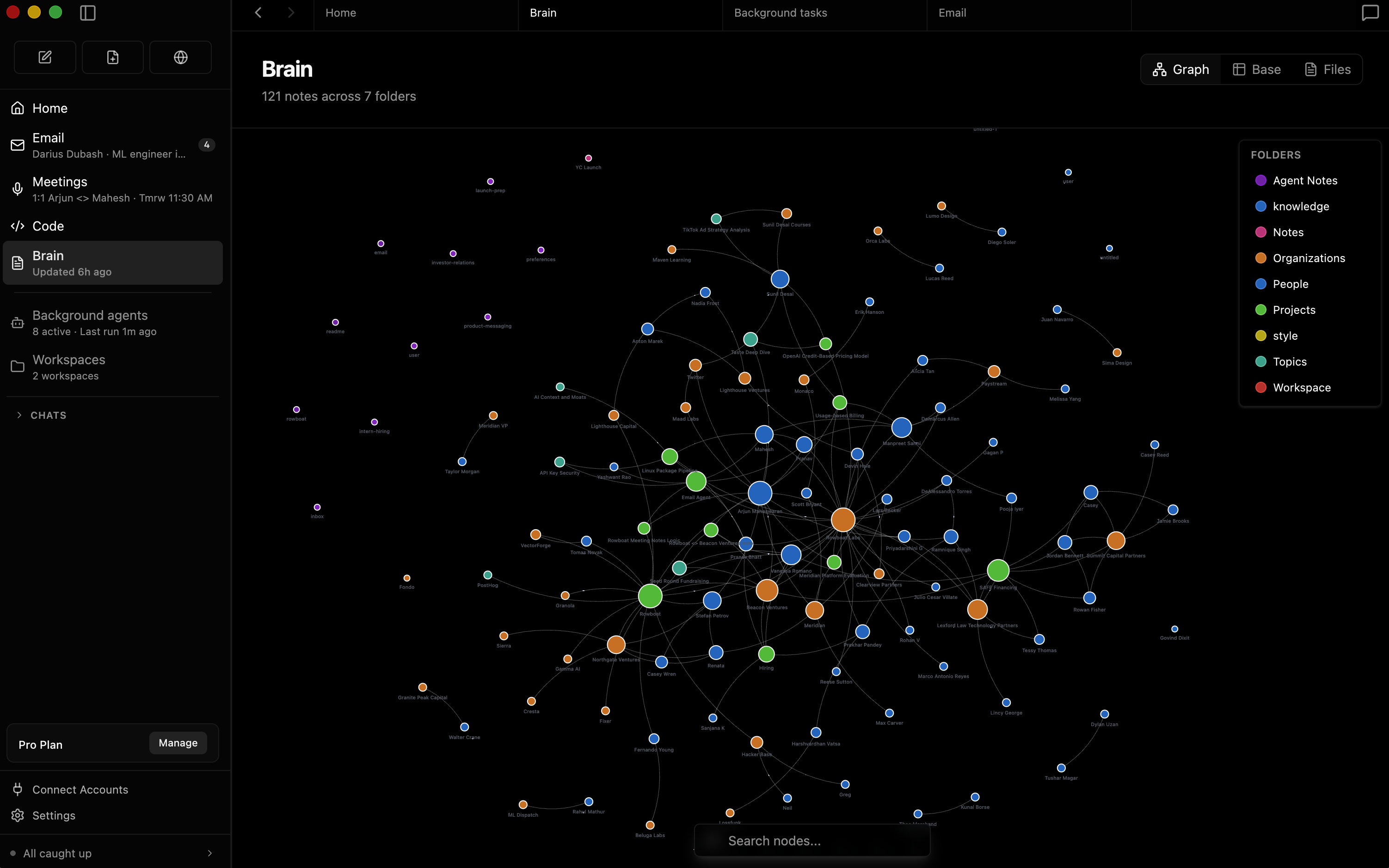
🧠 Knowledge Graph (Brain)
Rowboat automatically indexes your work into an Obsidian-style backlinked knowledge graph. Emails, meeting notes, Slack messages, and assistant conversations are all connected so your AI understands the full context of your work.
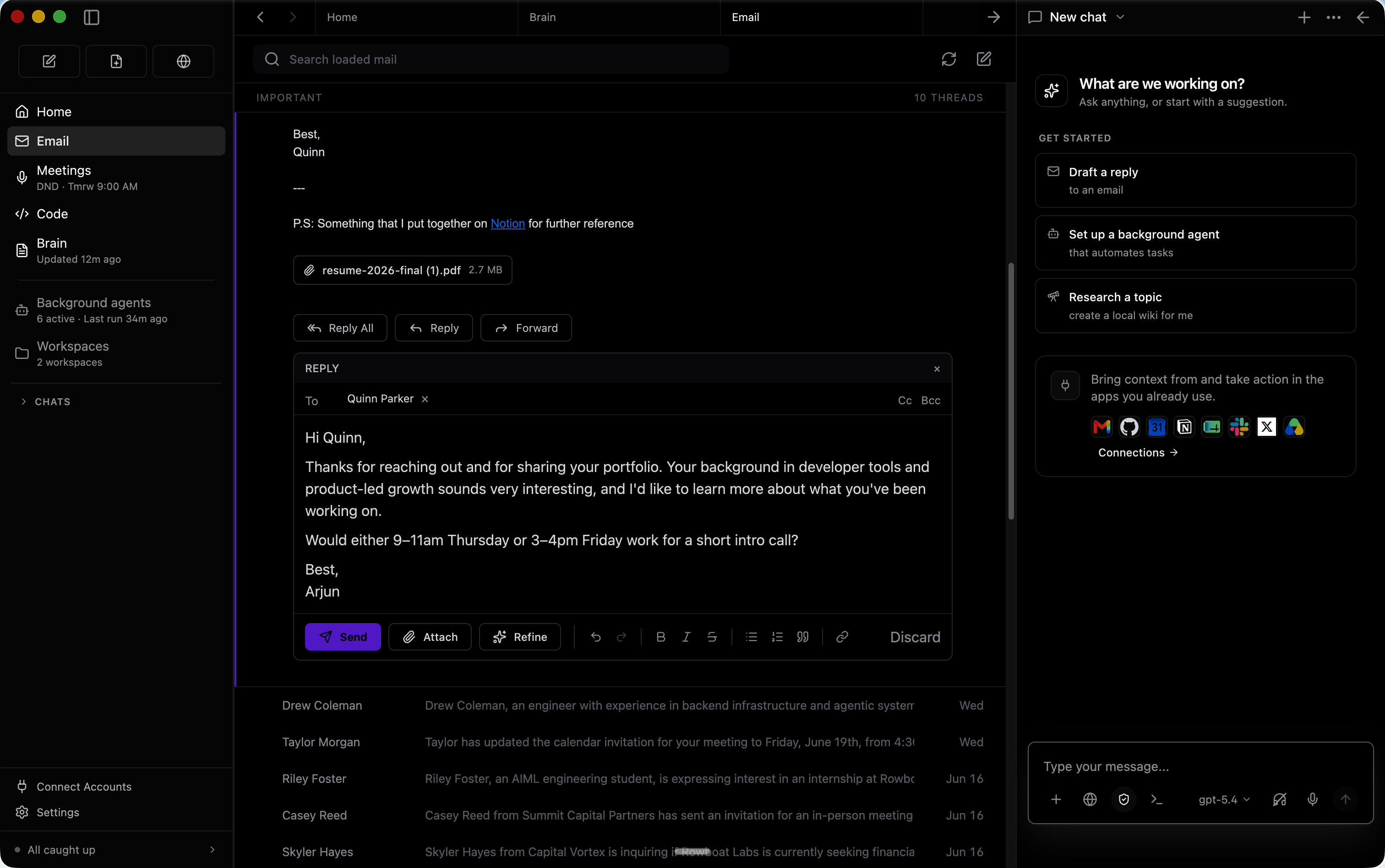
📧 Smart Email Client
Built-in email client sorts your inbox into important and everything else. Rowboat automatically drafts responses for important emails using your full work context — no more copy-pasting between apps.
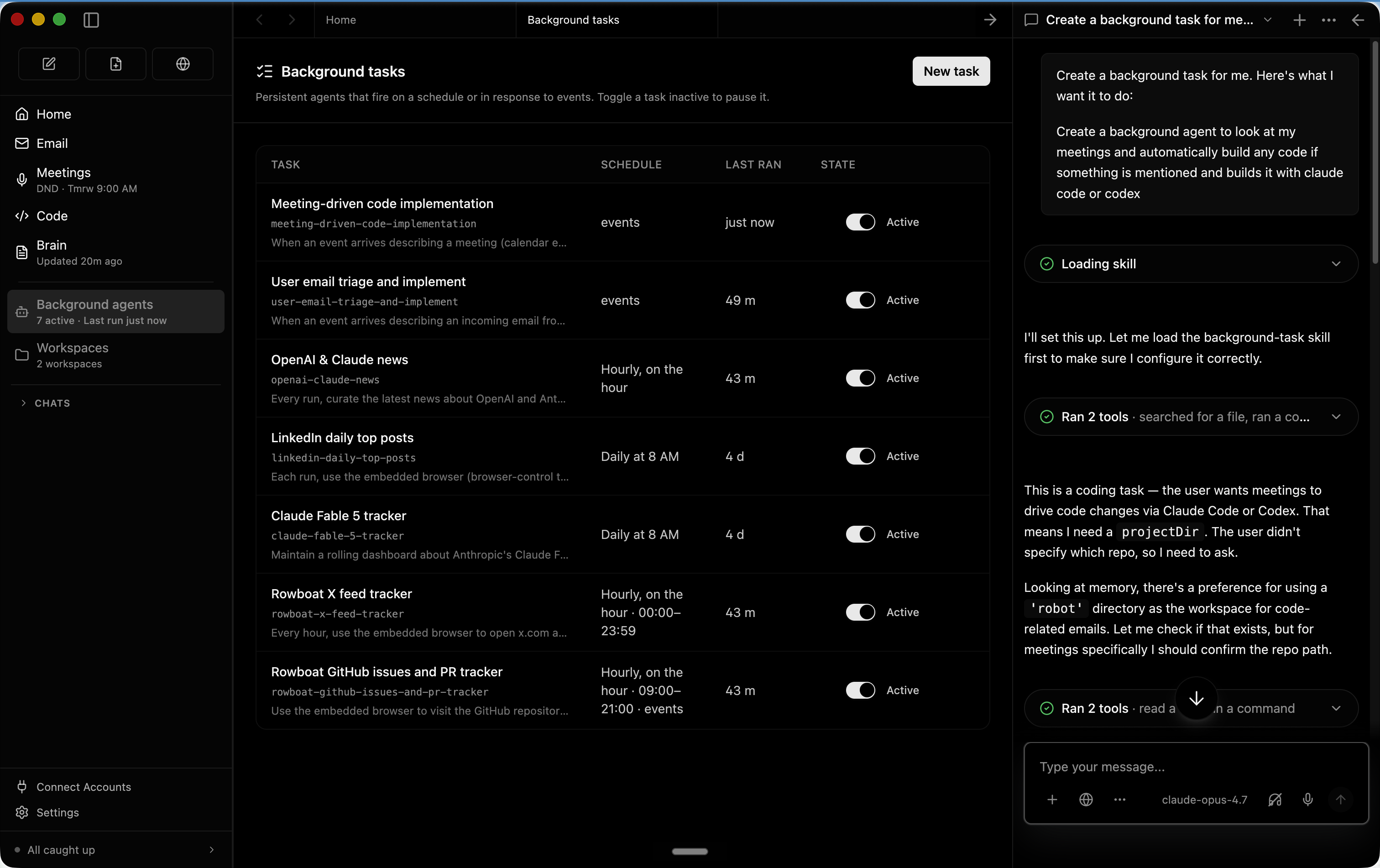
🖥️ Background Agents
Set up autonomous agents that run on events (new email) or schedules (every day at 8 AM). They can search the web, run browser tasks, write code using Claude Code or Codex, and connect to external tools — all while you work on other things.
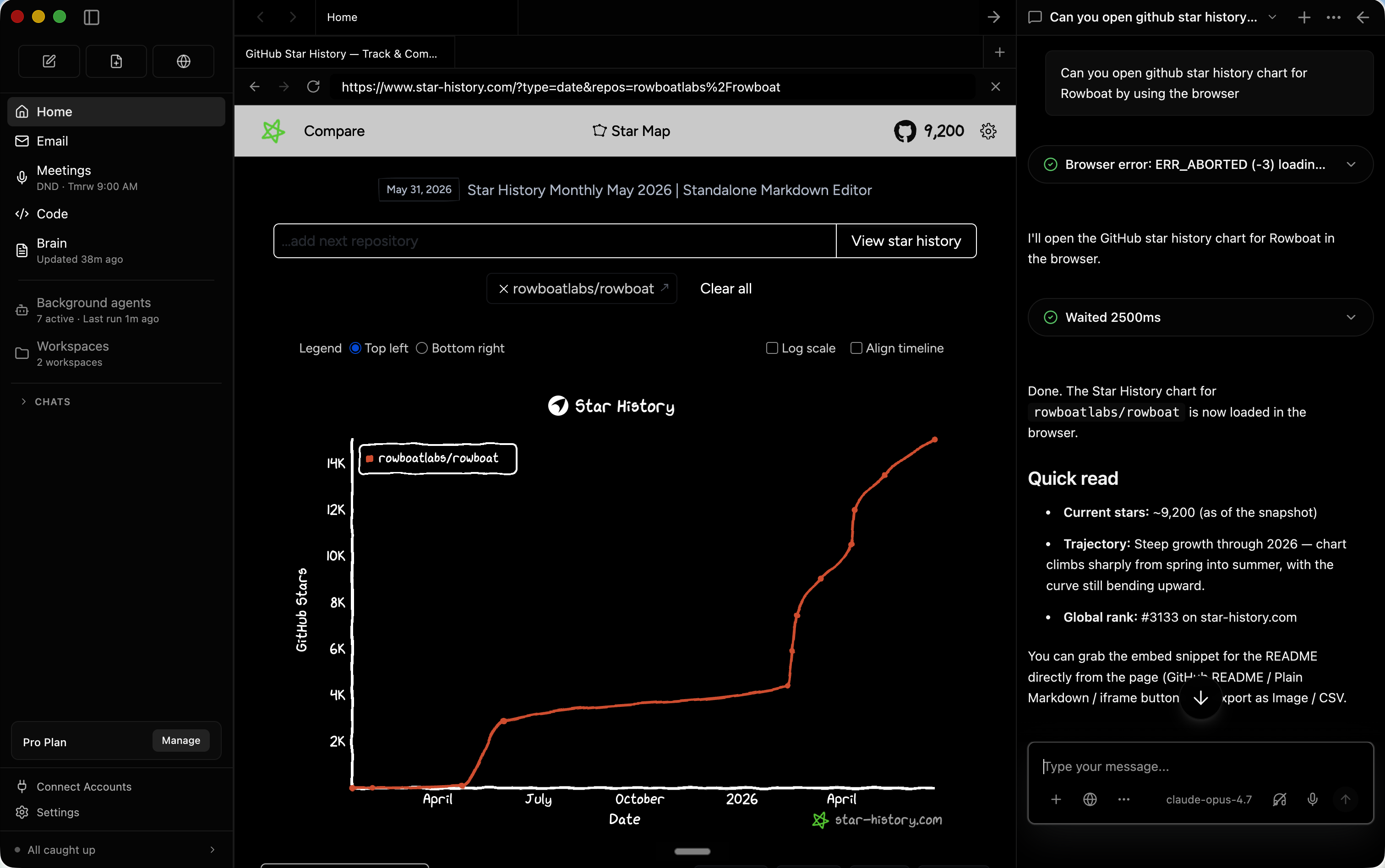
🌐 Built-in Browser
A dedicated browser lets you and your AI collaborator work on web tasks together. Isolated from your main browser, you can log into work accounts without mixing personal sessions.
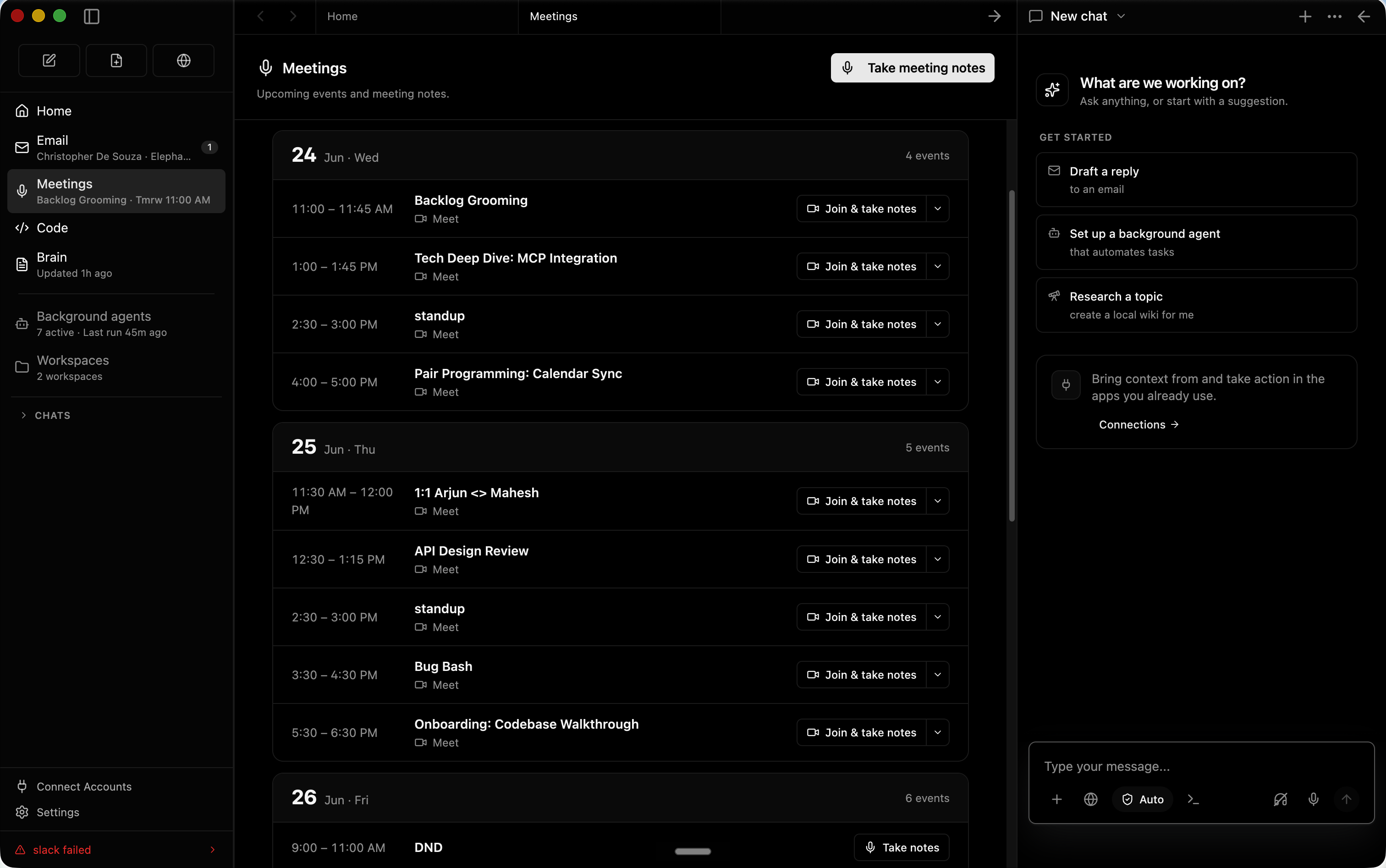
📝 Meeting Notes
Local meeting note-taker that taps into your mic and speaker. Produces live transcripts and automatically summarizes meetings into markdown files — all while updating the knowledge graph.
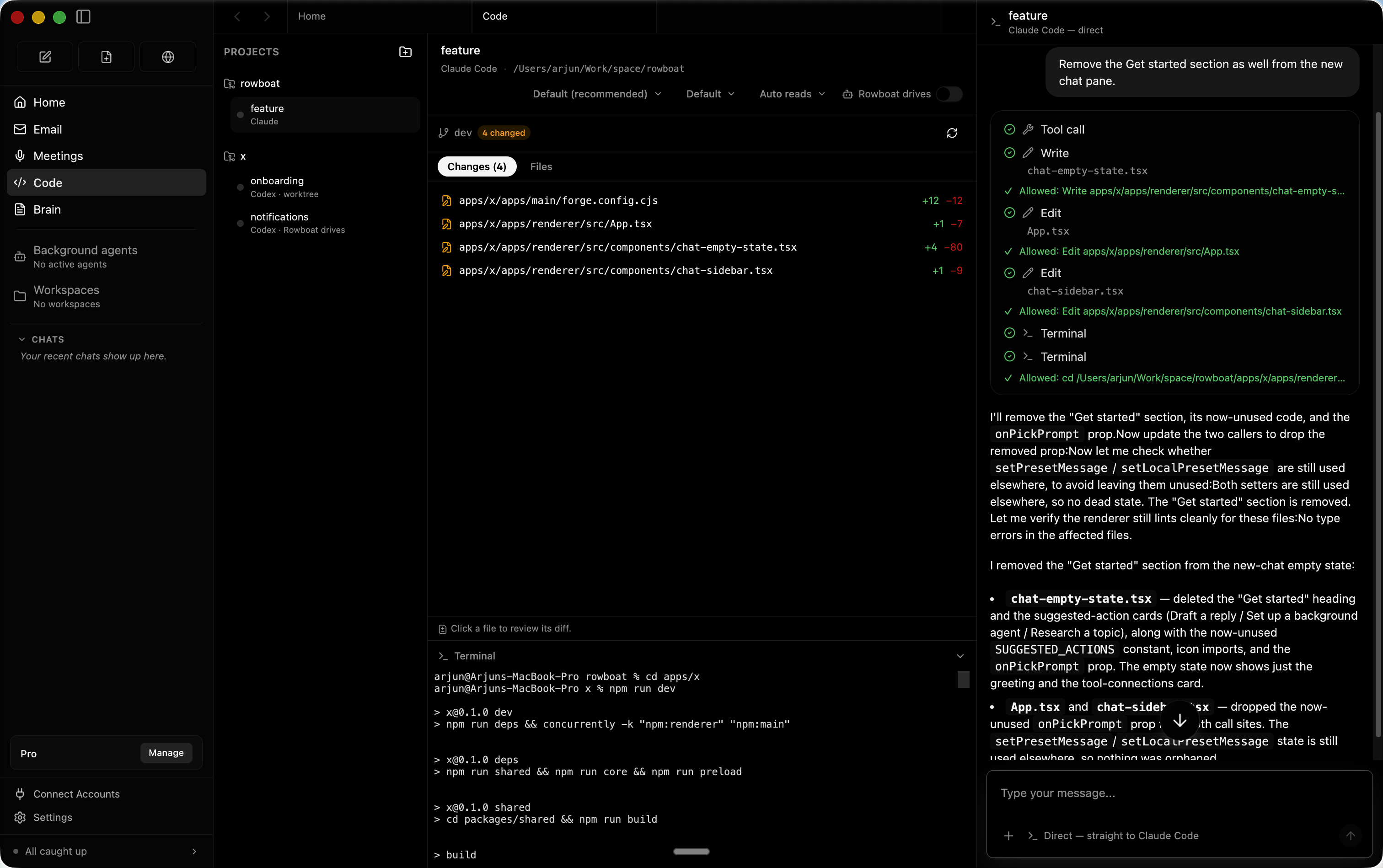
💻 Code Mode
Collaborate with AI on code directly. Rowboat's code mode integrates with your development workflow, letting the AI assist with implementation, debugging, and refactoring.
Architecture & Deployment
Rowboat is built with TypeScript and Next.js, running as an Electron desktop application. It requires:
| Component | Requirement |
|---|---|
| Runtime | Node.js 18+ (Electron) |
| Database | MongoDB + Redis |
| Vector Store | Qdrant (optional, for RAG) |
| LLM Provider | OpenAI, Anthropic Claude, or compatible |
| Docker | docker-compose.yml builds from source |
🚀 Ready to try Rowboat?
Visit the tool page for system requirements, Docker setup, and deployment options.
View Rowboat Tool Page →Getting Started
- Download the desktop app from rowboatlabs.com/downloads for Mac, Windows, or Linux
- Connect an LLM — add your OpenAI or Anthropic API key
- Index your work — Rowboat will scan your email, calendar, and files to build your knowledge graph
- Set up agents — create background agents for scheduled or event-driven tasks
- Collaborate — use the chat, code mode, browser, and meeting note-taker to work alongside your AI
Why Choose Rowboat?
- Privacy-first: Runs locally — your data stays on your machine
- Open source: Apache 2.0 license — inspect, modify, and self-host
- Persistent memory: Knowledge graph remembers your work context across sessions
- 16K+ GitHub stars — active community and regular updates
- Y Combinator S24: Backed by a top accelerator