Getting Started with SAG: Deploy Your Own SOTA RAG Knowledge Base
Step-by-step guide to deploying SAG — the new state-of-the-art RAG knowledge base. Learn both desktop and Docker deployment methods, explore key features, and see performance benchmarks.
Why Self-Host SAG?
SAG is a local-first, single-user knowledge base application that gives you complete control over your data. Whether you're a researcher aggregating papers, a knowledge worker building a personal knowledge base, or a developer integrating RAG into your stack, SAG offers the easiest path to a state-of-the-art retrieval system — without API keys, without external dependencies, and without compromise.
🚀 Want to deploy SAG yourself?
Docker configs, system requirements, and installation guides — all on one page.
View SAG Tool Page →Method 1: Desktop App (Easiest)
The fastest way to start with SAG is the desktop application. It bundles the web workspace and local knowledge backend into a single package — no need to install Python, Node.js, or a database.
| Platform | Download | Notes |
|---|---|---|
| macOS 15+ (Apple Silicon) | SAG-*-mac-arm64.dmg |
Signed, notarized, auto-update |
| Windows 10/11 (x64) | SAG-Setup-*-win-x64.exe |
Unsigned (SmartScreen warning), auto-update |
Application updates preserve your knowledge base and uploads. Release checksums are published as SHA256SUMS.txt on the GitHub releases page.
Method 2: Docker Deployment
For a self-hosted server deployment, Docker is the way to go. You'll need Docker Desktop or Docker Engine with Compose v2.
Step 1: Clone the Repository
git clone https://github.com/Zleap-AI/SAG.git
cd SAG
Step 2: Start with Docker Compose
docker compose up -d --build
No API key, Python runtime, Node runtime, or external database is required. When both services are healthy, open:
- Web application: http://localhost:3000
- API documentation: http://localhost:8000/docs
Step 3: First Launch
- Enter your name to create or restore a workspace key
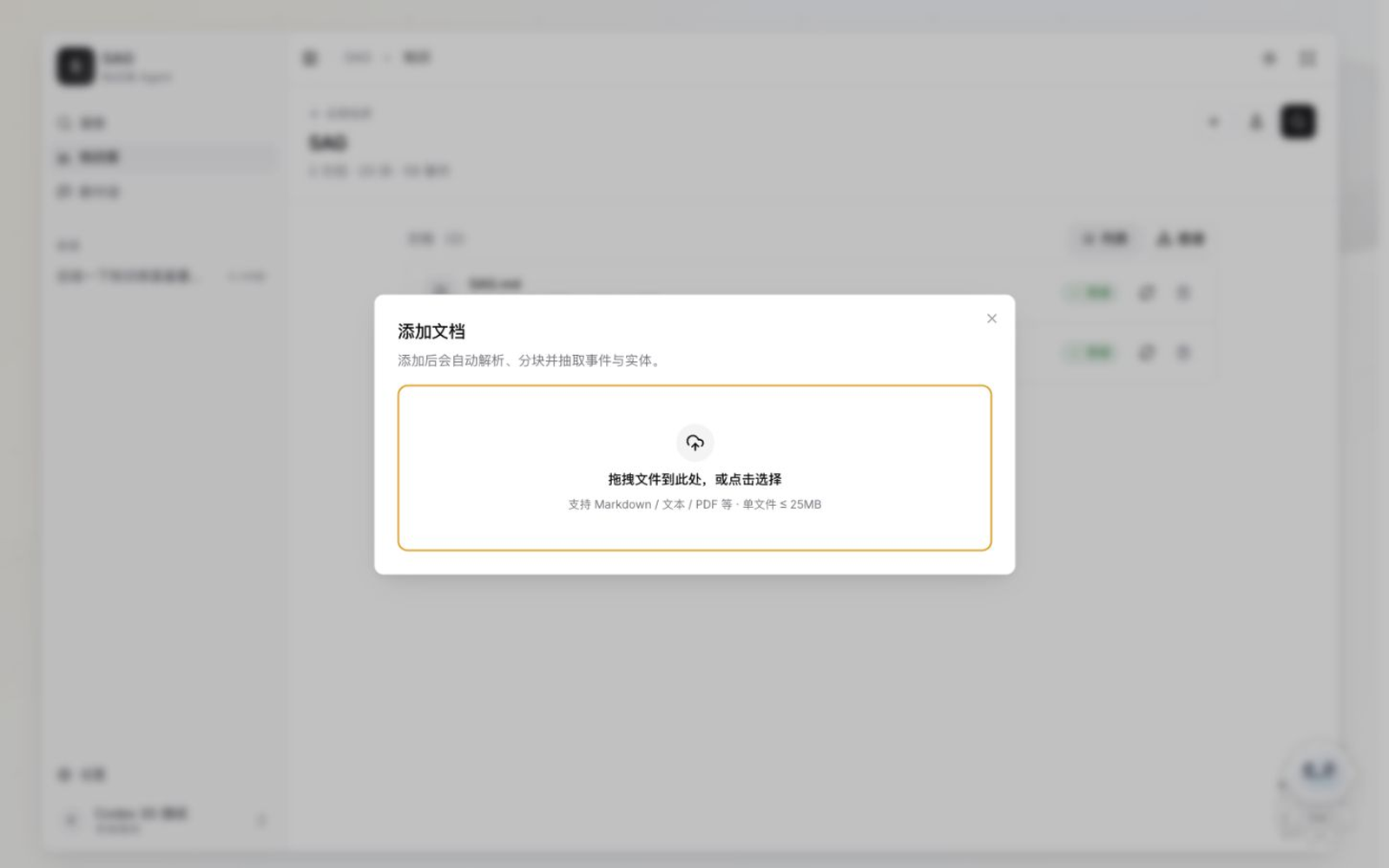
- Start importing documents — SAG will parse, chunk, embed, and extract events/entities automatically
- Search across sources, inspect the knowledge graph, or start an agent chat with citations
What You Can Build With SAG
📚 Personal Research Assistant — Upload papers, articles, and notes. Ask questions with citations back to the exact source paragraphs.
🤖 Agent Knowledge Base — Expose your knowledge through MCP or REST API. Let other AI agents query your curated data with full traceability.
🔍 Enterprise Document Search — Combine semantic search with relational reasoning across thousands of documents. Every result links back to the original source.
Performance Benchmarks
SAG sets a new SOTA across multi-hop QA datasets using BGE-Large-EN-v1.5 embedding and Qwen3.6-Flash LLM:
| Dataset | Method | Recall@1 | Recall@2 | Recall@5 |
|---|---|---|---|---|
| HotpotQA | SAG | 47.80% | 91.55% | 96.50% |
| 2WikiMultiHopQA | SAG | 43.53% | 82.30% | 88.00% |
| MuSiQue | SAG | 36.17% | 64.05% | 80.04% |
| Average | SAG | 42.50% | 79.30% | 88.18% |
Read the full paper: SAG: SQL-Retrieval Augmented Generation with Query-Time Dynamic Hyperedges
🚀 Ready to deploy SAG?
Get the Docker configs, system requirements, and step-by-step install guide.
View SAG Tool Page →