SwarmUI: The Modular Stable Diffusion Interface That Grows With You
Discover SwarmUI, the next-generation Stable Diffusion web interface with ComfyUI backend, modular plugins, and a high-performance design. Learn what makes it stand out from A1111, ComfyUI, and other SD interfaces.
🚀 Explore SwarmUI on Run This Ai
Docker Compose configs, system requirements, installation guides, and more — all in one place.
View SwarmUI Tool Page →What Is SwarmUI?
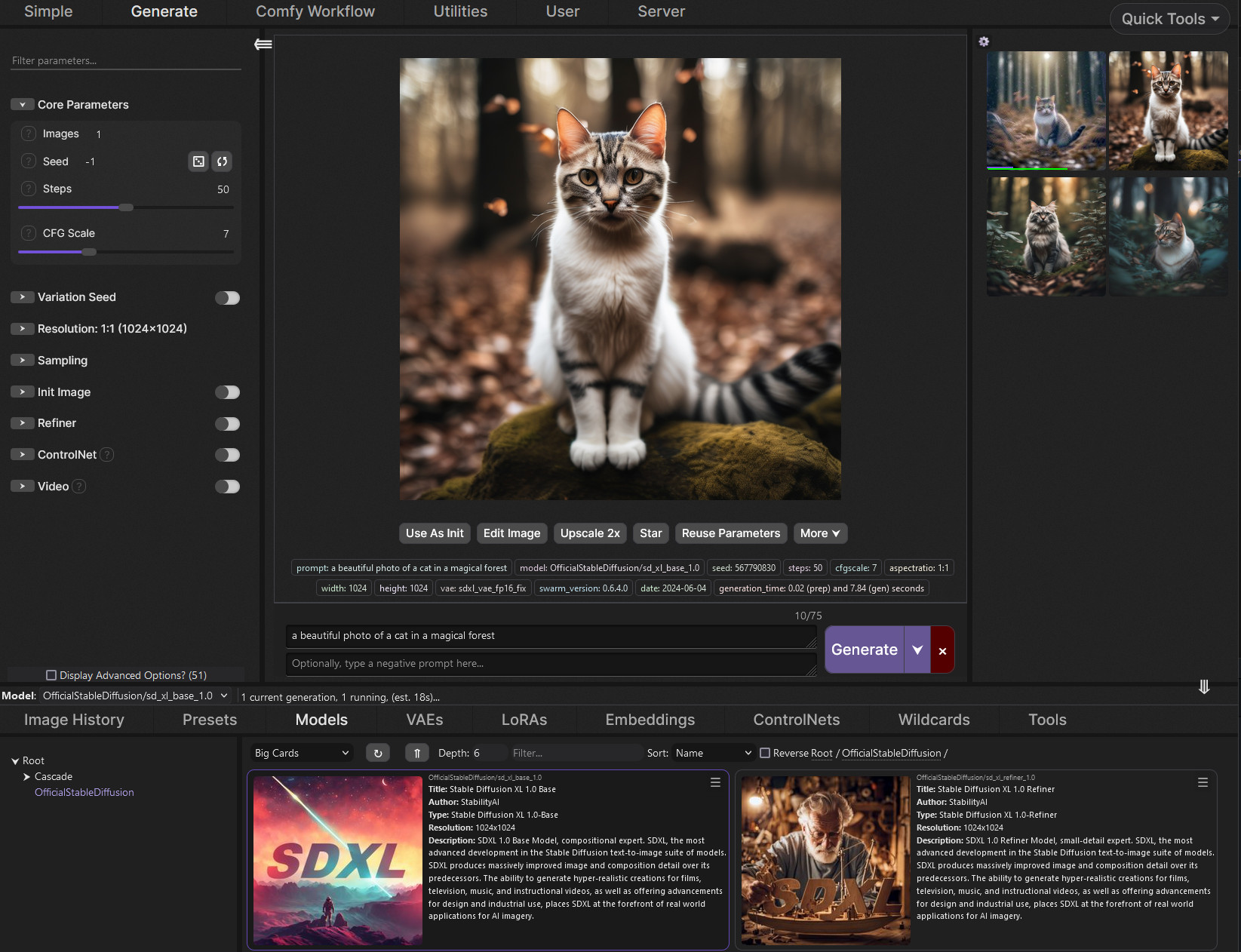
SwarmUI is a next-generation Stable Diffusion web interface that combines the power of ComfyUI's node-based backend with an elegant, high-performance frontend. Created by the team behind mcmonkeyprojects, it's designed to make advanced AI image generation accessible to everyone — from beginners exploring their first prompts to power users building complex workflows.
The project started as StableSwarmUI and has evolved into a mature platform with 4,200+ GitHub stars. What sets SwarmUI apart is its modular architecture: every feature is a plugin, making the system incredibly extensible. You can add new models, custom nodes, and entire workflow pipelines without touching core code.
Why SwarmUI Stands Out
Unlike traditional Stable Diffusion UIs that force you into a specific workflow, SwarmUI gives you freedom. It supports multiple backends simultaneously — primarily ComfyUI, but also Automatic1111-style workflows. The UI is built with modern web technologies, offering real-time previews, drag-and-drop image management, and a responsive design that works on desktop and tablet alike.
Key Features
🔄 ComfyUI Backend Integration: Leverage the full power of ComfyUI's node graph system while enjoying a clean, streamlined interface. Import any ComfyUI workflow and expose its parameters as simple UI controls.
📦 Modular Plugin System: Every feature is a self-contained plugin. Need support for a new model format? There's a plugin for that. Want custom image post-processing? Write a plugin in minutes.
🎨 Advanced Image Management: Built-in image browser with metadata extraction, prompt history, and batch operations. Never lose track of which prompt generated which masterpiece.
⚡ High Performance: Optimized for GPU acceleration with support for multiple concurrent generations. The queue system handles batching intelligently to maximize throughput.
🌐 Web-First Design: Access your image generation pipeline from any device on your network. The responsive UI adapts to any screen size.
Quick Start
Getting started with SwarmUI is straightforward. The project provides installation scripts for Windows and Linux that handle all dependencies automatically:
# Windows (PowerShell)
git clone https://github.com/mcmonkeyprojects/SwarmUI
cd SwarmUI
.\launch-windows.bat

# Linux
git clone https://github.com/mcmonkeyprojects/SwarmUI
cd SwarmUI
./launch-linux.sh
SwarmUI automatically downloads ComfyUI and sets up the backend for you. Within minutes, you'll have a full image generation suite running at http://localhost:7801.
Who Should Use SwarmUI?
SwarmUI is ideal for anyone serious about AI image generation who wants more than a basic prompt box. If you find yourself constantly switching between different UIs, managing multiple model folders, or wishing you could automate parts of your workflow — SwarmUI is built for you. It's especially well-suited for teams collaborating on creative projects, as the web interface makes it easy to share a single powerful GPU machine across multiple users.
🎨 Start Creating with SwarmUI
Get the complete setup guide, system requirements, and Docker Compose configs on Run This Ai.
View SwarmUI Tool Page →