Getting Started with whisper.cpp: Local Speech-to-Text Setup Guide

Introduction
This tutorial walks you through setting up whisper.cpp for local speech-to-text transcription on your own hardware. By the end, you will have a working whisper.cpp installation that transcribes audio files, streams from a microphone, and serves transcription via a simple API.
Prerequisites
- Linux, macOS, or Windows with WSL2
- Docker installed (for the container method)
- A microphone or audio files for testing
- At least 1GB free disk space for model files
Method 1: Docker (Easiest)
The quickest way to start is with the official Docker image:
docker pull ghcr.io/ggml-org/whisper.cpp:main
mkdir -p models
docker run -it --rm -v $(pwd)/models:/models ghcr.io/ggml-org/whisper.cpp:main --download-tiny
docker run -it --rm -v $(pwd)/models:/models -v $(pwd):/audio ghcr.io/ggml-org/whisper.cpp:main -m /models/ggml-tiny.bin -f /audio/sample.wav -otxt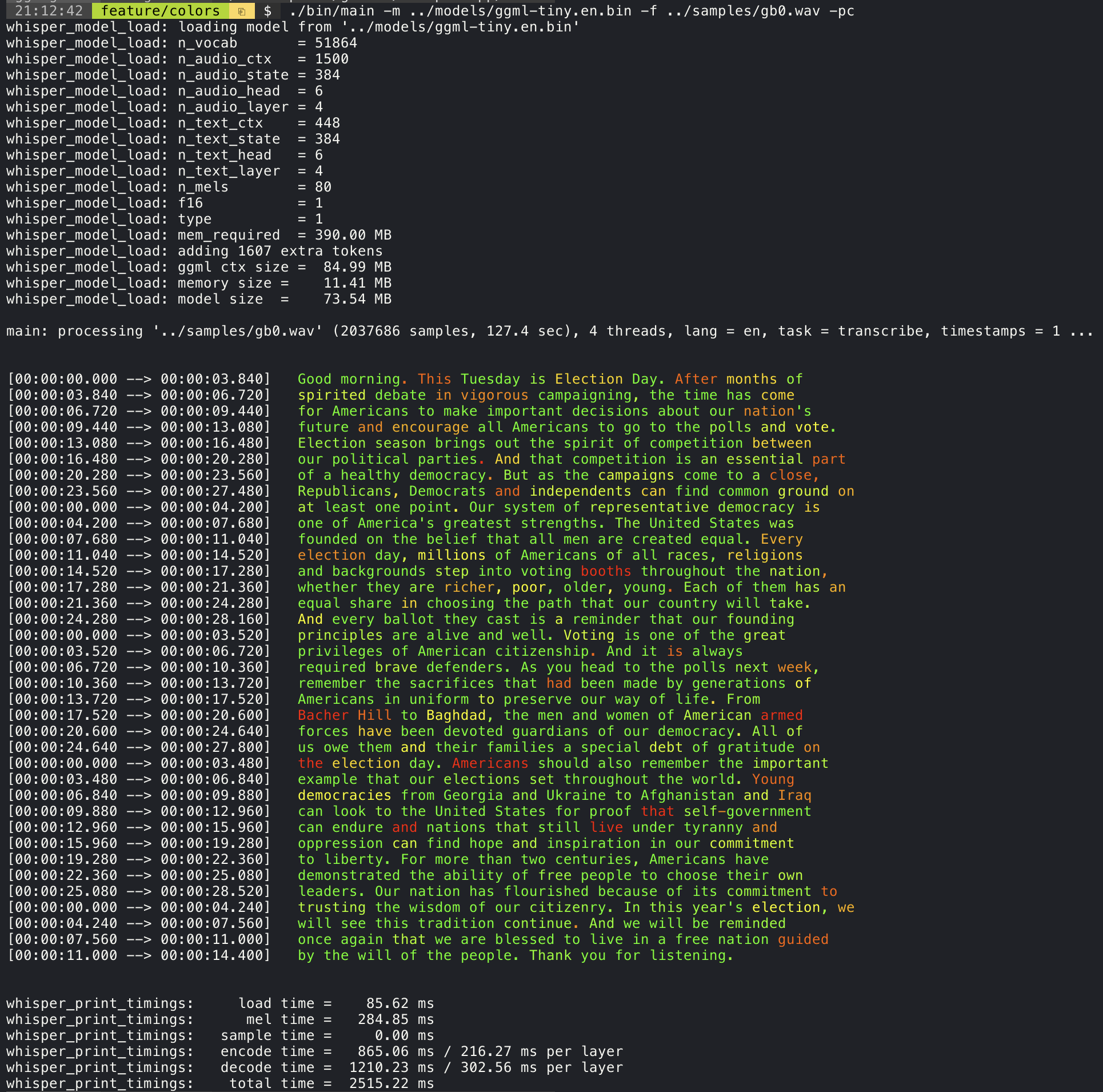
Method 2: Native Build (Max Performance)
git clone https://github.com/ggerganov/whisper.cpp.git
cd whisper.cpp
make -j
bash models/download-ggml-model.sh tiny
./main -m models/ggml-tiny.bin -f samples/jfk.wav
Model Size Guide
- Tiny (39M): Fastest, ~1GB RAM - great for Raspberry Pi
- Base (74M): Good balance - ~2GB RAM
- Small (244M): Accurate - ~3GB RAM
- Medium (769M): Very accurate - ~5GB RAM
- Large-v3 (1.5B): Most accurate - ~10GB RAM, GPU recommended
Server Mode
whisper.cpp includes an HTTP server:
./server -m models/ggml-base.bin --port 8080
# POST audio to http://localhost:8080/inference
Tips
- Use GPU:
make -j WHISPER_CUDA=1for NVIDIA - Auto language detection:
-l auto - Output formats: txt, vtt, srt, csv, json
- Convert audio:
ffmpeg -i input.mp3 -ar 16000 -ac 1 -c:a pcm_s16le output.wav
Conclusion
whisper.cpp makes local speech-to-text accessible to everyone. Docker setup takes under 5 minutes, and native builds offer peak performance. Start transcribing locally today without sending audio to the cloud.
#whisper
#tutorial
#speech-to-text
#docker